Mobile guide
3 free basketball games for mobile browsers
Looking for basketball games on your phone? These 3 selections have documented touch support. Compare their controls below, choose a starting pick and open the creator’s game. Keyboard-only choices are in the broader guide.
About these picks
Selections use creator information, existing catalogue evidence and public source/link checks on 23 November 2026. These are discovery descriptions, not full-playthrough reviews. Device support is documented rather than a physical-phone test.
FIND YOUR FIRST GAME
Start with these
A few starting points, with different reasons to play.
Bank shots on changing courts
Hoopwick: Basketball Shooting
By PN Scripts
Computer · Phone & tablet
- Touch controls

Play opens the creator’s game in a new tab. No Playground account is needed.
3 games
Recommended balances the guide’s theme, player interest, ratings and known limitations. Most played counts game opens, not time played.
Compare all 3 games
| Game | Game and scope | Controls and practical notes |
|---|---|---|
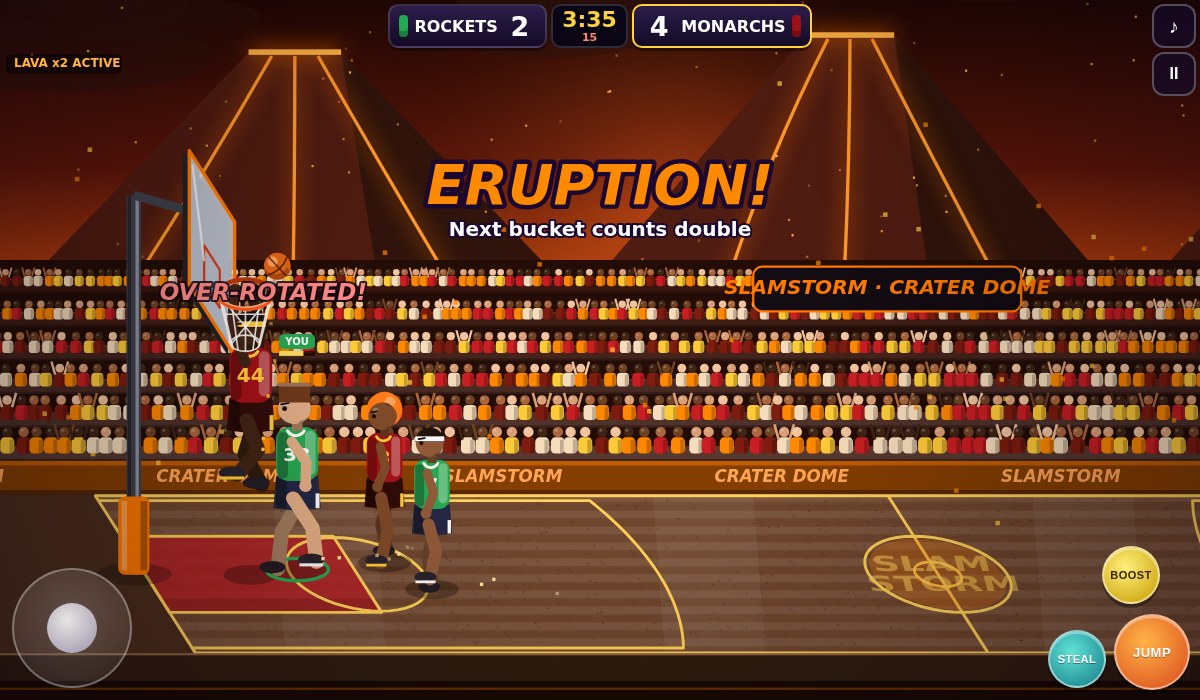
| Slamstorm 2v2 | Stylish two-on-two action provides an arcade alternative; the documented partner is a bot. | Move: WASD or arrows (touch: left pad). Shoot, jump, block, dunk: Space (SHOOT/JUMP). Pass, call for the ball, steal: K (PASS/STEAL). Overdrive sprint: hold Shift (BOOST), and Shift plus K shoves. Dunk by sprinting at the rim with Overdrive and pressing Space. Tap Space or K mid-dunk for spins and pumps. Press Space while your teammate has the ball near the rim for a Sky Lob alley-oop. |
| Hoopwick: Basketball Shooting | Moving hoops, rooftop wind and a local call-your-shot duel turn shooting into a set of smaller challenges. | Documented controls: mouse/touch drag-release or keyboard aim and power; local two-player duels share one keyboard or screen. |
| Swish | A tour and money-rack choice suit a short shooting session. | Use the game’s shot-timing controls; the creator supports desktop, tablet and phone. |
Chain dunks with a bot teammate
Slamstorm 2v2
Team up with a bot partner for two-on-two basketball, chaining stylish dunks and alley-oops across unusual courts. Move: WASD or arrows (touch: left pad). Shoot, jump, block, dunk: Space (SHOOT/JUMP). Pass, call for the ball, steal: K (PASS/STEAL). Overdrive sprint: hold Shift (BOOST), and Shift plus K shoves. Dunk by sprinting at the rim with Overdrive and pressing Space. Tap Space or K mid-dunk for spins and pumps. Press Space while your teammate has the ball near the rim for a Sky Lob alley-oop.
Why try it on a phoneStylish two-on-two action provides an arcade alternative; the documented partner is a bot.
Computer · Phone & tablet
- Touch controls
Bank shots on changing courts
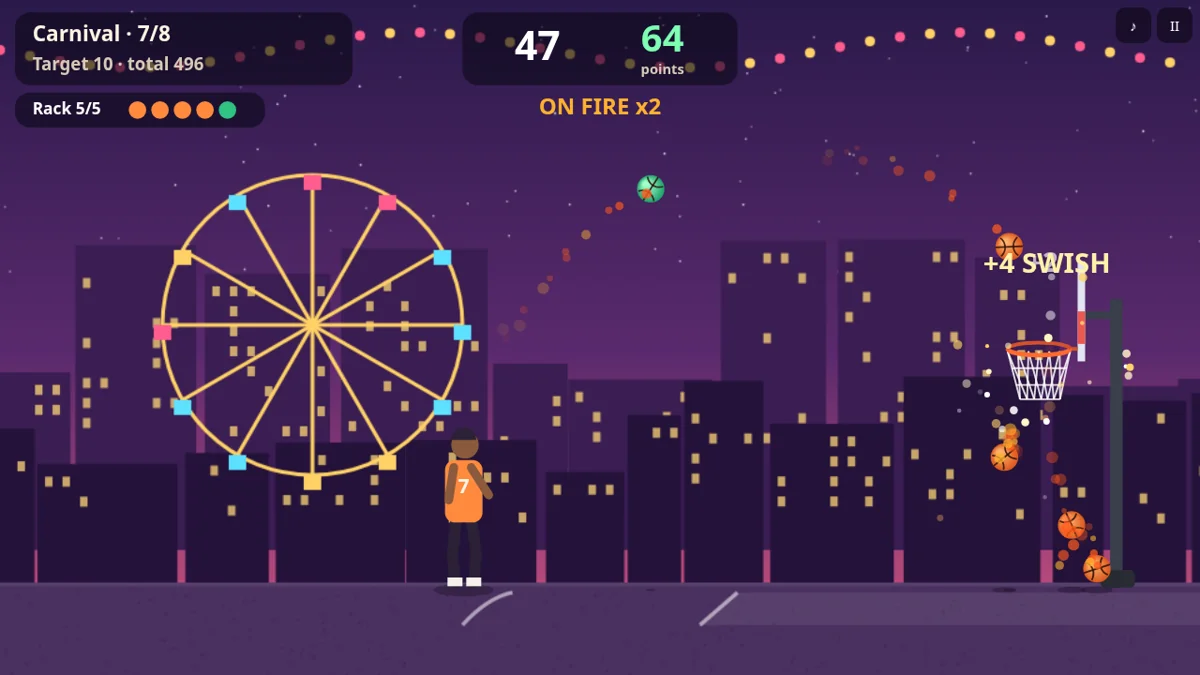
Hoopwick: Basketball Shooting
By PN Scripts ↗
Bank basketball shots across eight courts with moving hoops and rooftop wind, or challenge a friend to a local call-your-shot duel. Documented controls: mouse/touch drag-release or keyboard aim and power; local two-player duels share one keyboard or screen.
Why try it on a phoneMoving hoops, rooftop wind and a local call-your-shot duel turn shooting into a set of smaller challenges.
Computer · Phone & tablet
- Touch controls
Time a three-point contest
Swish
Travel a three-point basketball tour, time your shots and choose a money rack where every ball is worth extra points. Use the game’s shot-timing controls; the creator supports desktop, tablet and phone.
Why try it on a phoneA tour and money-rack choice suit a short shooting session.
Computer · Phone & tablet
- Touch controls
Playing in a mobile browser
Which game should I try first on my phone?
Start with Slamstorm 2v2: Stylish two-on-two action provides an arcade alternative; the documented partner is a bot. The controls table below gives the phone setup for every pick.
Does touch support guarantee the same experience on every phone?
No. These creators document touch controls, but browser performance, screen space and orientation differ. Follow any landscape or graphics-setting guidance in the entry. These are not physical-device reviews.
Will my progress carry over to another phone?
Do not assume it will. Some games keep progress in the current browser, while others have their own accounts. Playground saves your game links separately from progress inside the creator’s game; check that game’s save instructions.
Found your favourite?
Leave a rating on its game page. Or send a friend somewhere new to play.
OVER TO YOU
Comments
Got a thought, a favourite or a recommendation? Join the conversation.
Loading comments…