Mobile guide
5 free party games like Jackbox games for mobile browsers
Looking for party games like Jackbox on your phone? These 5 selections have documented touch support. Compare their controls below, choose a starting pick and open the creator’s game. Keyboard-only choices are in the broader guide.
About these picks
Selections use creator information, existing catalogue evidence and public source/link checks on 23 November 2026. These are discovery descriptions, not full-playthrough reviews. Device support is documented rather than a physical-phone test.
FIND YOUR FIRST GAME
Start with these
A few starting points, with different reasons to play.
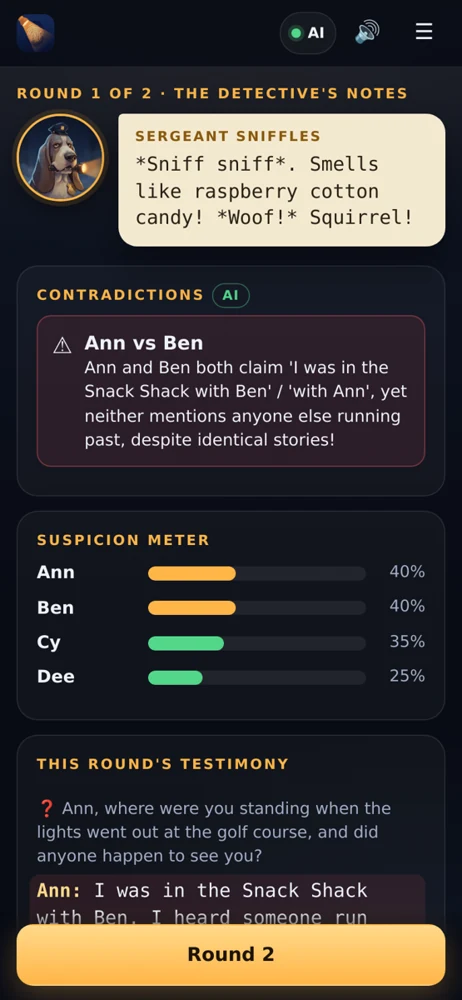
Bluff together on phones or online
Alibi
Computer · Phone & tablet
- Touch controls
Requires 3–8 players. Share one phone or use online rooms. The free server may take up to a minute to wake; offline case files are also available.
Play opens the creator’s game in a new tab. No Playground account is needed.
5 games
Recommended balances the guide’s theme, player interest, ratings and known limitations. Most played counts game opens, not time played.
Compare all 5 games
| Game | Game and scope | Controls and practical notes |
|---|---|---|
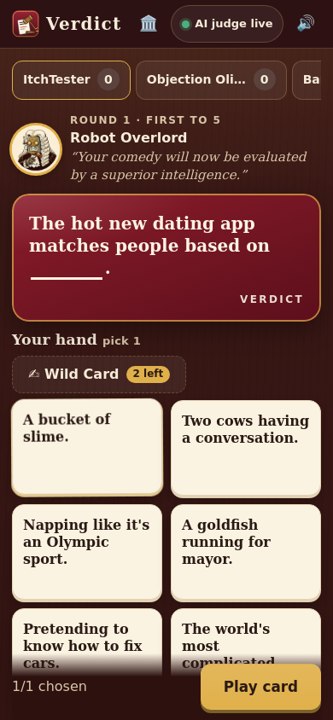
| Verdict | Share a phone or join online rooms for a hidden-role card party. | Click or tap cards and choices. Human judging, jury voting and an optional AI judge are available; the default deck is party-safe. |
| Alibi | Three to eight friends try to fool an AI detective and vote on the culprit. | Use the game’s on-screen touch controls. The creator documents phone or touchscreen support; check the in-game instructions for this game’s layout. |
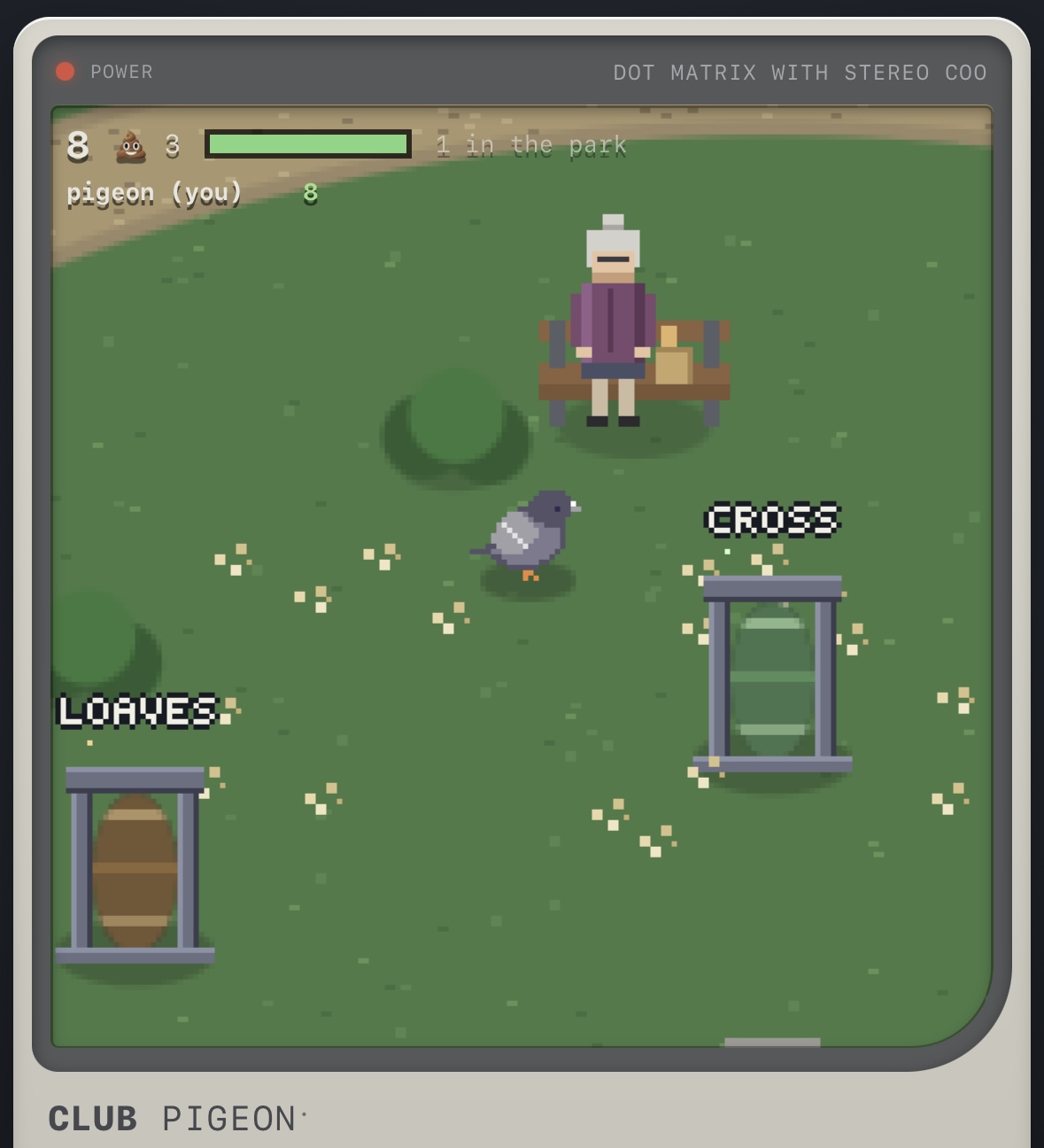
| Club Pigeon | Club Pigeon’s shared park offers several party activities. Invite friends; activity availability does not guarantee a populated public room. | The phone interface has a D-pad and A/B buttons. Share a game invitation link to gather friends. |
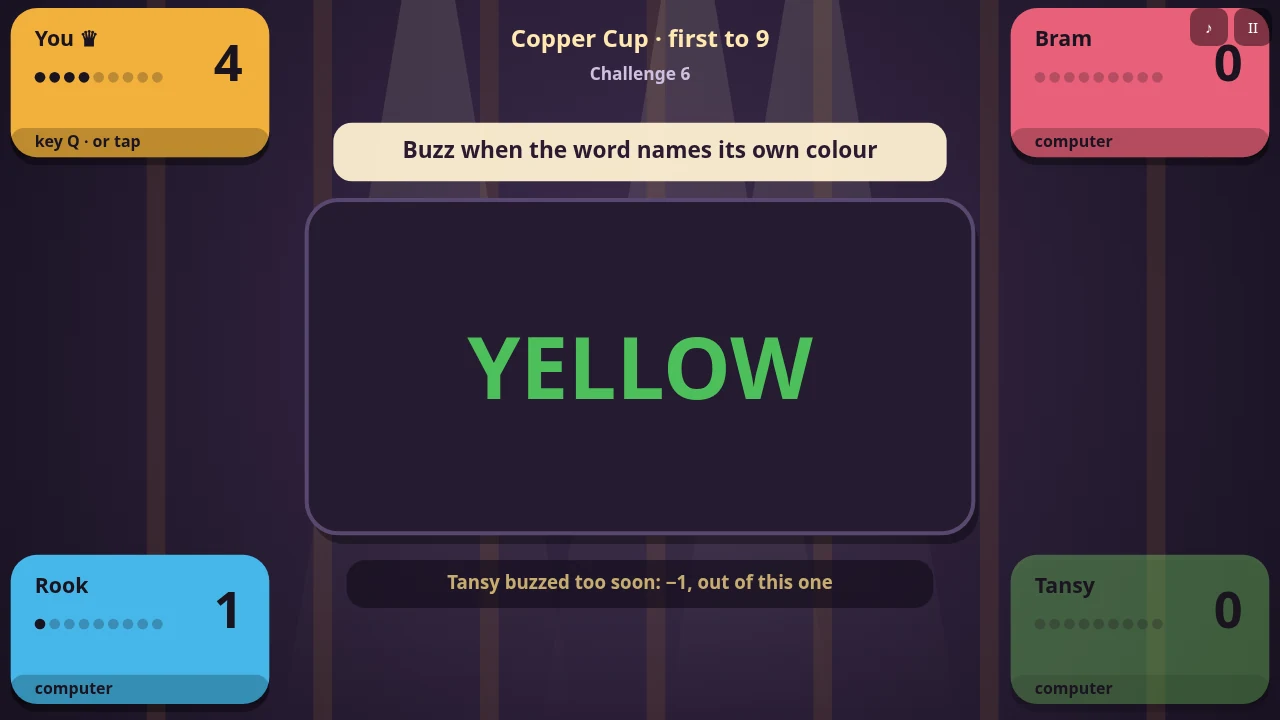
| Buzzholt: Party Buzzer Game | Shared-screen play for up to four suits a group gathered around one device. | Use the game’s on-screen touch controls. The creator documents phone or touchscreen support; check the in-game instructions for this game’s layout. |
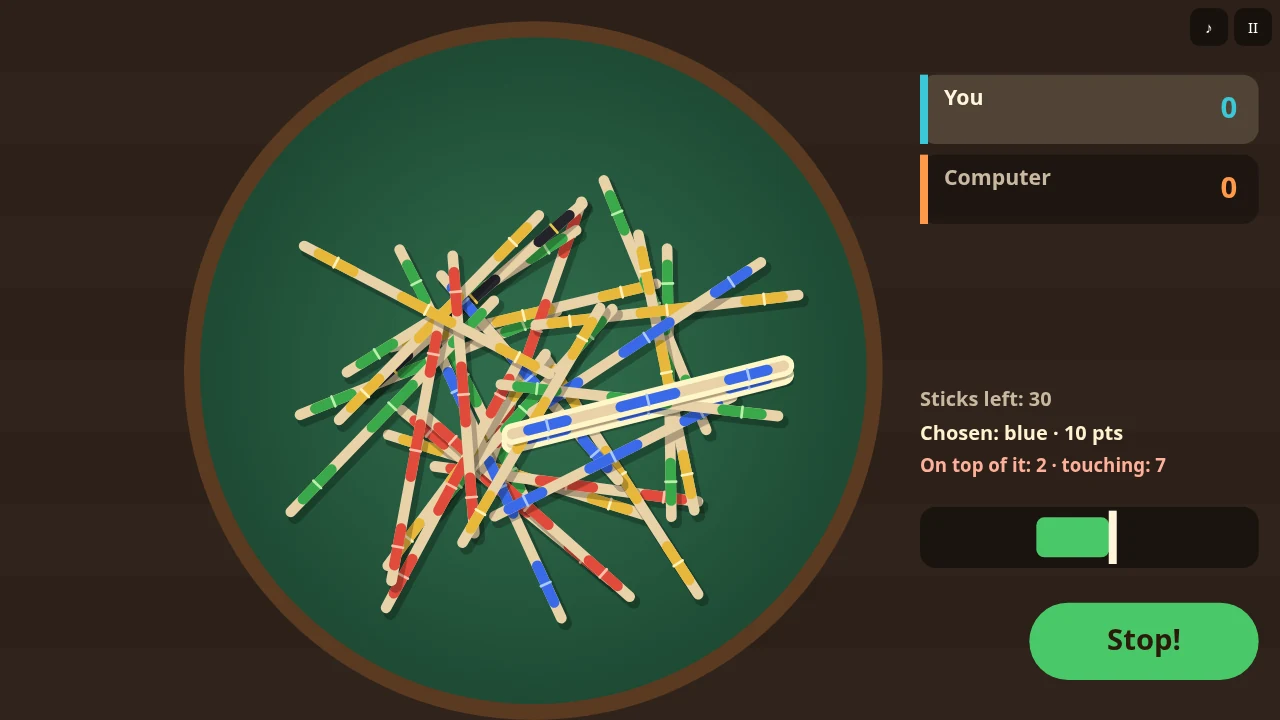
| Spillwick: Pick-Up Sticks Party Game | Passing one device supports a slower, physical-table-style party game alongside solo modes. | Documented controls: keyboard, mouse and touch; two to four players share one device. |
Find the Mole with three to eight players
Verdict
Play funny answer cards and face a judge’s verdict in a party game for three to eight. Try solo bots, pass one phone around, or join an online room; a secret Mole adds another twist. Click or tap cards and choices. Human judging, jury voting and an optional AI judge are available; the default deck is party-safe.
Why try it on a phoneShare a phone or join online rooms for a hidden-role card party.
Computer · Phone & tablet
- Touch controls
Bluff together on phones or online
Alibi
Bluff an AI detective with three to eight friends, sharing one phone or joining online rooms before voting on the culprit. Use the game’s on-screen touch controls. The creator documents phone or touchscreen support; check the in-game instructions for this game’s layout.
Why try it on a phoneThree to eight friends try to fool an AI detective and vote on the culprit.
Computer · Phone & tablet
- Touch controls
Requires 3–8 players. Share one phone or use online rooms. The free server may take up to a minute to wake; offline case files are also available.
Meet friends in a minigame park
Club Pigeon
By nilxor ↗
Meet in a shared pigeon park, then use invitations to join its eleven minigames, including kart racing, mini-golf, falling floors and drawing-and-guessing. The creator documents phone and computer play without an account. The phone interface has a D-pad and A/B buttons. Share a game invitation link to gather friends.
Why try it on a phoneClub Pigeon’s shared park offers several party activities. Invite friends; activity availability does not guarantee a populated public room.
Computer · Phone & tablet
- Touch controls
Race to the buzzer on one screen
Buzzholt: Party Buzzer Game
By PN Scripts ↗
Race to buzz when colours, numbers or shapes match the rule, with solo cups and shared-screen play for up to four. Use the game’s on-screen touch controls. The creator documents phone or touchscreen support; check the in-game instructions for this game’s layout.
Why try it on a phoneShared-screen play for up to four suits a group gathered around one device.
Computer · Phone & tablet
- Touch controls
Pass a pick-up-sticks challenge around
Spillwick: Pick-Up Sticks Party Game
By PN Scripts ↗
Lift sticks from a tangled pile with a carefully timed steady hand, solo, against the computer or passing one device around. Documented controls: keyboard, mouse and touch; two to four players share one device.
Why try it on a phonePassing one device supports a slower, physical-table-style party game alongside solo modes.
Computer · Phone & tablet
- Touch controls
Playing in a mobile browser
Which game should I try first on my phone?
Start with Verdict: Share a phone or join online rooms for a hidden-role card party. The controls table below gives the phone setup for every pick.
Does touch support guarantee the same experience on every phone?
No. These creators document touch controls, but browser performance, screen space and orientation differ. Follow any landscape or graphics-setting guidance in the entry. These are not physical-device reviews.
Will my progress carry over to another phone?
Do not assume it will. Some games keep progress in the current browser, while others have their own accounts. Playground saves your game links separately from progress inside the creator’s game; check that game’s save instructions.
Found your favourite?
Leave a rating on its game page. Or send a friend somewhere new to play.
OVER TO YOU
Comments
Got a thought, a favourite or a recommendation? Join the conversation.
Loading comments…