Mobile browser guide
8 games like Angry Birds for mobile browsers
A good shot is part aim, part timing and part understanding what will fall. These browser alternatives use slingshots, physical collisions and special projectiles. Piggy Fling puts a pig on the launcher; other picks swap in dragons, raiders or woodland heroes. Glacier Gala is a related turn-based aiming game. This phone edition keeps only the selections with creator-documented touch support and puts their controls beside the games. Follow each entry’s orientation notes.
Touch support is documented by creators or game-specific controls. This is not a claim of physical testing on every iPhone, Android device or browser. Free demos are identified, and optional paid downloads are separate.
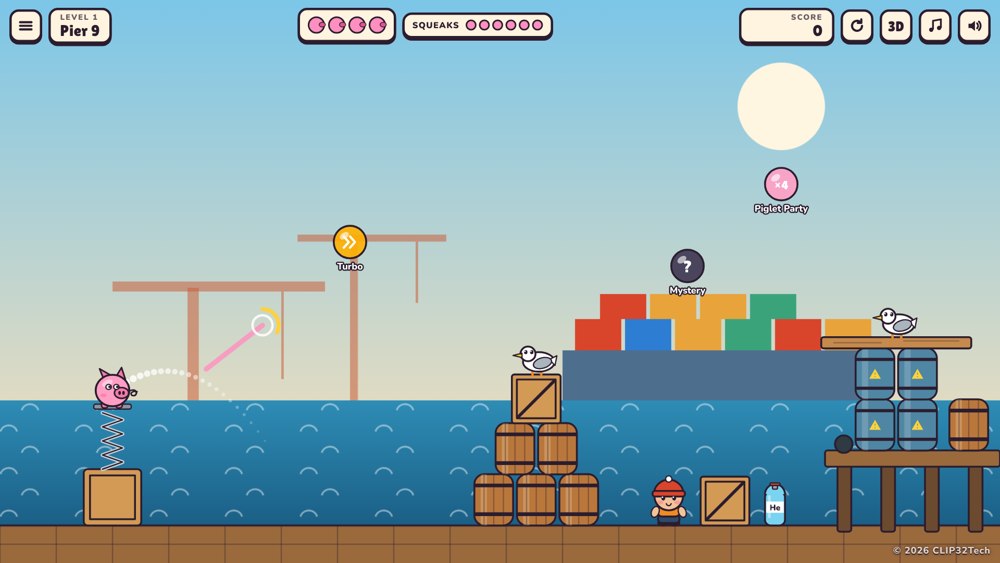
01 Fling pigs at the birds for a change
Piggy Fling
By Clip32Tech ↗
Launch a rubber pig at stacks of barrels, chairs and other props, using its bounces to knock down seagulls, penguins and other targets. Switch between 2D and 3D views. Drag away from the target and release, or choose Swipe mode on the title screen. The creator recommends turning your phone sideways.
For Angry Birds fans on a phoneA particularly close match for aimed shots and tumbling structures, with pigs doing the flying this time.
Computer · Phone & tablet
See game & play ↗02 Launch raiders at goblin forts
Sling Raiders
By Higgsfield ↗
Launch Viking raiders from a slingshot and bring the goblins' precarious forts tumbling down. Use touch to aim and release the sling.
For Angry Birds fans on a phoneSlingshot aiming and toppling enemy structures make this a direct mechanical match.
Computer · Phone & tablet
See game & play ↗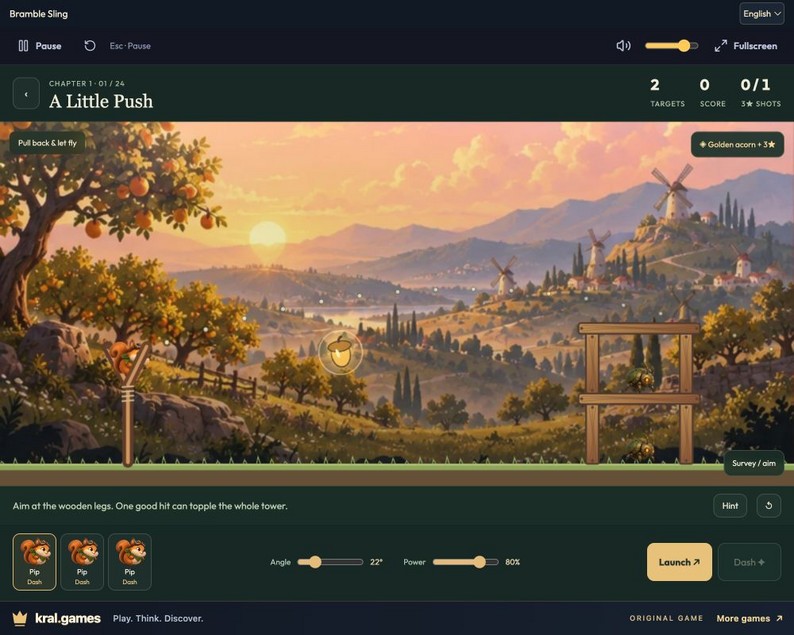
03 Choose a hero and time its mid-flight ability
Bramble Sling
Launch a woodland crew at clockwork beetle towers. Pick an angle, time each hero’s ability and use collapsing timber, glass and stone to clear the scene. Drag the sling and release, or use angle/power sliders and Launch; activate an ability in flight. Mouse, touch and keyboard.
For Angry Birds fans on a phoneDifferent projectiles, destructible materials and timed special abilities echo the puzzle-solving side of Angry Birds.
Computer · Phone & tablet
See game & play ↗04 Slide animal heroes into turn-based clashes
Glacier Gala
By Higgsfield ↗
Slingshot arctic animal heroes across an ice rink in turn-based battles against goblins. Use the on-screen touch aiming controls for each turn.
For Angry Birds fans on a phoneAn adjacent slingshot battle game: think aiming and collisions on an ice rink rather than demolishing pig towers.
Computer · Phone & tablet
See game & play ↗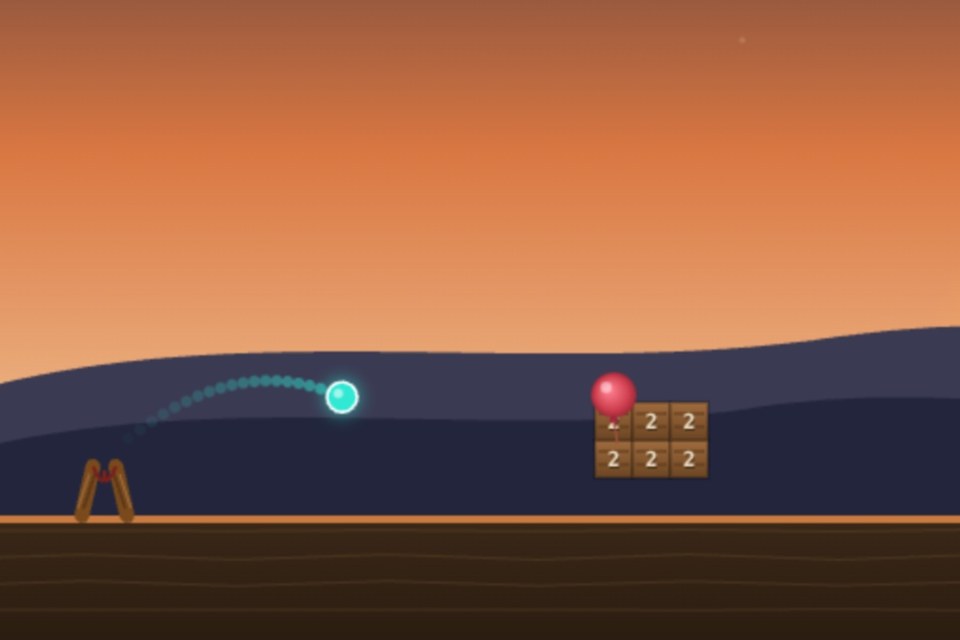
05 Find the weak point in a destructible tower
Ricochet
Pull back a slingshot and launch standard, explosive or splitting projectiles at structures made from wood, stone, glass and iron. Balloons add another way to destabilise a build. Drag back and release with a finger to launch.
For Angry Birds fans on a phoneTouch support is documented on the game’s own controls page. A direct match for aimed launches, material differences and chain-reaction destruction.
Computer · Phone & tablet
See game & play ↗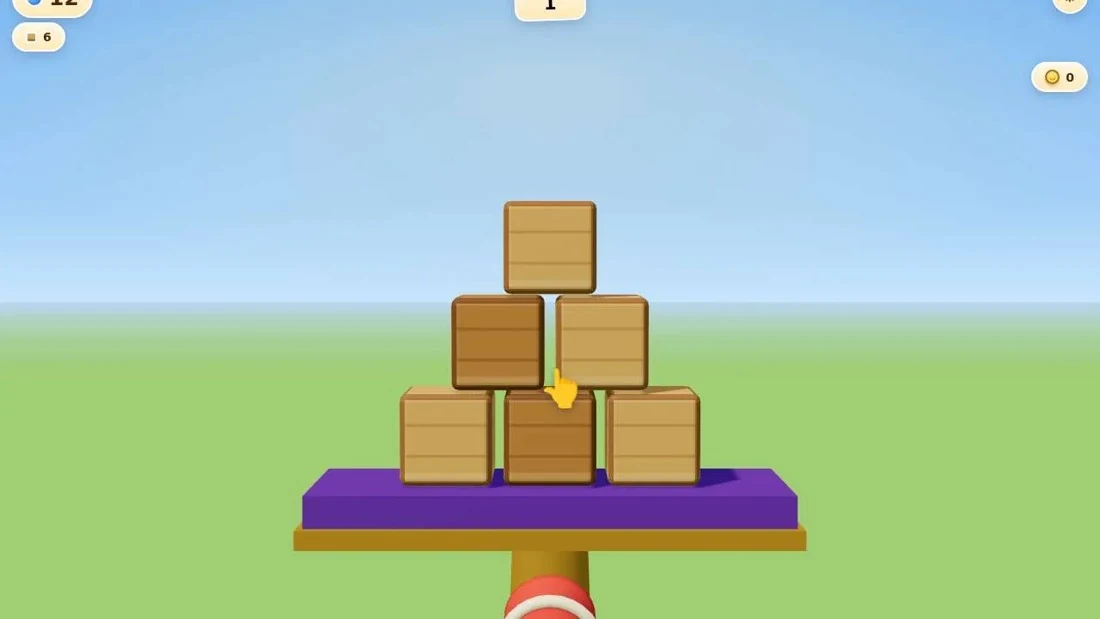
06 Knock a castle’s objects off their platform
Castle Smash
Aim a cannon at stacked objects and use the collisions to clear the platform. The creator lists 70 levels, starting with ten tutorial stages. Use the documented mouse or touch aiming and firing controls.
For Angry Birds fans on a phoneThe creator documents rapid firing; this entry does not assume a limited-shot rule. Physics demolition is the connection; a cannon replaces the slingshot.
Computer · Phone & tablet
See game & play ↗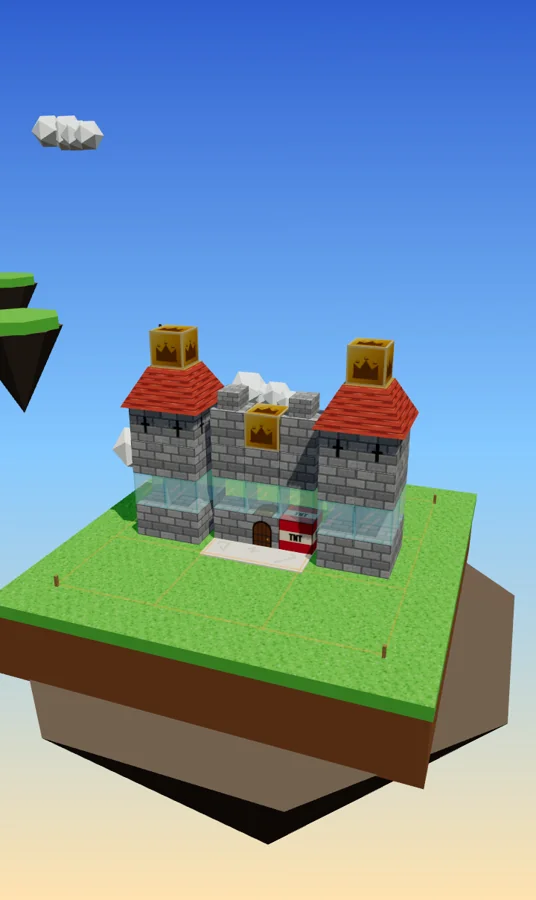
07 Topple castles inside a mysterious old phone
Crown Crashers Lite
By Anthony / Bacon Spaceman Productions ↗
Drag back and throw bombs, wrecking orbs and triple shots at nine castles of wood, stone, glass and TNT. Search for weak points and earn stars for efficient clears. Designed for an upright phone: drag and release to throw, tap to continue.
For Angry Birds fans on a phoneContains unsettling imagery and themes; the creator advises against young children playing. The castle-smashing mechanics are a strong fit, but the fictional phone and unsettling story make this a darker choice, not a children’s recommendation.
Computer · Phone & tablet
See game & play ↗08 Launch a Bonker and trigger its mid-flight ability
Bonkshot
By @edmund5 ↗
Pull a character back, release it into a destructible structure and tap during flight to activate its ability. Different blocks and enemies give each shot a physical target. Drag back and release, then tap during flight to use the ability.
For Angry Birds fans on a phoneThe browser build adapts its rendering and pointer controls for touch devices. A close slingshot-demolition match, supported by the current browser build and its game-specific input instructions.
Computer · Phone & tablet
See game & play ↗| Game | Documented phone controls | Comparison |
|---|---|---|
| Piggy Fling | Drag away from the target and release, or choose Swipe mode on the title screen. The creator recommends turning your phone sideways. | Rubber-pig launches, ricochets and collapsible stacks. |
| Sling Raiders | Use touch to aim and release the sling. | Launch raiders at goblin forts |
| Bramble Sling | Drag the sling and release, or use angle/power sliders and Launch; activate an ability in flight. Mouse, touch and keyboard. | Choose a hero and time its mid-flight ability |
| Glacier Gala | Use the on-screen touch aiming controls for each turn. | Slide animal heroes into turn-based clashes |
| Ricochet | Drag back and release with a finger to launch. | Touch support is documented on the game’s own controls page. |
| Castle Smash | Use the documented mouse or touch aiming and firing controls. | The creator documents rapid firing; this entry does not assume a limited-shot rule. |
| Crown Crashers Lite | Designed for an upright phone: drag and release to throw, tap to continue. | Contains unsettling imagery and themes; the creator advises against young children playing. |
| Bonkshot | Drag back and release, then tap during flight to use the ability. | The browser build adapts its rendering and pointer controls for touch devices. |
Browser games: common questions
Do I need to install an app?
These links lead to browser versions. Some creators also sell downloads or apps; those are separate from the free browser game or demo described here.
Should I use portrait or landscape?
Use the orientation documented beside each game. Where a creator has not specified one, no particular phone layout is promised. Fullscreen can give small controls more space.
Do these use the Angry Birds characters?
No. These independent games use their own casts, from rubber pigs to dragons and woodland heroes. Piggy Fling puts pigs on the launcher, but it is not an official Angry Birds release.
Found your favourite?
Leave a rating on its game page. Or send a friend somewhere new to play.
OVER TO YOU
Comments
Got a thought, a favourite or a recommendation? Join the conversation.
Loading comments…