Mobile browser guide
15 free games like Mario Kart for mobile browsers
Want kart racing on your phone without installing another app? Start with controls that suit your thumbs. Kart Rush offers upright and sideways layouts, Cross X Racing lets you choose tilt or buttons, and HYPERGRID uses portrait steering with a separate ability button. Every selection documents touch input; the table separates control schemes and race formats.
Every selection has documented touch support and a free browser version. This guide draws on creator instructions, public builds and existing gameplay imagery, rather than a compatibility test on every iPhone or Android device. These are independent games or labelled unofficial fan projects, not Nintendo releases.
01 For choosing an upright or sideways layout
Kart Rush
By stevkazt ↗
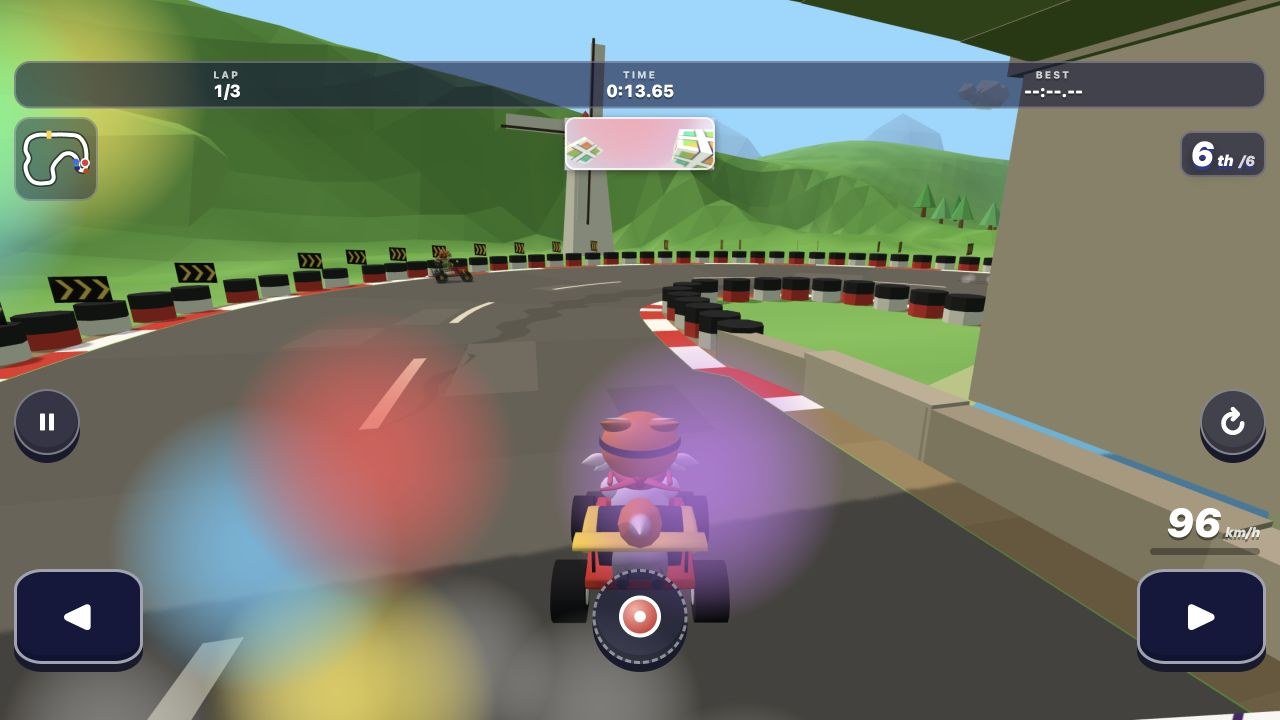
Kart Rush is a phone-focused racer with seven tracks, five computer rivals and familiar kart items. Choose button or joystick steering in Settings, then decide whether to hold the phone upright or sideways. The instructions explain gas, brake, item use and a reset button, plus releasing a held turn to get a drift boost.
Before you play on a phoneThe upright layout is always set to Easy, so changing orientation also changes the setup. Start there if you want fewer demands while learning; use the sideways option when you prefer more room across the screen.
Computer · Phone & tablet
See game & play ↗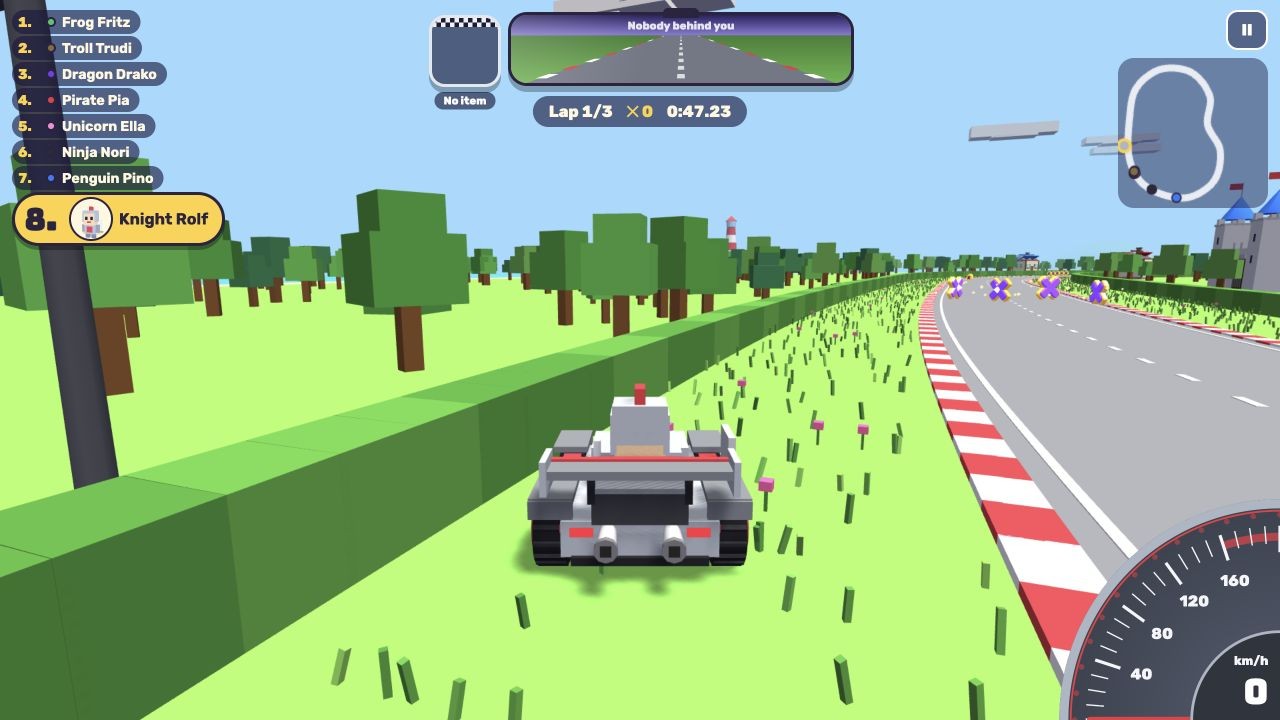
02 For tilt, arrows or a steering wheel
Cross X Racing
Cross X Racing exposes several touch layouts in its English options: a wheel with following action buttons, fixed buttons, left/right arrows, or tilt steering. Tilt has a sensitivity setting, and the game also provides graphics levels and a driving assist for solo races against computer drivers.
Before you play on a phoneChoose your touch layout before committing to a championship. If the 3D track struggles on your phone, the game offers Low graphics. Championships, missions, free races and an online battle-royale mode are distinct choices; online modes are not evidence of a busy lobby.
Computer · Phone & tablet
See game & play ↗03 For short time trials with a phone steering assist
Skidlark: Kart Time Trial
By PN Scripts ↗
Skidlark asks you to hold the left or right side to steer, rather than tilt the phone. The creator describes a phone steering assist, on by default, that helps slower thumb inputs without steering for you. Drift for boosts and chase medals or your own recorded ghost across ten tracks.
Before you play on a phoneBest times are saved in your browser, with no account required. A tap restarts a run. Keep using the same browser if you want those local records to stay available.
Computer · Phone & tablet
See game & play ↗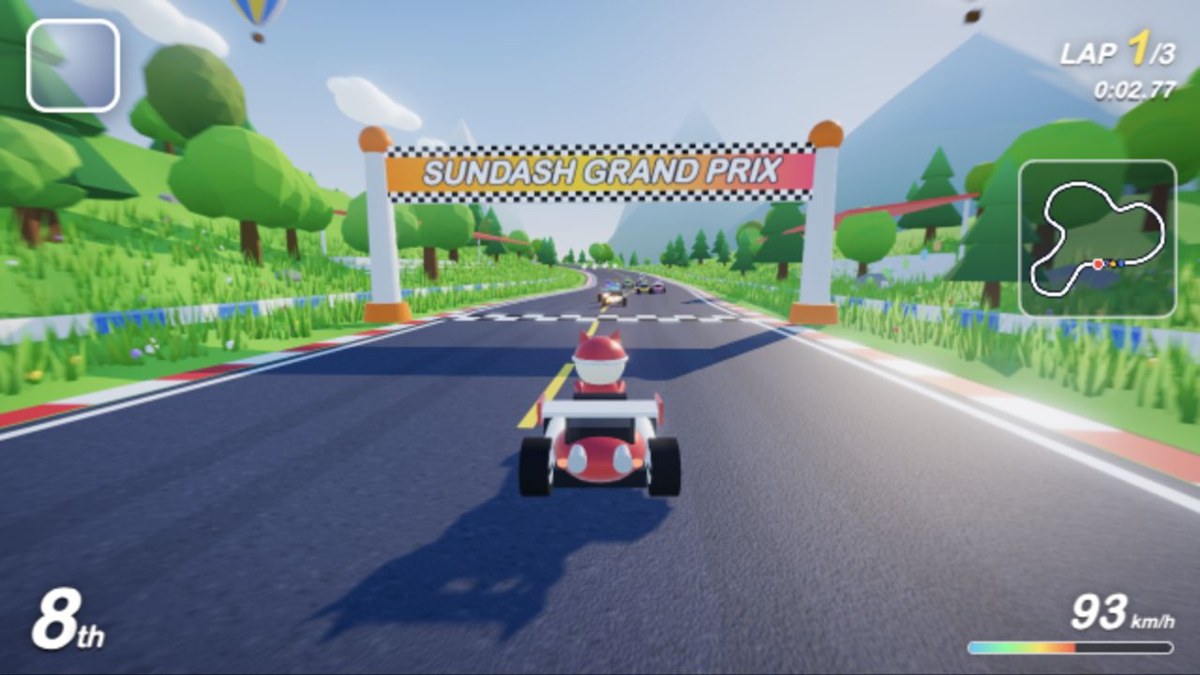
04 For automatic acceleration and separate action buttons
Sundash Kart Grand Prix
By Jay Owen ↗
Sundash’s touch instructions say gas is automatic: steer with the arrows, hold DRIFT through a turn and release for a boost, then tap ITEM when needed. BRAKE and pause have their own controls. Quick Race gives you one event, Grand Prix combines four races, and Time Trial removes the pack.
Before you play on a phoneThe options offer Low, Medium and High graphics. Settings and best times are stored on that device only, so a record on your phone is not automatically available on your tablet.
Computer · Phone & tablet
See game & play ↗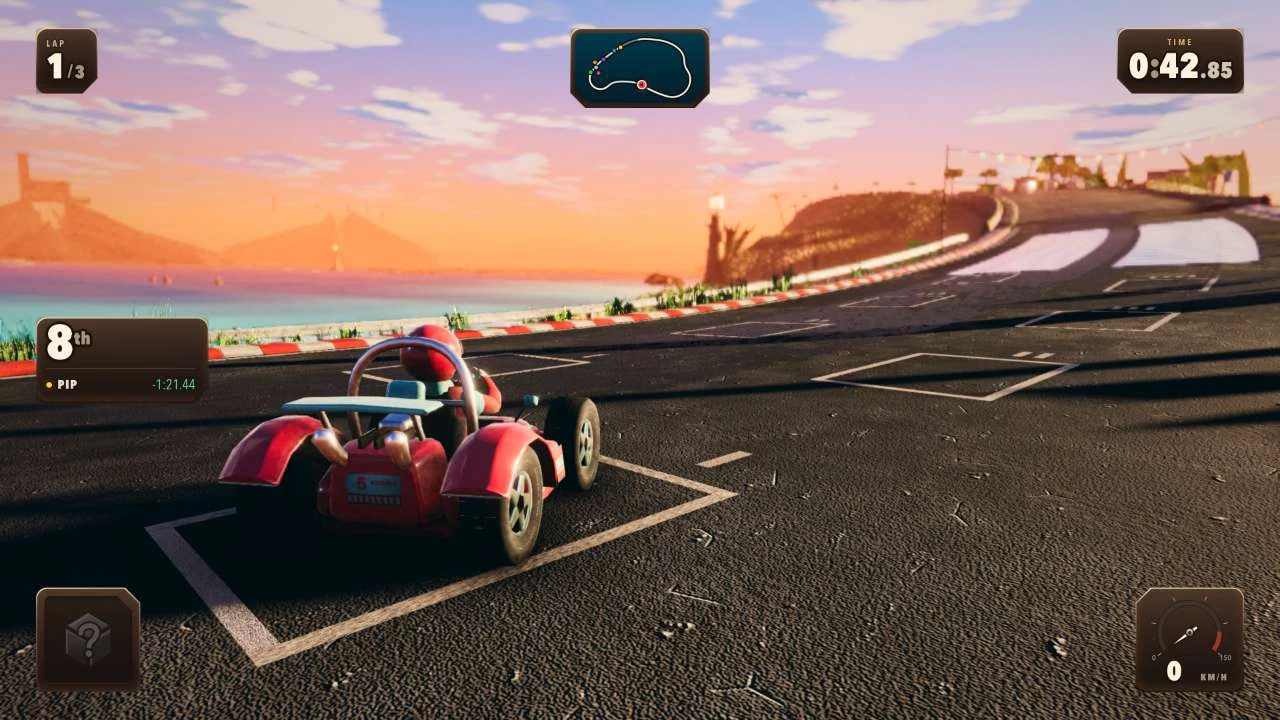
05 For a two-thumb layout in either orientation
Kart Royale
Kart Royale’s public instructions explicitly support upright or sideways play. Your left thumb steers, AUTO handles acceleration, and DRIFT, ITEM and BRAKE sit on the right. That division lets you concentrate on corners and item timing rather than holding a separate accelerator.
Before you play on a phoneThe opening screen finds a room and offers an invite link. Treat it as an online browser experience rather than assuming it will work without a connection.
Computer · Phone & tablet · Controller confirmed
See game & play ↗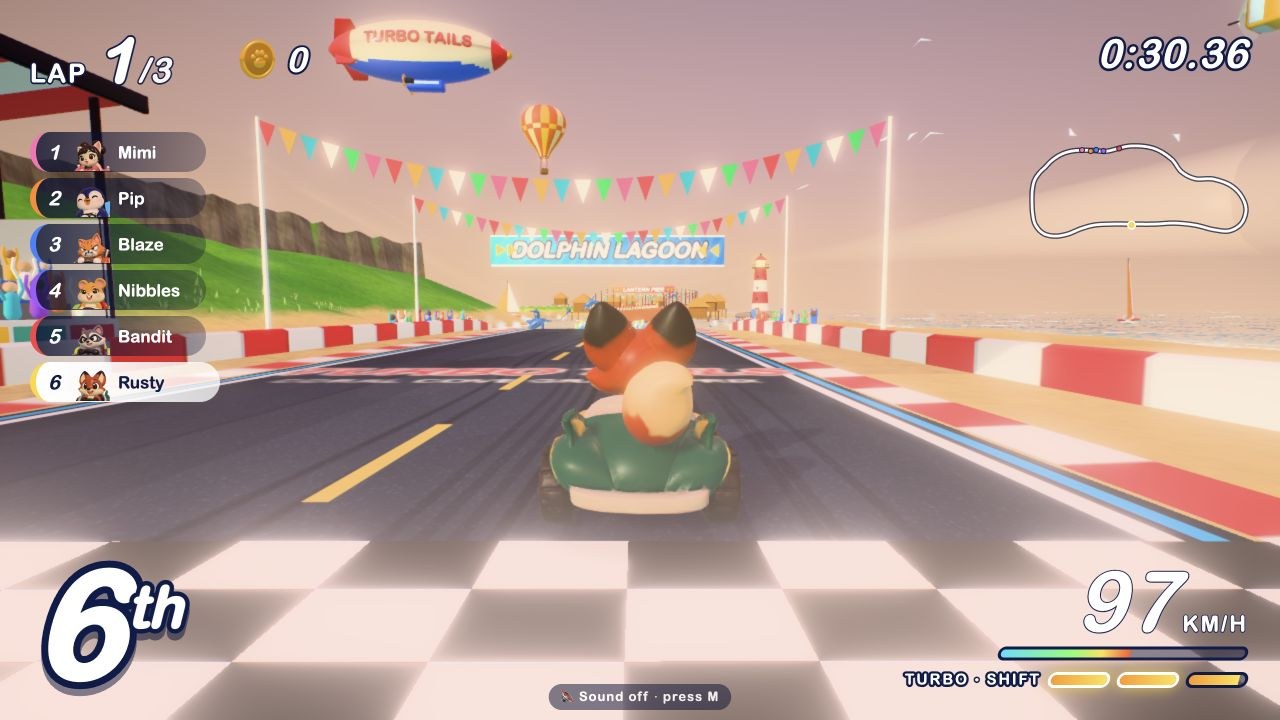
06 For touch drifting, ramp tricks and a turbo meter
Turbo Tails: Wild Isle Grand Prix
By Peter Yang ↗
Turbo Tails has an animal cast and a four-track cup. Its touch help says to drag to steer, hold DRIFT through a turn, tap it in the air for a trick, and tap TURBO to spend built-up boost. ITEM has its own button.
Before you play on a phoneSeveral actions share your attention, so read the pause-screen help before racing. The menu distinguishes single-player and multiplayer; use the solo option if you want to learn the touch rhythm first.
Computer · Phone & tablet
See game & play ↗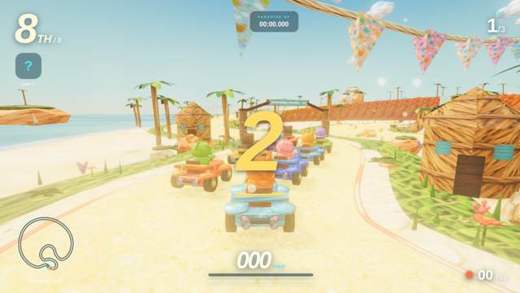
07 For a compact tropical circuit with visible touch buttons
TIDAL RUSH — Paradise GP
TIDAL RUSH puts its mobile steering arrows, DRIFT, ITEM and GO buttons around a three-lap race at Sunbreak Cove. It is a straightforward circuit choice when you want another setting rather than a long list of modes.
Before you play on a phoneThis is still a 3D game. Touch buttons establish a phone control scheme, not identical performance on every device. The guide does not claim a cross-device save or a tested offline mode.
Computer · Phone & tablet · Controller confirmed
See game & play ↗08 Automatic acceleration, active drifting
Nine Laps
Nine Laps takes care of acceleration on a phone. Steer with the arrows, hold Brake while turning to drift and tap Item when you want to use a pickup. Directional input during a jump adds a trick. Solo races and up-to-six-player rooms are documented.
Before you play on a phoneThe reduced throttle work leaves attention for steering, drift timing and items.
Computer · Phone & tablet · Controller confirmed
See game & play ↗09 A Drive stick plus drift and nitro
Neon Nest
Hold the Drive stick and slide it sideways to steer. Release to coast, charge a drift through corners and use separate Item and Nitro actions. Solo races face five bots; friend rooms support two to eight people with their own shared rules.
Before you play on a phoneMore involved than an auto-driving racer: learn steering before layering on drift, nitro and items.
Computer · Phone & tablet
See game & play ↗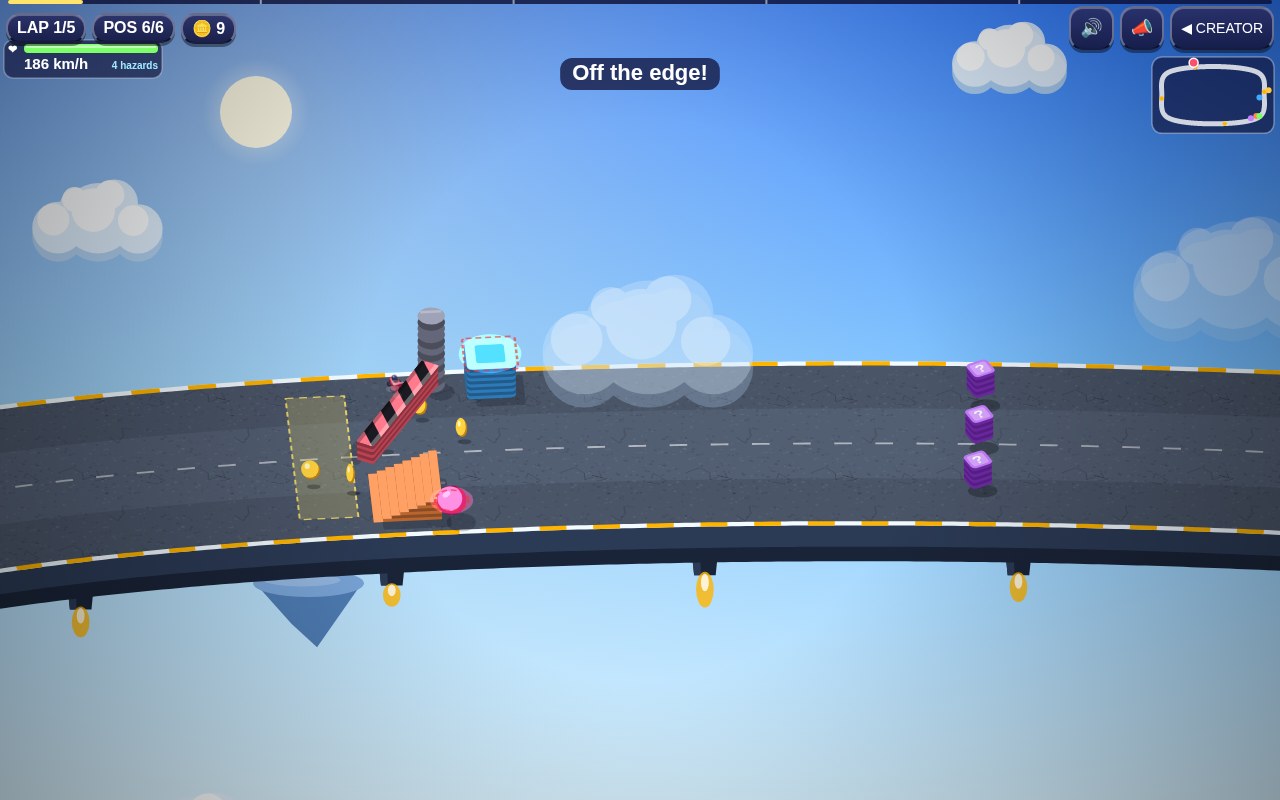
10 Steering, braking and weapon buttons
Cloudline Chaos
Cloudline Chaos documents on-screen arrows, Brake and Fire. Race bot opponents on elevated roads and change obstacles between laps. The track editor also accepts touch input, although arranging small parts can be more fiddly than racing.
Before you play on a phoneUse the basic race controls first; editing and the optional cockpit camera are separate extras.
Computer · Phone & tablet
See game & play ↗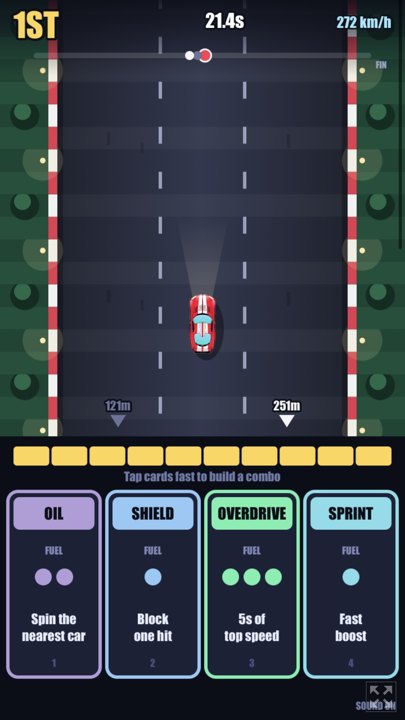
11 Race with a hand of boost and attack cards
Turbo Deck
By DRS ↗
Tap the cards at the bottom of the screen to boost, attack or defend. Races cover 5.5 km in under a minute, with instant rematches. No steering input is required.
Before you play on a phoneFor timing attacks, defending a lead and deciding when to boost. You play cards instead of steering, making it an unusual alternative to kart driving.
Computer · Phone & tablet
See game & play ↗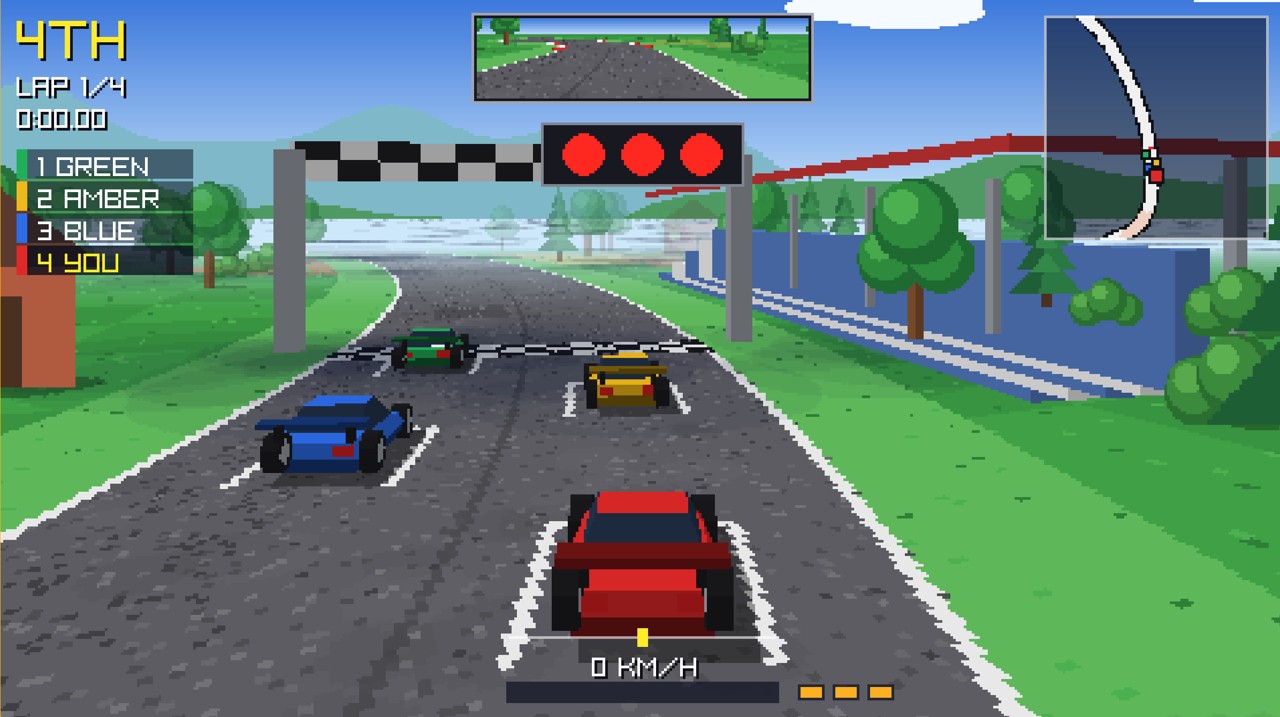
12 Slipstream into the next retro Grand Prix
Horizon GP
By Hewco ↗
Slipstream rival cars, spend limited turbo boosts and race four circuits in both directions. Try a championship or chase your ghost in time trials. Use the documented touch driving controls. Championship and ghost time-trial modes offer different ways to race.
Before you play on a phoneFor colourful arcade circuits, rivals and well-timed boosts. These are racing cars with limited turbo, rather than Mario Kart’s combat items.
Computer · Phone & tablet
See game & play ↗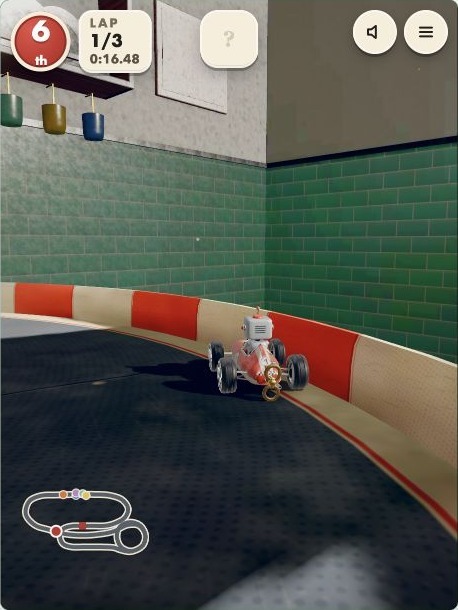
13 For toy-kart racing across a giant kitchen
TINPLATE 3D Kart Racing: Kitchen Grand Prix
By nilni ↗
TINPLATE combines drift boosts, item pickups and six wind-up toy racers on kitchen-table tracks. Its creator documents touch steering and item buttons, keyboard controls and gamepad input. A brief muted check reached an active race.
Before you play on a phoneA direct arcade-kart match with boosts and items; online modes are creator-documented, not match-tested here.
Computer · Phone & tablet
See game & play ↗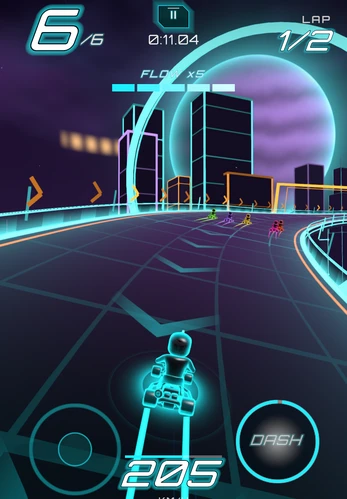
14 Race a neon circuit with a character-specific ability
HYPERGRID
Choose a racer with a phase dash or blast, build FLOW through overtakes and clean driving, and avoid moving hazards over two laps. Portrait controls use left-thumb steering and a right-side ability button.
Before you play on a phoneThe kart accelerates automatically; six racers compete over two laps. For arcade kart competition and abilities, with a futuristic setting and a speed-building system instead of a random item box.
Computer · Phone & tablet
See game & play ↗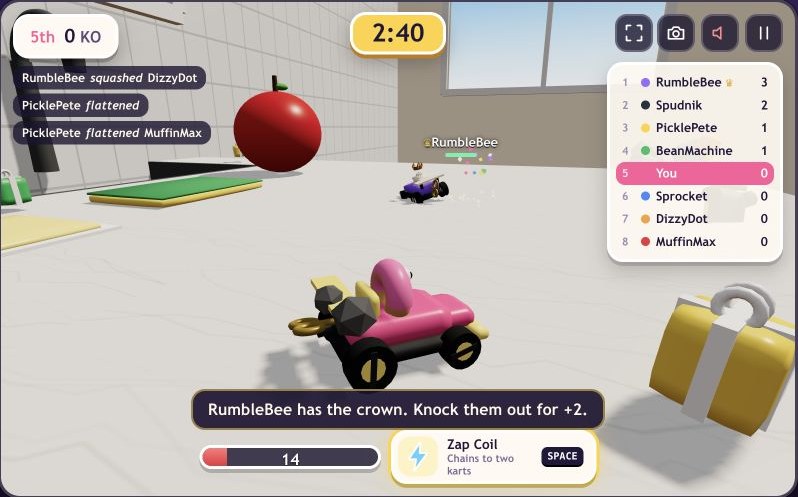
15 Take the kart battle to a tabletop
Crumbkart
Battle seven rival snack karts in three-minute arenas. Grab weapon boxes, drift for boosts and chase knockouts around kitchen, desk and sandbox tracks.
Before you play on a phoneThe creator documents a left-side touch joystick and fire button. Three-minute rounds use computer rivals; no physical-phone test is claimed.
Computer · Phone & tablet
See game & play ↗| Game | Touch setup | Race format | Progress or connection |
|---|---|---|---|
| Kart Rush | Upright or sideways; buttons or joystick | Seven tracks; computer rivals | Creator advertises offline play; upright mode is Easy |
| Cross X Racing | Wheel, arrows or tilt; adjustable sensitivity | Championships, missions and separate online mode | Solo driving assist and graphics options |
| Skidlark: Kart Time Trial | Hold a side to steer; no tilt | Time trials, medals and your ghost | Browser-local records; no account |
| Sundash Kart Grand Prix | Automatic gas; steer, drift and item buttons | Quick Race, four-race cup or Time Trial | Settings and best times stay on this device |
| Kart Royale | Left-thumb steering; right-side actions; either orientation | Seaside races with a room/invite flow | Plan on an internet connection |
| Turbo Tails: Wild Isle Grand Prix | Drag steering; drift, turbo and item buttons | Solo or multiplayer; four-track cup | Try solo before learning the online setup |
| TIDAL RUSH — Paradise GP | Arrows, DRIFT, ITEM and GO | Three-lap tropical circuit | No cross-device-save or offline claim here |
| Nine Laps | Five courses, items and jumps | Auto-drive; steering, brake/drift and Item | Drift racing with fewer simultaneous inputs |
| Neon Nest | City races; solo or friend rooms | Drive stick, Drift, Item and Nitro | A more involved phone kart racer |
| Cloudline Chaos | Bot races with changing obstacles | Steering arrows, Brake and Fire | Weapon chaos and a touch-capable editor |
| Turbo Deck | Card-based item racing | Not specified | Tap-to-play cards; no steering |
| Horizon GP | Use the documented touch driving controls. Championship and ghost time-trial modes offer different ways to race. | Touch supported; physical phone not tested | See creator’s game instructions |
| TINPLATE 3D Kart Racing: Kitchen Grand Prix | Drag steering; automatic acceleration; drift, brake and item buttons | Single races or four-race cup | Online modes documented; guest race checked on desktop |
| HYPERGRID | Race a neon circuit with a character-specific ability | Portrait controls use left-thumb steering and a right-side ability button. | The kart accelerates automatically; six racers compete over two laps. |
| Crumbkart | Touch joystick and fire button | Eight-kart, three-minute arena battle | Local guest play; save persistence untested |
Playing Mario Kart-style games in a mobile browser
Can I play these on iPhone or Android without downloading an app?
These links open browser games with documented touch controls. Use the Playground listing’s Play link, then the creator’s start screen. No app-store installation is required for the linked versions, but performance and browser compatibility still vary between phones.
Which games work with the phone held upright?
Kart Rush explicitly offers upright and sideways layouts; its upright setting uses Easy mode. Kart Royale also explicitly documents both orientations. This guide does not assume every other racer supports portrait play equally well.
Which mobile kart game has tilt steering?
Cross X Racing offers a Tilt option with sensitivity controls. Skidlark specifically uses holding a side of the screen and says it does not use tilt. Choose based on the control scheme you actually want.
Will my best times follow me to a new phone?
Do not assume so. Sundash says its records and settings stay on the device, and Skidlark saves best times in the browser. Local browser storage is not a cloud account; clearing it can remove progress.
Can I play offline?
Kart Rush’s creator advertises offline play, but this guide has not tested airplane-mode behaviour on a phone. A game offering computer opponents or local saves does not by itself establish that it works without internet.
What should I try if a race runs slowly?
Close other demanding tabs and use in-game graphics options where available. Cross X Racing and Sundash expose lower graphics settings. These steps may help; they are not a promise that an older phone can run every 3D racer.
Are these official Mario Kart mobile games?
No. They are independent browser kart racers, not Mario Kart Tour or other Nintendo releases. The comparison concerns drifting, items, rivals and lap racing.
Found your favourite?
Leave a rating on its game page. Or send a friend somewhere new to play.
OVER TO YOU
Comments
Got a thought, a favourite or a recommendation? Join the conversation.
Loading comments…