Mobile browser guide
3 games like Plants vs. Zombies for mobile browsers
Gather the resource, choose a defender and cover the lane before the wave reaches home. These free browser alternatives share that defensive planning. Some use familiar parallel paths and placed units; others change the route or move the battle to a different setting. This phone edition keeps only the selections with creator-documented touch support and puts their controls beside the games. A browser version can still work better in landscape or fullscreen; follow each entry’s notes.
Touch support is documented by creators or game-specific controls. This is not a claim of physical testing on every iPhone, Android device or browser. Free demos are identified, and optional paid downloads are separate.
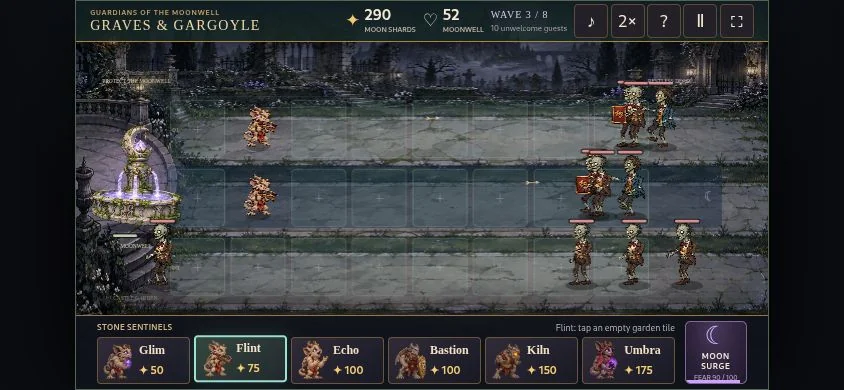
01 Arrange six guardians along three paths
Graves & Gargoyle
Wake six kinds of gargoyle, gather moon shards and defend three garden paths against eight growing zombie hordes. Use landscape orientation. Tap a guardian card, then an empty tile; portrait pauses the game.
For Plants vs. Zombies fans on a phoneResource income, varied defenders and zombie waves make the lane-defence comparison direct.
Computer · Phone & tablet
See game & play ↗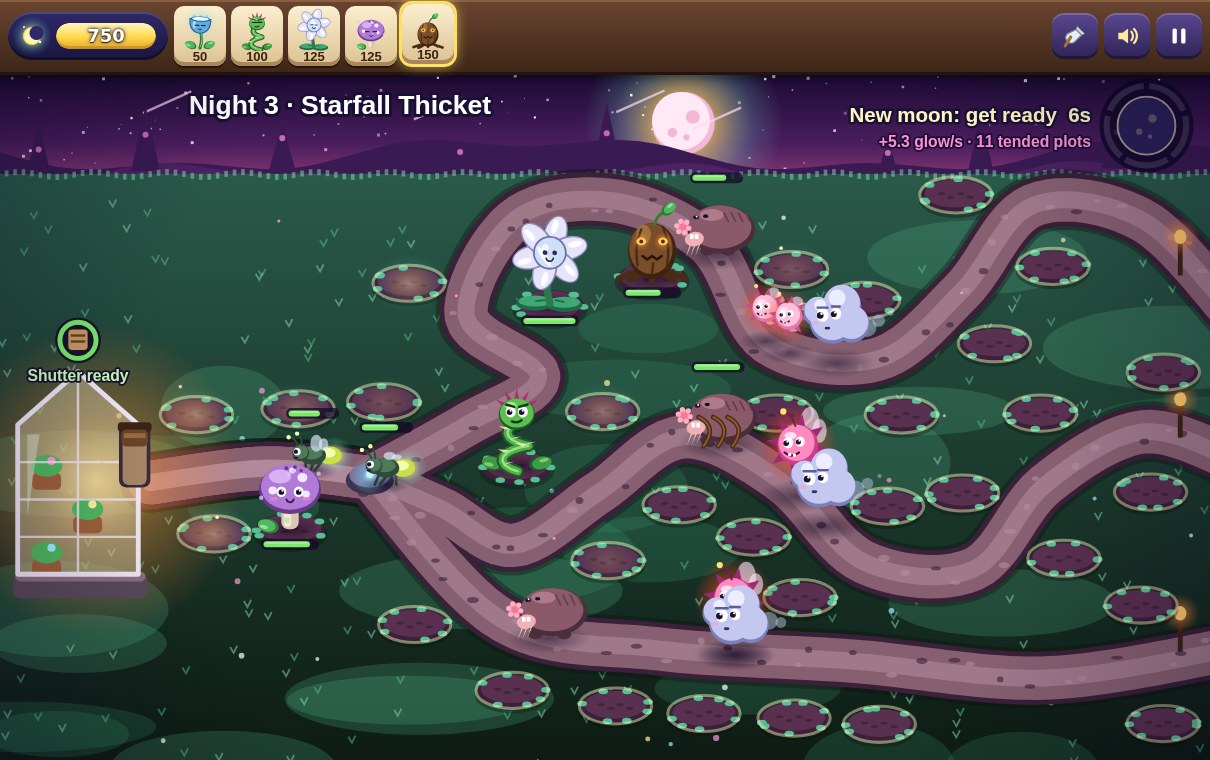
02 Plant a luminous garden defence
Moonlit Meadow
By CJtheSHARK ↗
Plant a glowing garden defense and collect drifting resources to protect a greenhouse from mischievous night creatures. Tap or click glowing orbs to collect glow. Tap a defense card, then a garden tile to plant it. Keys: 1-5 pick a card, arrows + Enter plant, E collects every orb, Q trowel, M sound, P or Esc pause.
For Plants vs. Zombies fans on a phoneChoose defence cards, plant them on tiles and collect drifting resources to stop approaching creatures.
Computer · Phone & tablet
See game & play ↗03 Trim the route as well as building towers
Hedgehold: Tower Defence
By PN Scripts ↗
Build garden defences against invading bugs, trimming a growing hedge that can block enemies or smother towers. Tap a pad and choose a tower; the board adapts to portrait orientation.
For Plants vs. Zombies fans on a phoneA related garden tower-defence game. Changing hedge paths distinguishes it from fixed parallel lawn lanes.
Computer · Phone & tablet
See game & play ↗| Game | Documented phone controls | Comparison |
|---|---|---|
| Graves & Gargoyle | Use landscape orientation. Tap a guardian card, then an empty tile; portrait pauses the game. | Arrange six guardians along three paths |
| Moonlit Meadow | Tap or click glowing orbs to collect glow. Tap a defense card, then a garden tile to plant it. Keys: 1-5 pick a card, arrows + Enter plant, E collects every orb, Q trowel, M sound, P or Esc pause. | Plant a luminous garden defence |
| Hedgehold: Tower Defence | Tap a pad and choose a tower; the board adapts to portrait orientation. | Trim the route as well as building towers |
Browser games: common questions
Do I need to install an app?
These links lead to browser versions. Some creators also sell downloads or apps; those are separate from the free browser game or demo described here.
Should I use portrait or landscape?
Use the orientation documented beside each game. Where a creator has not specified one, no particular phone layout is promised. Fullscreen can give small controls more space.
Which phone game is the closest lane-defence match?
Graves & Gargoyle has three garden paths, placed guardians and approaching zombie hordes. Moonlit Meadow also uses planted garden defences. Hedgehold adds path-shaping with a growing hedge, making it a related tower-defence puzzle.
Found your favourite?
Leave a rating on its game page. Or send a friend somewhere new to play.
OVER TO YOU
Comments
Got a thought, a favourite or a recommendation? Join the conversation.
Loading comments…