Playground guide
8 games like Resident Evil for mobile browsers
These Resident Evil alternatives offer documented phone or tablet controls. Start with the illustrated games, then compare their touch layouts, practical limits and save behaviour. A browser game can still demand two-handed controls and capable hardware.
Touch support comes from creator documentation and existing verified catalogue evidence. This is not a claim of physical testing on every phone. These are independent browser games, with horror content described on the linked creator pages.
01 A mansion outbreak seen over your shoulder
Mansion Outbreak
By AI Play Factory (@AiPlayFactory) ↗
The creator supports phone and tablet browsers and recommends landscape orientation. This is a 3D third-person action game, so allow room for movement, aiming and action controls. The downloadable itch.io build is optional; the browser version is free.
Before you play3D action; performance depends on the phone. The closest setting-and-combat match in this selection: an outbreak, an ominous mansion and a journey through connected horror locations.
Computer · Phone & tablet
See game & play ↗02 Manage supplies while the harvest turns hostile
Hollow Harvest
By SKAB Digital Reality Arcade ↗
Use landscape orientation. A left stick handles movement and facing; separate buttons bash, dodge, attack and interact. Hold and release the attack button for a heavy strike. Checkpoint saves normally stay in the same browser, but the game warns when only session saves are available.
Before you playSeveral action buttons; check the save-status message. A strong survival-horror alternative for resource decisions, evidence gathering and dangerous exploration. Its isometric view and rural folk-horror setting give it a distinct identity.
Computer · Phone & tablet
See game & play ↗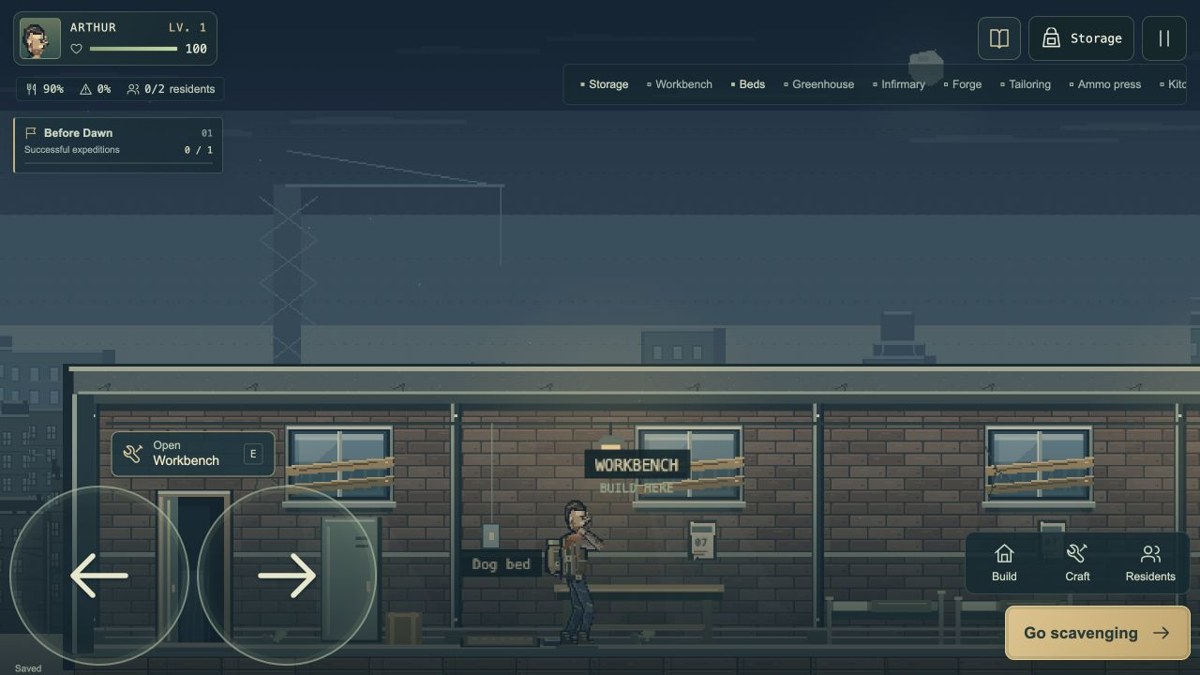
03 Turn scavenging trips into a stronger shelter
Virus Protocol
The creator lists smartphone input, and the catalogue’s control check records touch buttons for movement, combat and shelter actions. Select English at the language switch. This remains an in-development game; the creator has previously said a final objective was still planned.
Before you playTouch movement and combat; ongoing development. For players who enjoy preparing for dangerous expeditions and rationing supplies. The shelter-building loop is a larger part of this game than a scripted horror campaign.
Computer · Phone & tablet
See game & play ↗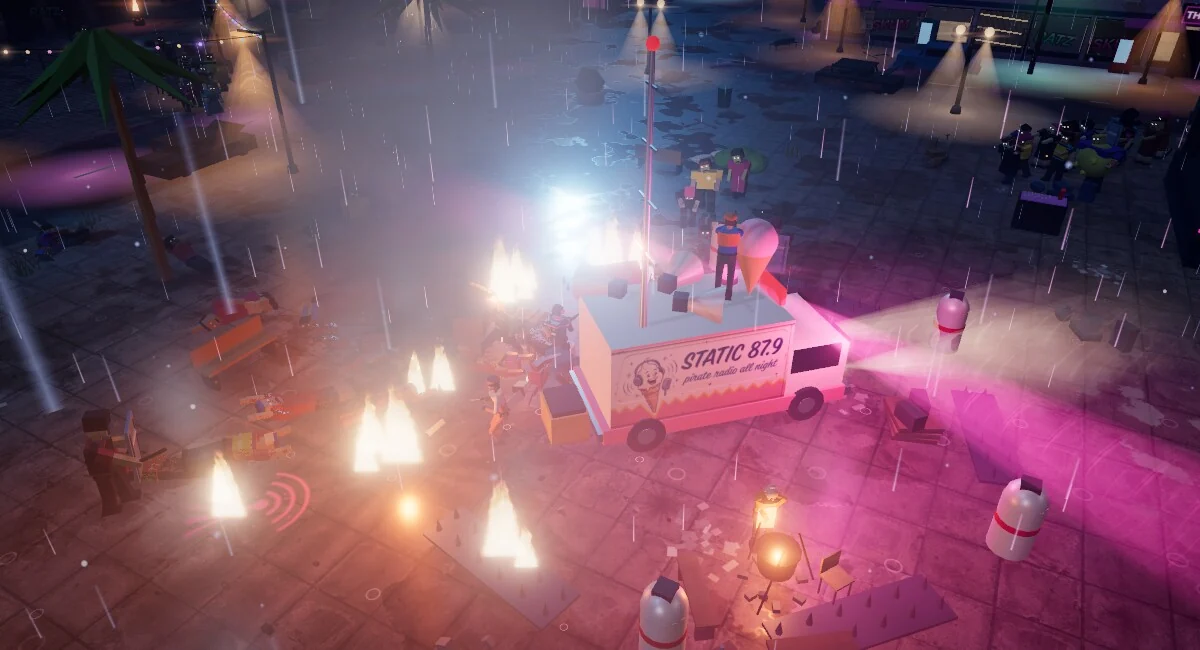
04 Use sound to turn a zombie horde into a trap
Dead Air
The creator’s control documentation supports touch in landscape, alongside separate keyboard and gamepad options. Plan around daytime scavenging and night-time defence: broadcasting deliberately attracts enemies, so arranging traps matters as much as moving quickly.
Before you playTouch documented; scavenging and defence phases. An adjacent option for outbreak survival and searching hostile environments. Radio broadcasts and defensive traps add a tactical layer to the horror.
Computer · Phone & tablet · Controller confirmed
See game & play ↗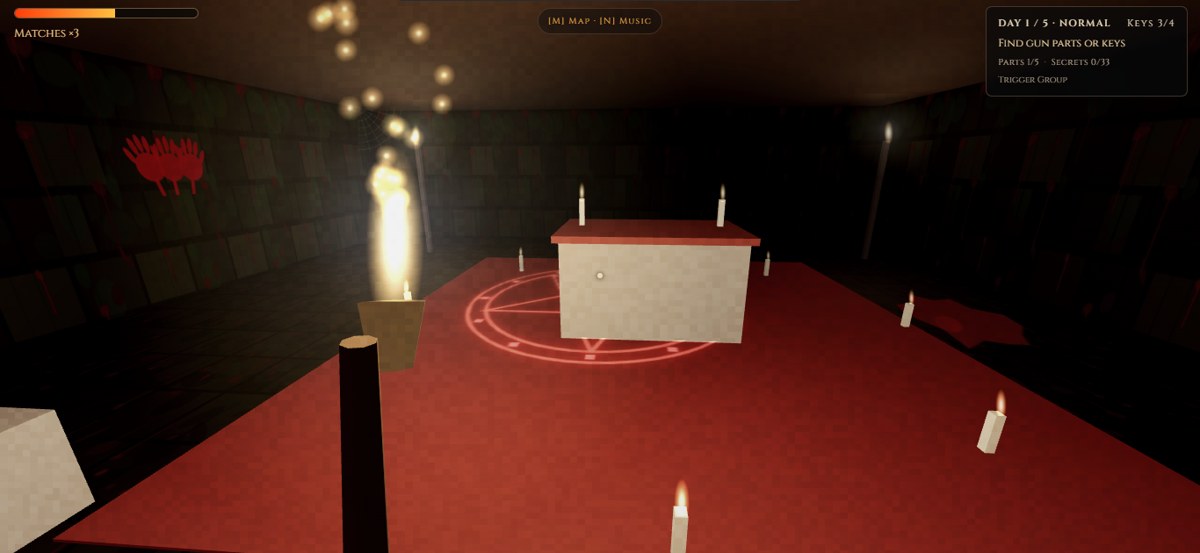
05 Find four keys, or assemble a way to fight back
The Last Ember
Touch controls are included, although the creator recommends desktop for the 3D graphics. Keys and weapon parts support two different routes through the manor. Progress and settings are stored in the browser; the published instructions do not specify a preferred phone orientation.
Before you play3D graphics; desktop recommended by the creator. A close fit for locked-door exploration, a persistent pursuer and deciding when to fight. The creator includes two endings and a setting to reduce jump scares.
Computer · Phone & tablet
See game & play ↗06 Keep a torch burning while fighting your way underground
Cave
By vbgnt ↗
The creator documents a touch joystick and separate swing, raise, kick, use, fire, dynamite, weapon-swap and map buttons. This is a busy two-handed layout. Checkpoints last only for the current session, so closing the game can end that progress.
Before you playMany action buttons; session-only checkpoints. For players who enjoy tense creature fights and limited survival resources. Fire, air and stamina management make it more involved than a simple shooting gallery.
Computer · Phone & tablet
See game & play ↗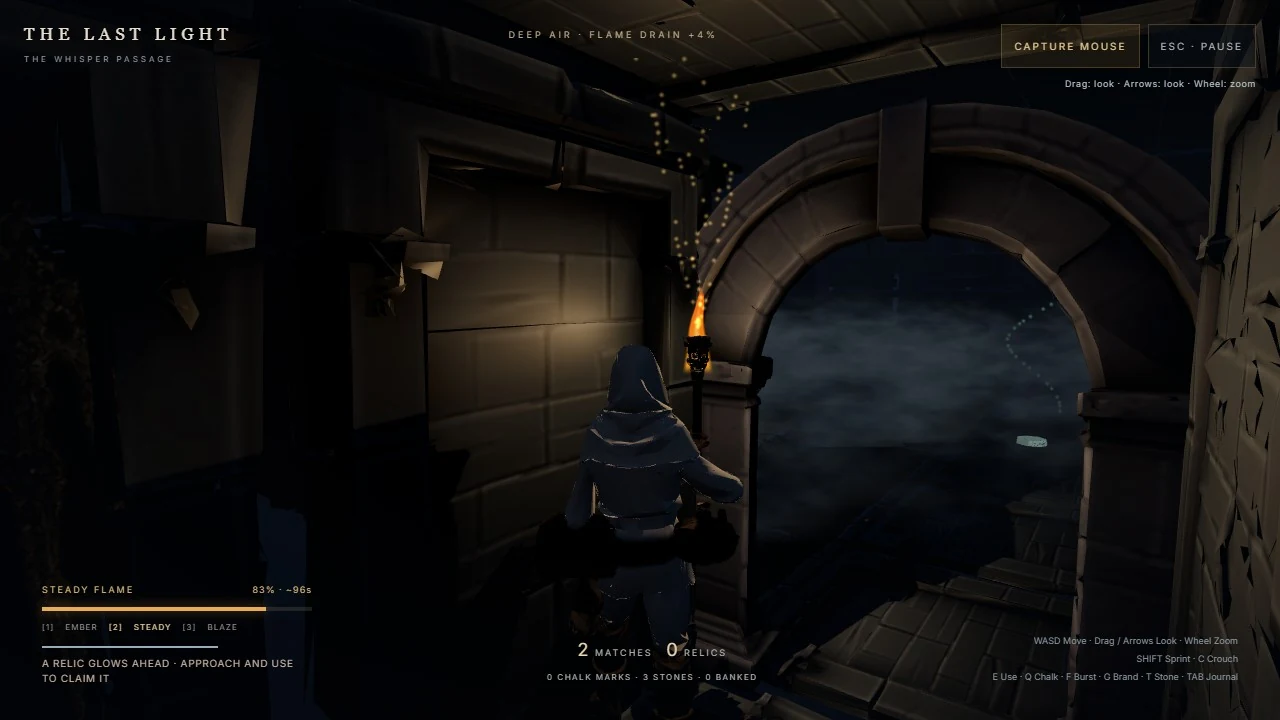
07 Make every second of torch fuel count
The Last Light
The creator documents iPhone touch controls: a left stick moves, pushing it to the rim sprints, dragging changes the view and buttons handle other actions. Requires WebGL2. Banked relics and upgrades survive death, while carried relics are lost; larger rooms may benefit from Low graphics.
Before you playWebGL2; stick, view drag and several actions. A resource-and-route-planning alternative with a pursuing monster. There is no conventional combat: light, stealth and navigation carry the survival challenge.
Computer · Phone & tablet · Controller confirmed
See game & play ↗08 Bring a dead radio station back to life
The Cradle: Episode 01
By 0xKOT ↗
The creator explicitly supports phones and tablets. Use the full-screen option on Android or iPad; its recommended iPhone setup is Safari’s Add to Home Screen. English voice and subtitles are available. Graphics quality and UI size can be adjusted, and checkpoints and chapter replay support longer sessions.
Before you play3D horror; creator gives a specific iPhone setup. A first-person puzzle-and-pursuit option for players who enjoy searching an institution under threat. The creator explicitly cites other horror inspirations; this is an adjacent Resident Evil comparison.
Computer · Phone & tablet
See game & play ↗| Game | Phone layout | Practical detail |
|---|---|---|
| Mansion Outbreak | Landscape | 3D action; performance depends on the phone |
| Hollow Harvest | Landscape | Several action buttons; check the save-status message |
| Virus Protocol | Not specified | Touch movement and combat; ongoing development |
| Dead Air | Landscape | Touch documented; scavenging and defence phases |
| The Last Ember | Not specified | 3D graphics; desktop recommended by the creator |
| Cave | Not specified | Many action buttons; session-only checkpoints |
| The Last Light | Not specified | WebGL2; stick, view drag and several actions |
| The Cradle: Episode 01 | Not specified | 3D horror; creator gives a specific iPhone setup |
Browser games: common questions
Do I need to download an app?
The selected versions play in a browser. The Cradle’s creator recommends adding its Safari page to the iPhone Home Screen for its full-screen setup; this is not an App Store download.
Will progress stay when I close the page?
Only rely on the individual game’s stated save system. Session-only checkpoints end with the session, and browser-local saves do not automatically transfer between devices. Conflicting or unspecified details are identified above.
Does touch support mean one-handed play?
No. Several selections use a movement stick, camera dragging and separate action buttons. The notes explain this so you can choose an appropriate game.
Found your favourite?
Leave a rating on its game page. Or send a friend somewhere new to play.
OVER TO YOU
Comments
Got a thought, a favourite or a recommendation? Join the conversation.
Loading comments…