Playground guide
14 games like SimCity for mobile browsers
Tap and drag through roads, island upgrades, compact placement puzzles or flood-management decisions. These city-building alternatives offer useful phone controls, while clearly differing in pace and simulation depth.
Phone support is based on game-specific creator documentation and existing verified catalogue evidence. These are not official franchise releases or a claim of hands-on testing on every iPhone, Android phone or tablet.
01 For touch-painted roads and zones
Gablewend: Small City Builder
By PN Scripts ↗
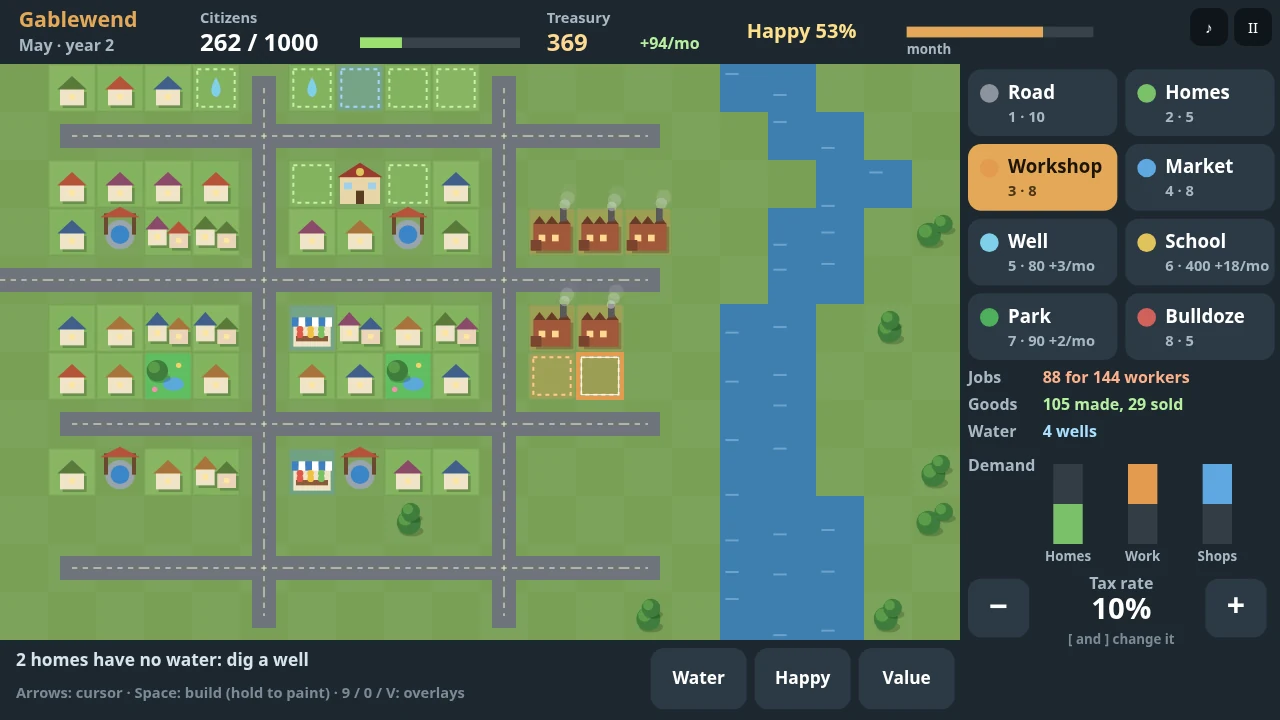
Choose a tool, then tap or drag on the map to build. Dragging paints roads and zones. Gablewend’s tutorial introduces homes, water, jobs, goods, parks and schools, making it a useful phone option for the familiar city-planning side of SimCity.
Before you playTap/drag zoning and construction. Touch support follows creator documentation; no physical-phone test is claimed.
Computer · Phone & tablet
See game & play ↗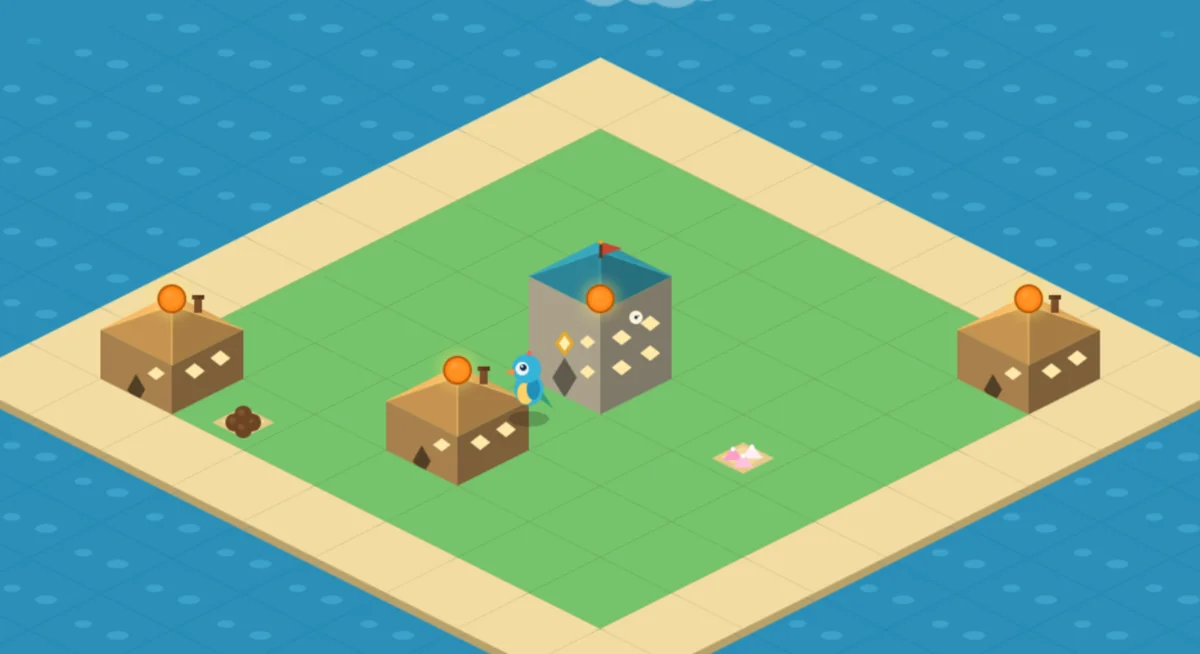
02 For a city grown through taps and upgrades
My-Island
By MaoKoroku ↗
Drag to pan and pinch to zoom around My Island. Tap a building to collect coins or open its upgrade, move and sell menu; the Town Hall expands the island. The creator documents desktop and mobile play with browser autosaving.
Before you playIncremental island growth; local autosave. Touch support follows creator documentation; no physical-phone test is claimed.
Computer · Phone & tablet
See game & play ↗03 For a small city-building puzzle without timers
Snugholm: Cozy Village Builder
By PN Scripts ↗
Snugholm supports phones and touch placement. Choose one of three buildings and place it where its neighbours give the best score, across twelve islands and a daily map. There are no timers, undo is unlimited and progress saves automatically.
Before you playPuzzle scoring rather than an urban simulation. Touch support follows creator documentation; no physical-phone test is claimed.
Computer · Phone & tablet
See game & play ↗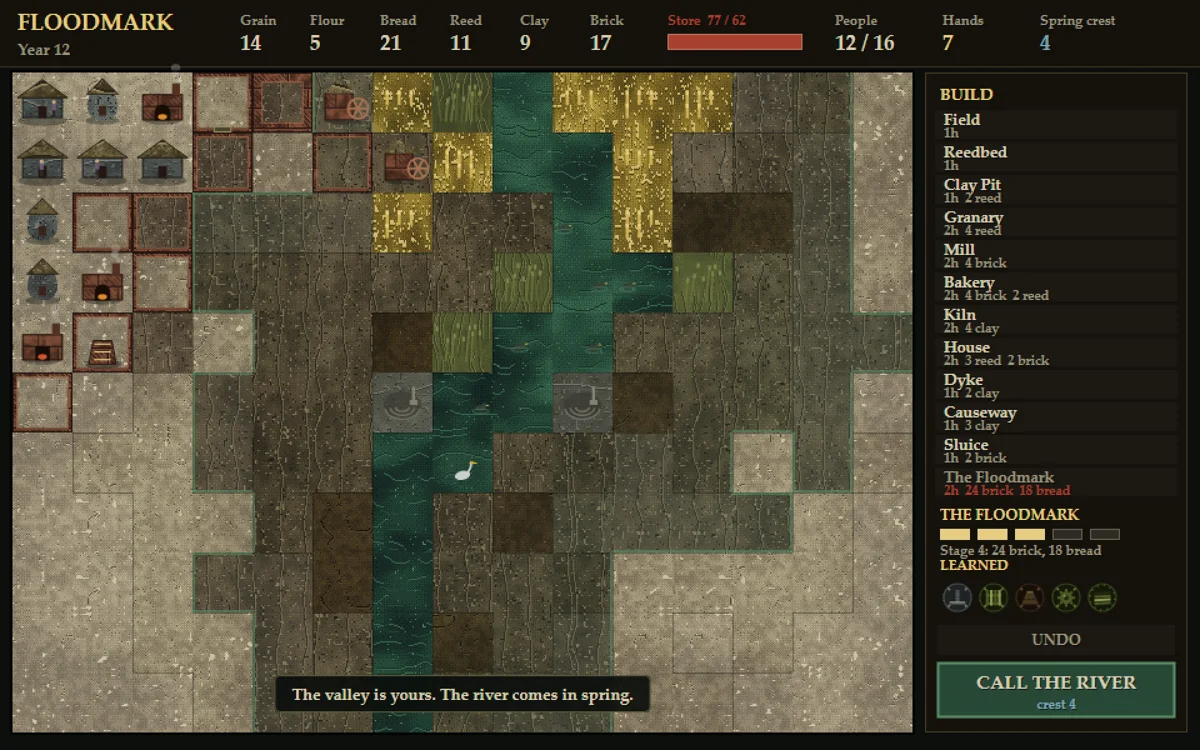
04 For deliberate settlement planning in either orientation
Floodmark
By Core Systems Asset Factory ↗
FLOODMARK’s current phone update documents both portrait and landscape touch layouts. Build dykes, control sluices and plan a settlement that can survive the water without starving. Years advance only when you choose, with saves at the start of a year and after placements or sluice changes.
Before you playTurn-based planning; automatic browser saves. Touch support follows creator documentation; no physical-phone test is claimed.
Computer · Phone & tablet
See game & play ↗05 Engineer dry land before trying to profit from it
Polder
By Core Systems Asset Factory ↗
Tap a tool, tap a cell to inspect it, then tap again to work. Portrait and landscape are supported. The creator documents automatic saves and pausing between days.
Before you playFor infrastructure planning and the consequences of changing terrain. It is a reclamation-management game rather than a city builder.
Computer · Phone & tablet
See game & play ↗06 Keep every street lit through a longer winter night
GASHOLDER
By CSAF — Core Systems Asset Factory ↗
Tap the management buttons and lighting control. The creator provides distinct portrait and landscape layouts, automatic saves and limited progress while away.
Before you playFor balancing municipal supply, capacity and service priorities. Its town grows around a specialised gas network rather than broad zoning.
Computer · Phone & tablet
See game & play ↗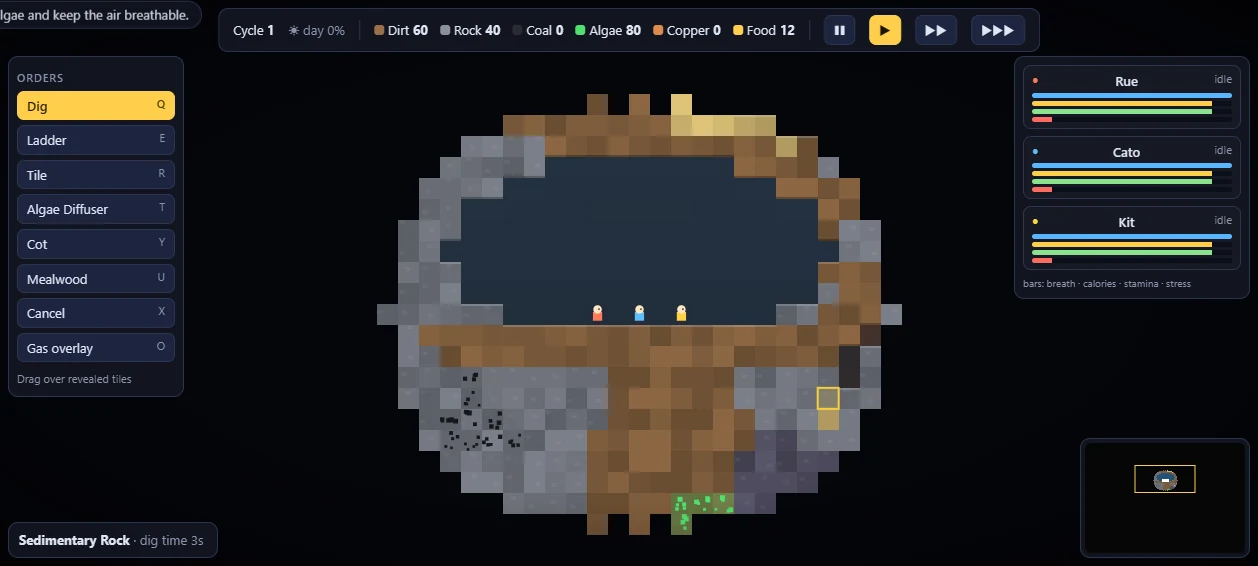
07 Dig rooms without losing the air your settlers need
Deepdig Colony
By Boris ↗
Drag to place orders, use two fingers to pan and pinch to zoom, or choose the Pan and zoom buttons. Portrait and landscape work; pause to plan.
Before you playFor laying out a settlement and maintaining essential services. The creator names Oxygen Not Included as the inspiration; this is an underground colony rather than a modern city.
Computer · Phone & tablet
See game & play ↗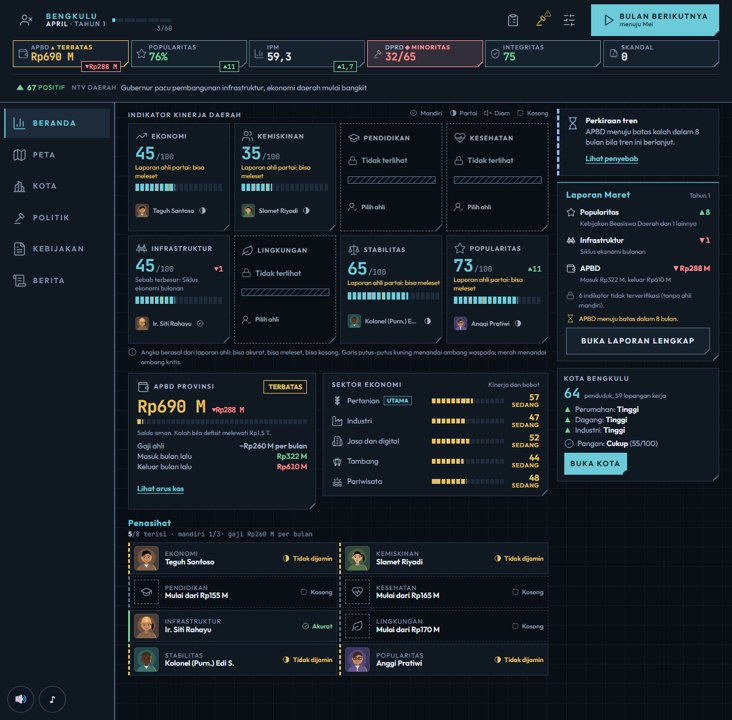
08 Zone a capital while balancing a province’s budget
Nusantara: Governor Simulator
By Basyid / Kawalight Studio ↗
Click or tap the management menus and choose English if needed. The itch.io version supports guest play and automatic browser saves; online accounts belong to the separate main-site version.
Before you playA direct match for zoning and public-service choices, with elections, coalitions and regional policy adding a wider management layer.
Computer · Phone & tablet
See game & play ↗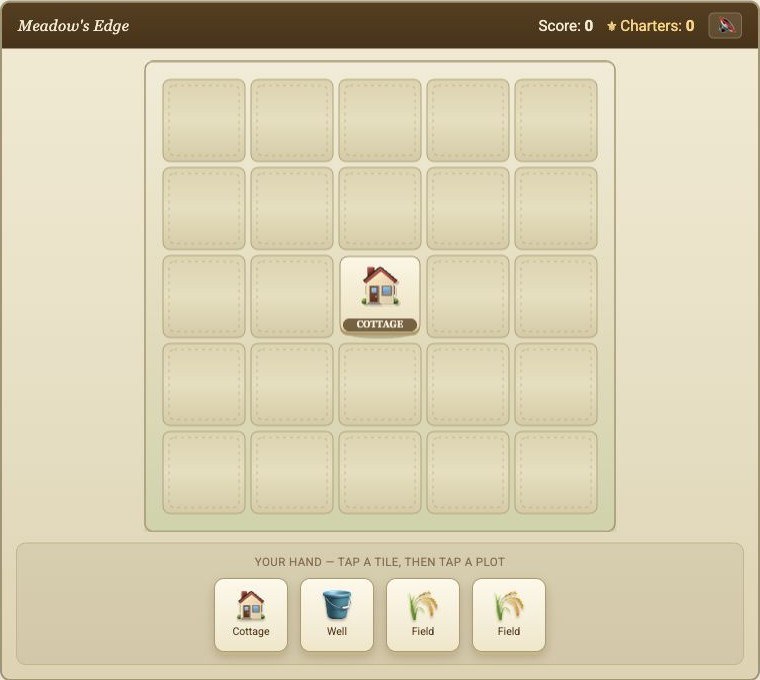
09 Place buildings where their neighbours help them
Hamlet
Tap a building in your hand, then an empty plot. Charters persist locally between maps and can unlock building branches.
Before you playFor planning a settlement layout. It is an adjacency puzzle with finite maps, rather than a simulation of traffic, taxes and citizens.
Computer · Phone & tablet
See game & play ↗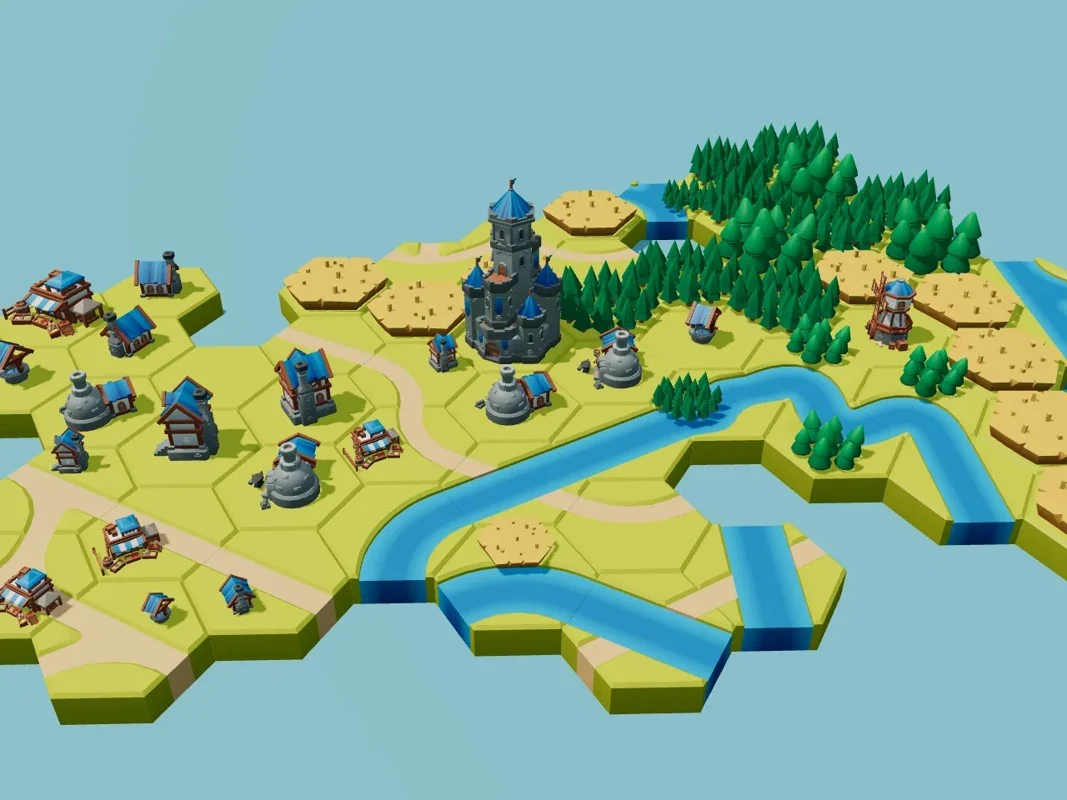
10 Grow an island one carefully joined tile at a time
Riverlands
By Maxi ↗
Tap a glowing spot to try a tile, tap again to rotate and press the tick to place. Drag to pan and pinch to zoom. Each tile saves automatically; there is no timer.
Before you playFor shaping a settlement landscape and seeing villages develop. Matching tile edges replaces an economy or a city-service simulation.
Computer · Phone & tablet
See game & play ↗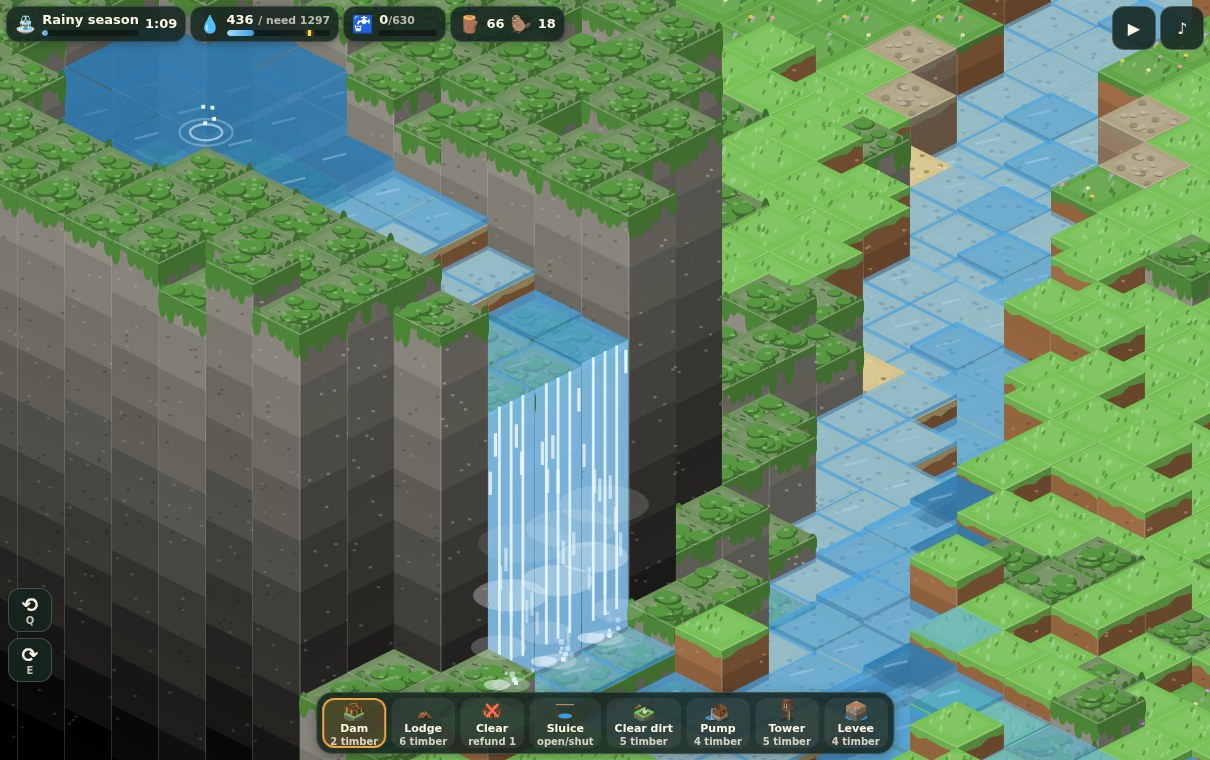
11 Build a beaver colony around a dependable water supply
Stickwater Hollow
By Train ↗
Tap tiles to queue construction and choose tools from the controls. Drag to pan and use the displayed zoom controls; the settlement’s workers perform the queued jobs.
Before you playFor managing construction, resources and essential infrastructure. Water and a beaver settlement narrow the simulation to a clear survival problem.
Computer · Phone & tablet
See game & play ↗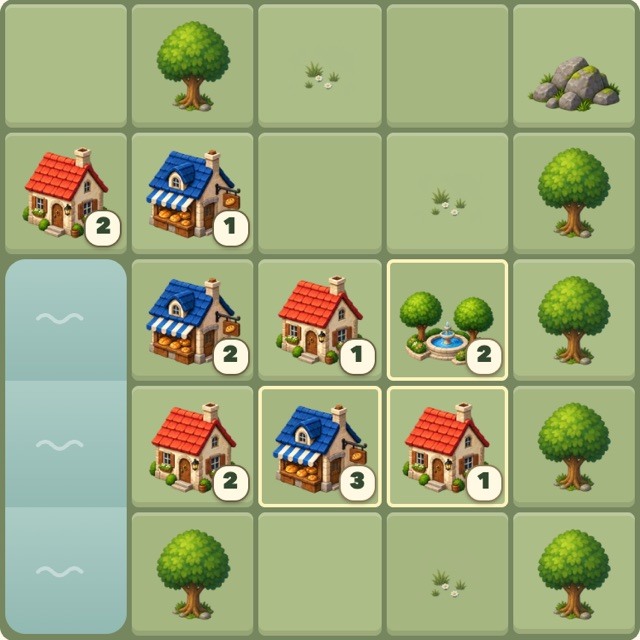
12 For a town-building puzzle in twelve moves
Little Plot
By morckster ↗
Little Plot asks you to arrange cottages, parks and bakeries on a 5×5 board in twelve moves. Daily and practice towns support click, tap, or keyboard controls.
Before you playA compact planning puzzle with town adjacency decisions, rather than a continuous infrastructure simulation.
Computer · Phone & tablet
See game & play ↗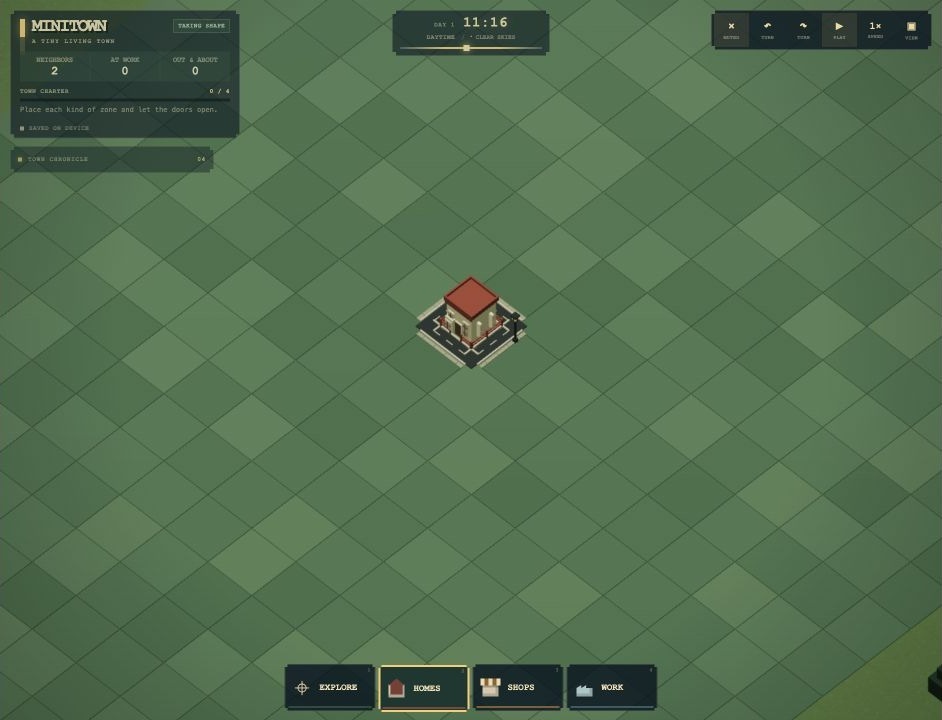
13 For watching a small town come to life
MiniTown
By Ling01 ↗
MiniTown lets you zone homes, shops and workplaces, then watch construction and residents’ routines. Roads form automatically, with no budget spreadsheet or losing condition. Mouse and touch controls are documented; a brief desktop check built a home and welcomed residents.
Before you playA relaxed town-building sandbox, without SimCity’s detailed infrastructure and finance simulation.
Computer · Phone & tablet
See game & play ↗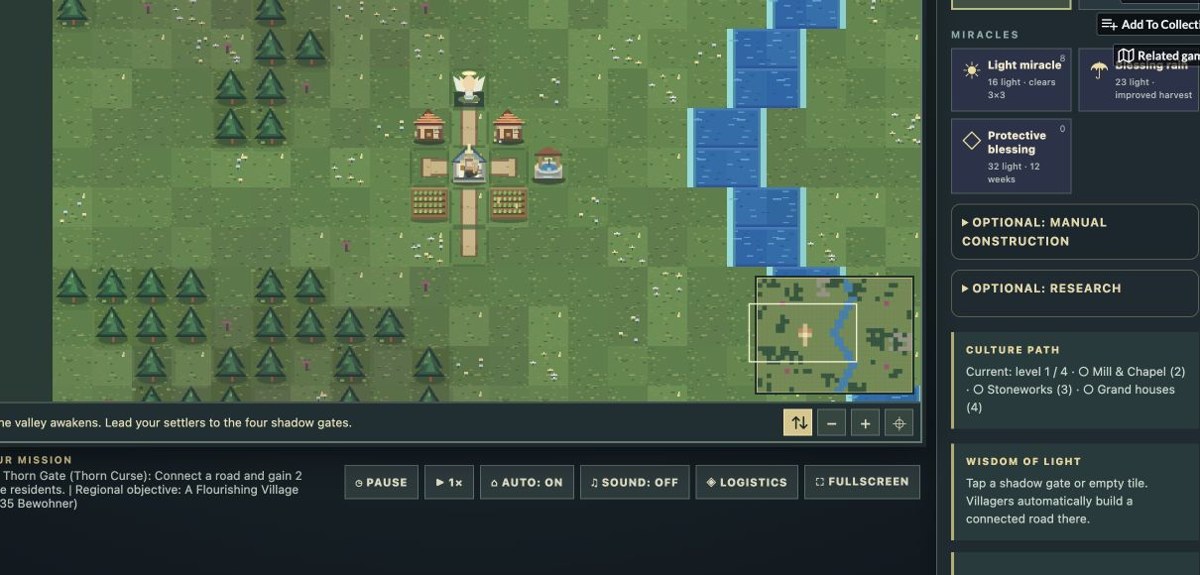
14 Aethergard: a valley of growing settlements
Aethergard
By devgb ↗
Guide a fantasy settlement through a growing valley. Watch villagers gather resources and expand, then intervene with construction, research and roads.
Before you playThe creator lists touchscreen and smartphone input. Its management interface is denser than a simple tile puzzle; desktop English gameplay was checked.
Computer · Phone & tablet
See game & play ↗| Game | Phone layout | Practical detail |
|---|---|---|
| Gablewend: Small City Builder | Not specified | Tap/drag zoning and construction |
| My-Island | Not specified | Incremental island growth; local autosave |
| Snugholm: Cozy Village Builder | Not specified | Puzzle scoring rather than an urban simulation |
| Floodmark | Portrait or landscape | Turn-based planning; automatic browser saves |
| Polder | Portrait or landscape | Inspect before building; automatic saves |
| GASHOLDER | Portrait or landscape | Tap controls; saves automatically |
| Deepdig Colony | Portrait or landscape | Drag construction orders; pause available |
| Nusantara: Governor Simulator | Not specified | Guest edition; automatic local saves |
| Hamlet | Not specified | Tap placement; local charter progress |
| Riverlands | Not specified | Tap, rotate and confirm; saves each tile |
| Stickwater Hollow | Not specified | Tap construction; drag map |
| Little Plot | For a town-building puzzle in twelve moves | Desktop + touch |
| MiniTown | Touch and pinch controls documented; physical phone untested | Zone small blocks; automatic roads; no financial pressure |
| Aethergard | Touch menus documented | Dense management interface; phone not physically tested |
Browser games: common questions
Are these official SimCity mobile games?
No. The comparisons identify specific shared mechanics. These are separate independent projects or explicitly labelled fan projects and ports; they do not carry the franchise’s accounts, purchases or official online services.
Does mobile support mean every phone was tested?
No. Each pick has game-specific phone or touch documentation. Hardware performance varies, and creator testing limits are called out where relevant. A responsive webpage alone was not enough for selection.
Will my progress transfer to another phone?
Only assume this when a game explicitly provides an account, save code or export/import system. Local browser saves can be lost when you clear data or change browsers; use the documented backup option where one exists.
Found your favourite?
Leave a rating on its game page. Or send a friend somewhere new to play.
OVER TO YOU
Comments
Got a thought, a favourite or a recommendation? Join the conversation.
Loading comments…