Mobile browser guide
10 free games like Call of Duty for mobile browsers
Want Call of Duty-style action on a phone without an app install? These browser shooters cover military objectives, tactical missions, small-map matches and undead survival. All have documented touch support. The entries explain how movement, aiming and action buttons differ, so you can choose a manageable layout.
These are independent shooters, not Call of Duty: Mobile or Warzone releases. The comparisons describe mission style and combat systems, not equivalent budgets, content or multiplayer populations. Selections use creator instructions, public game interfaces and existing gameplay imagery. Touch support is documented; these are not hands-on tests across every iPhone and Android device.
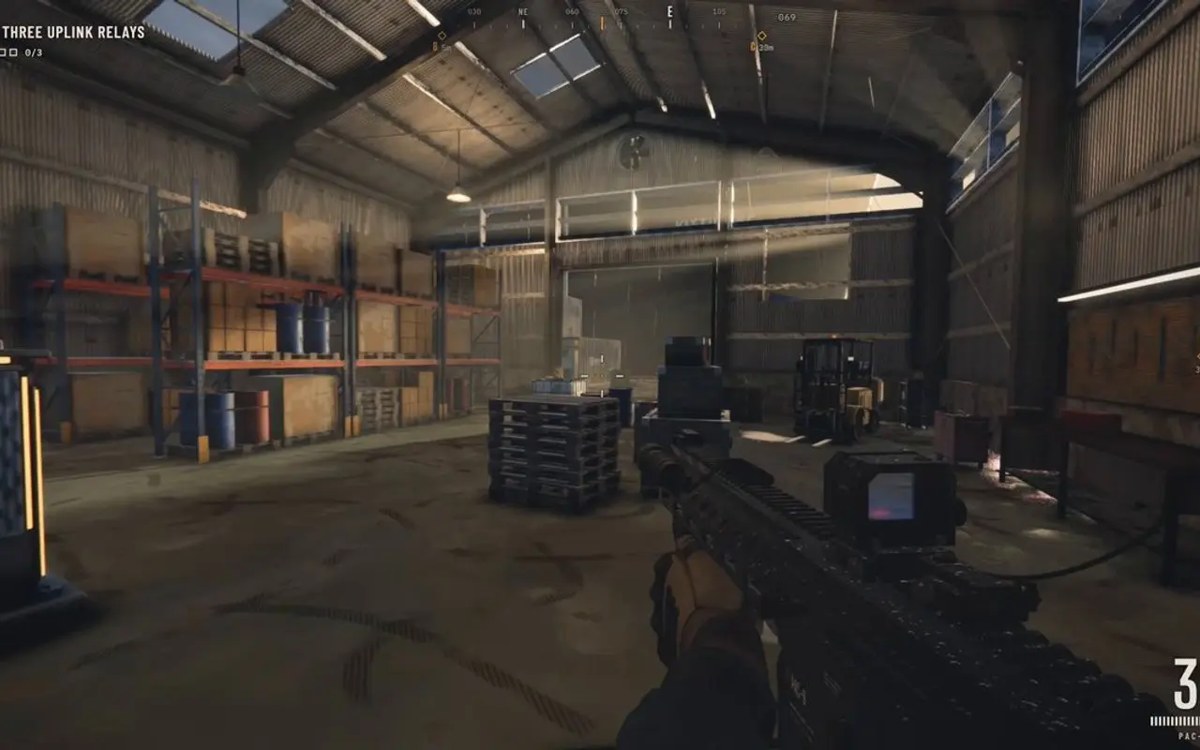
01 For a compact objective-led raid
Saltline
Felix Rieseberg’s Saltline gives you a clear mission: disable three uplink relays in an industrial port and reach the escape boat. The public Claude artifact documents touch input alongside keyboard and controller support. Its small set of objectives makes it a focused choice for the campaign-mission side of Call of Duty.
Phone controls and setupUse the game’s touch layout and read the interaction instructions before heading for a relay. It runs inside a public Claude artifact; the earlier availability check reached the game without signing in. No offline or cross-device-save support is claimed here.
Computer · Phone & tablet
See game & play ↗02 For a snowy military-shooter setting
Arctic Warfare
By Nimble Fox ↗
Nimble Fox’s Arctic Warfare is a short first-person shooter in a snowy combat environment. The creator explicitly released a mobile build that runs in the browser. It is a straightforward thematic match for players after military combat rather than a larger open world.
Phone controls and setupChoose “Run Arctic Warfare” on the itch.io page for browser play. The separate Windows ZIP is a desktop download, not the phone version. The main page still lists keyboard controls; the linked mobile update is the creator’s confirmation of phone support.
Computer · Phone & tablet
See game & play ↗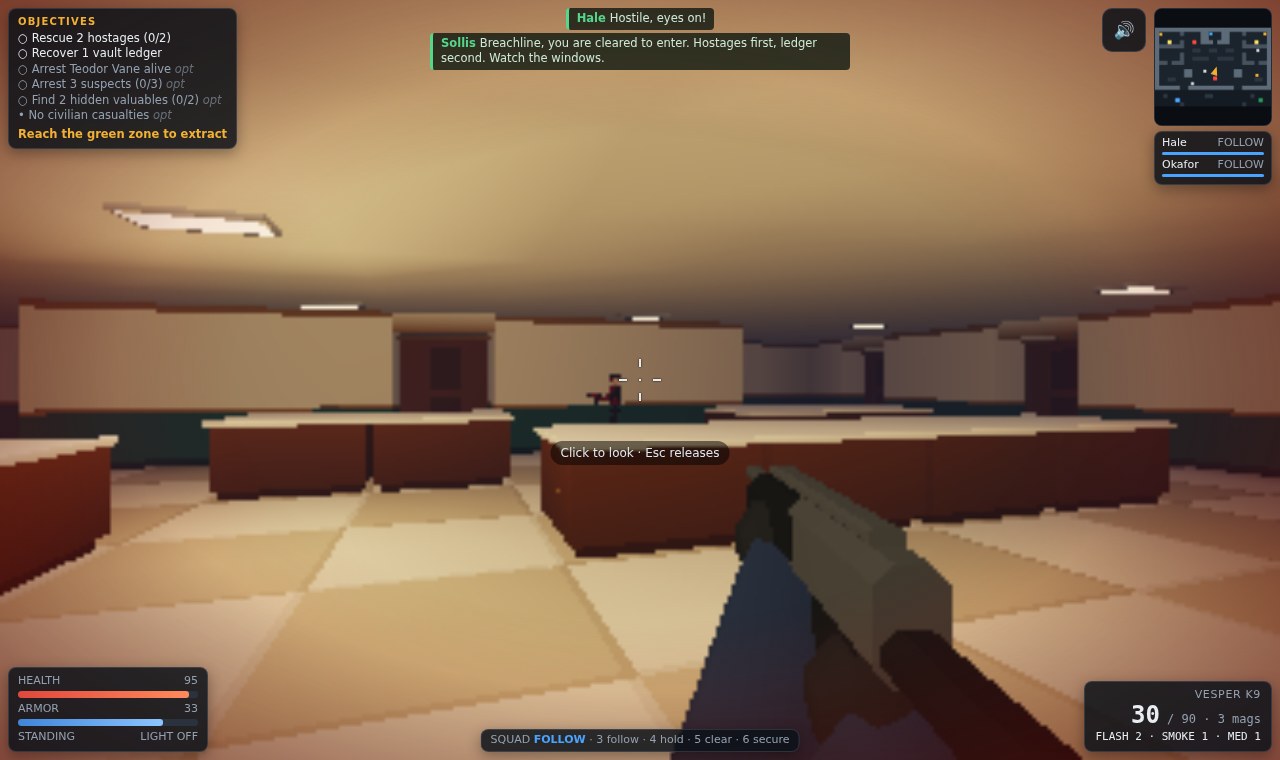
03 For slower room entries with bot squadmates
BREACHLINE
By CJtheSHARK ↗
BREACHLINE adds decisions beyond firing: guide two bot squadmates, rescue hostages, secure evidence and reach extraction. Its creator describes bank, hotel and depot missions, with suspects who can surrender. Losing carried equipment makes survival matter.
Phone controls and setupThe left stick moves and dragging the right side aims; on-screen buttons cover the other actions. Locate reload, interaction and squad commands before entering a room. Those squadmates are bots, so this is not a claim of a phone co-op mode.
Computer · Phone & tablet
See game & play ↗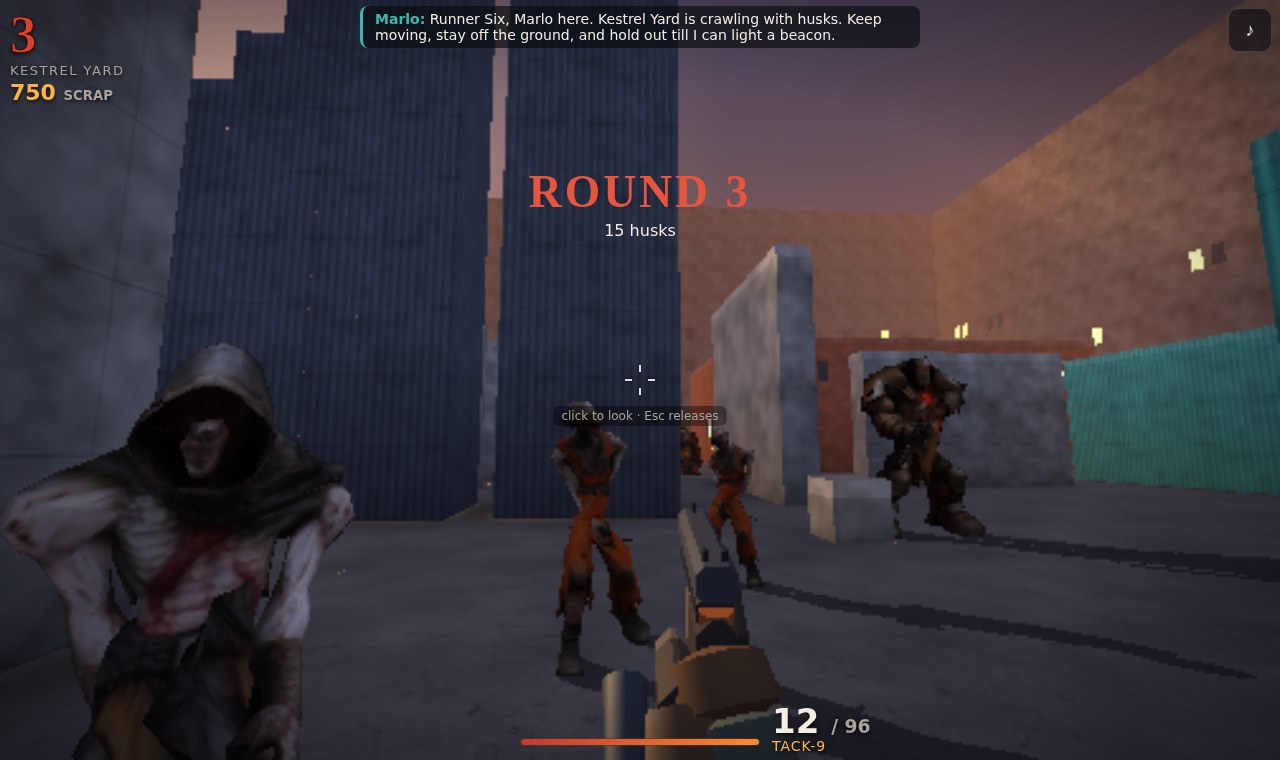
04 For solo waves, weapon buys and fast movement
Ledgeline: Husk Rounds
Ledgeline: Husk Rounds is the wave-survival choice. Buy weapons from wall racks, improve them and work towards extraction while surviving husks. Wall-runs, slides and a tether add movement to a loop that will be familiar to fans of buying upgrades between dangerous rounds.
Phone controls and setupPush the left stick to its edge to sprint and drag the right side to look. FIRE, JUMP, SLIDE, TETHER, AIM, RLD, GUN and USE have touch buttons; hold GUN for the weapon wheel. Learn basic aim and reload before combining the faster moves.
Computer · Phone & tablet
See game & play ↗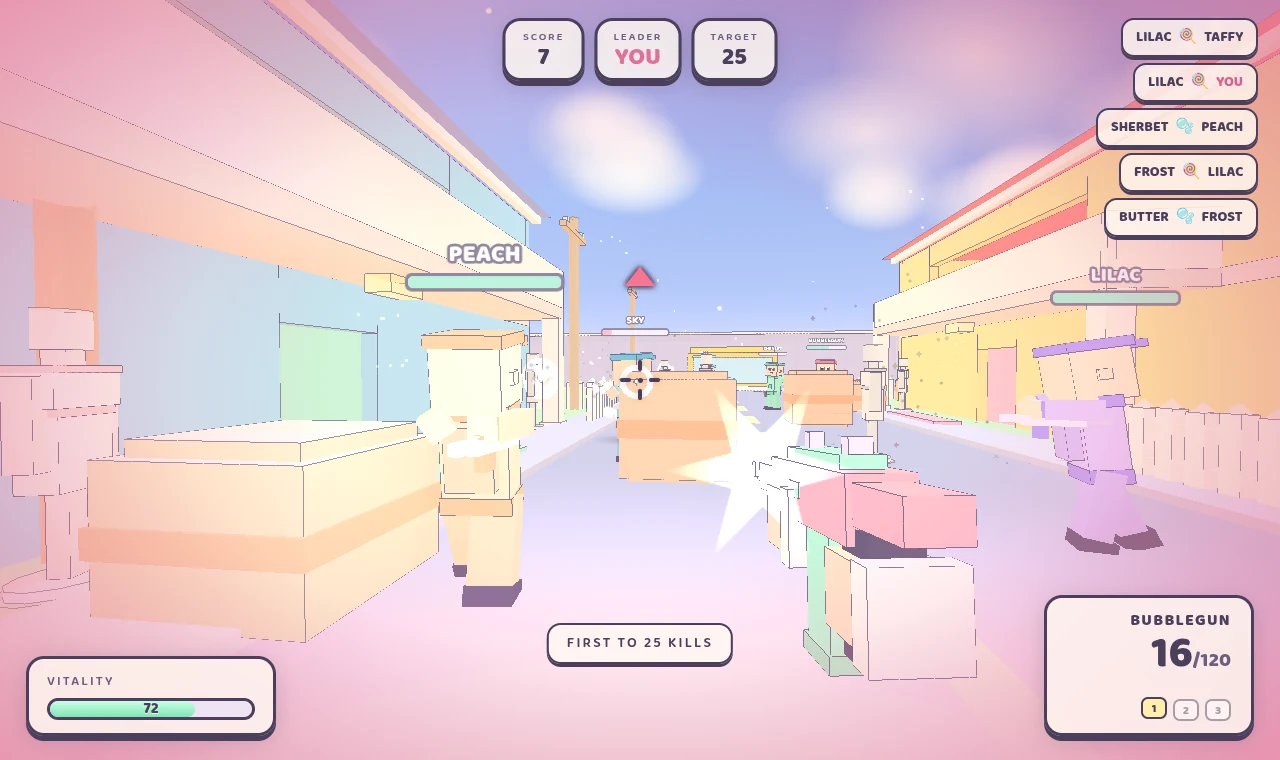
05 A landscape layout with two-thumb aiming
Pastel Nuketown
The current phone interface explicitly recommends landscape: the left thumb moves, pushing forward sprints, and the right thumb aims. Separate buttons fire, jump, reload and change weapons. Choose solo against eight bots or the documented online match flow.
Phone controls and setupA full mobile-FPS layout, so a wider phone view gives each thumb more room.
Computer · Phone & tablet
See game & play ↗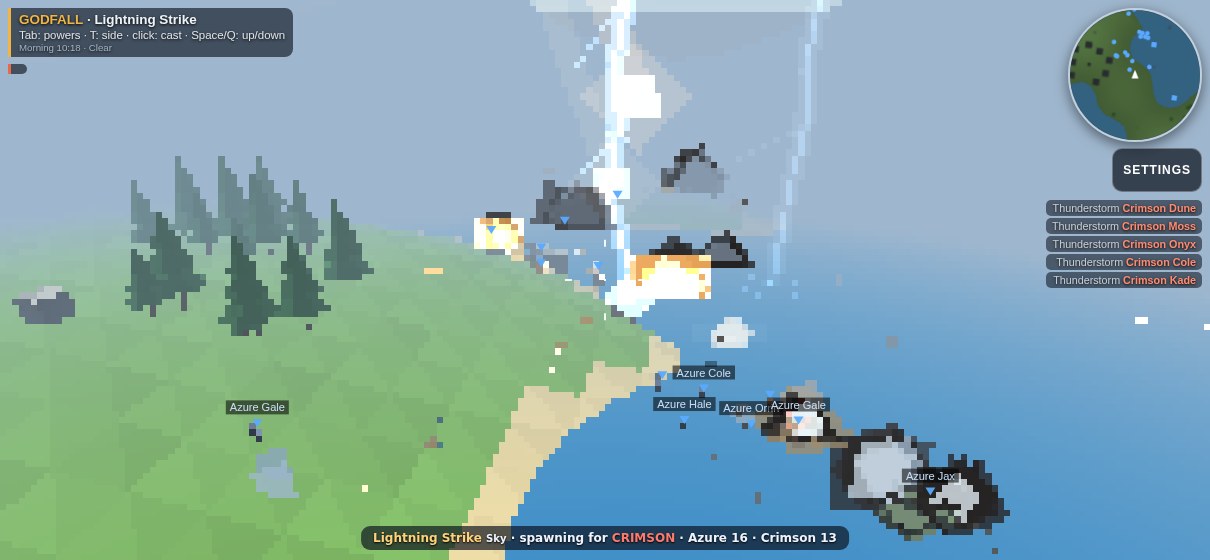
06 Touch movement, looking and actions
Ashfall
Ashfall documents a movement joystick, drag-to-look and action buttons for its varied combat kits. Its creator describes a mission campaign and vehicles, with bot opponents in the listed build. Learn a basic kit before adding vehicle or special-mode controls.
Phone controls and setupExpect more controls and changing systems than in a simple tap-to-shoot game.
Computer · Phone & tablet
See game & play ↗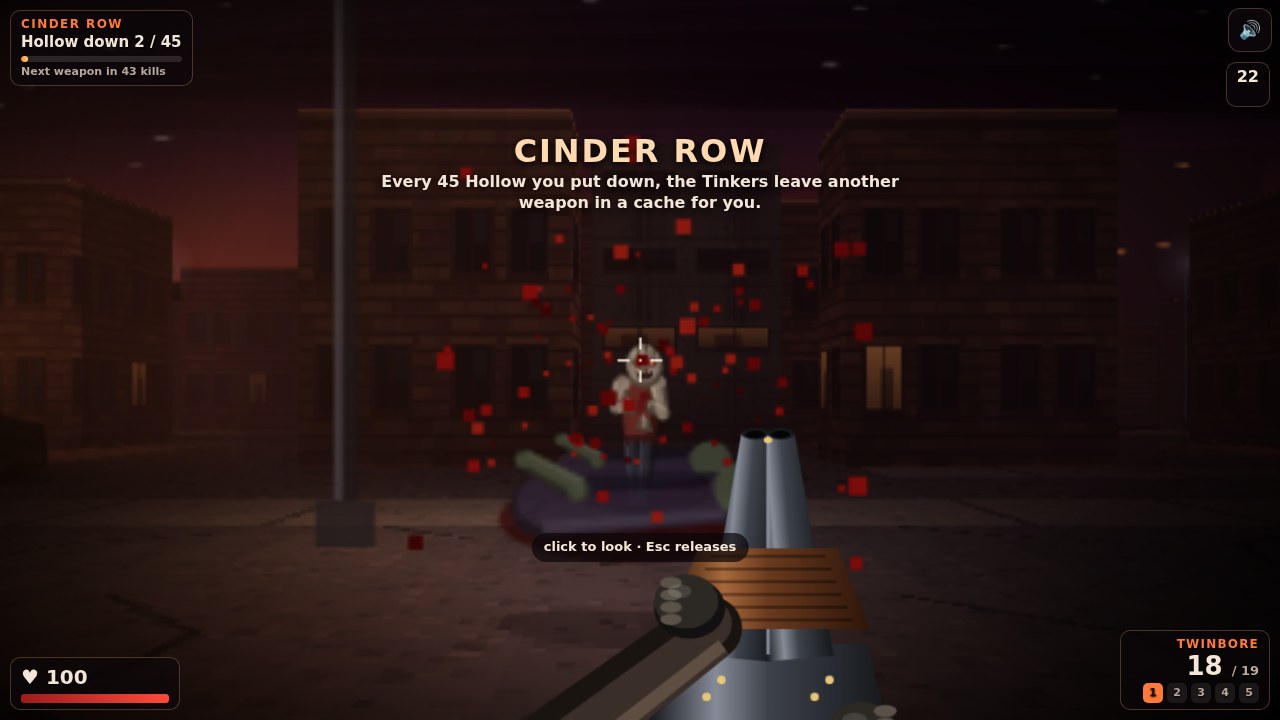
07 Two aiming areas and an expanding arsenal
Hollownight Boulevard
Drag the left side to move and the right side to look, hold Fire and tap Reload. A tap cycles weapons; holding the swap control opens a weapon wheel. Progress through undead city districts and earn new weapons as you survive.
Phone controls and setupStart with movement and reloading before using the weapon wheel during a busy wave.
Computer · Phone & tablet
See game & play ↗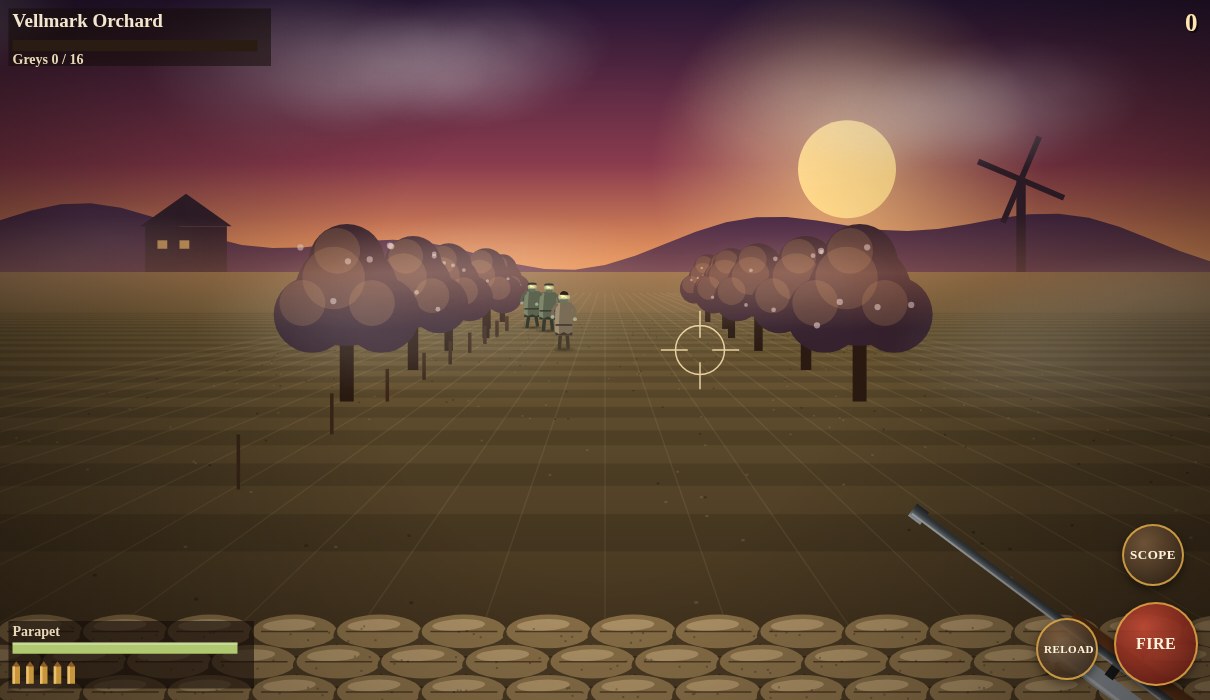
08 Aim, scope, fire and reload
Belfry of Ash: 1940
Drag to aim and use labelled Scope, Fire and Reload buttons. Belfry of Ash: 1940 is a compact scoped defence against undead waves rather than a full roaming military campaign. Its smaller action set makes the controls easier to explain.
Phone controls and setupChoose this for a simpler aim-and-reload challenge; comfortable performance still depends on the device.
Computer · Phone & tablet
See game & play ↗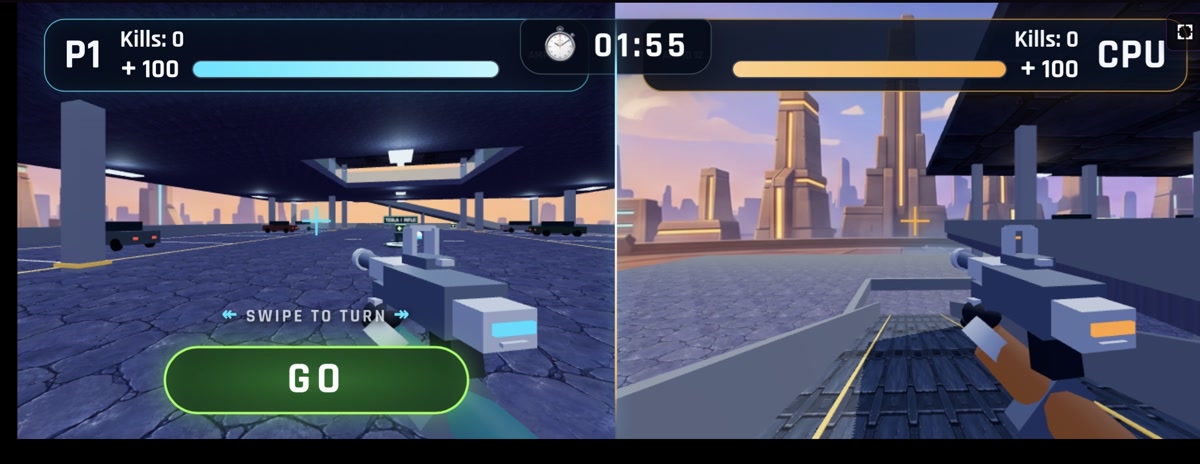
09 Two players on one phone or tablet
SplitShot
The creator built SplitShot specifically around shared-screen phone play. Tap GO to move, STOP to hold position and swipe to turn; weapons fire automatically. A tablet gives both players more room.
Phone controls and setupThis is documented local split-screen support, not a claim of online matchmaking. The simplified movement means you cannot strafe or backpedal like a conventional twin-stick FPS.
Computer · Phone & tablet
See game & play ↗10 Hold a bunker through classic-style zombie rounds
Zod der Untoten
Defend a WWII bunker against escalating zombie rounds in an unofficial tribute to classic Call of Duty Zombies. Repair barricades, buy weapons, open doors and invest in workbench upgrades. Keyboard and mouse, remappable Xbox/PlayStation-style controller inputs, or landscape touch sticks and buttons. These are documented controls; no physical-phone playtest is claimed.
Phone controls and setupA direct unofficial tribute to the round-based Zombies mode: barricades, weapon purchases and escalating waves. It is not an official Call of Duty release.
Computer · Phone & tablet · Controller confirmed
See game & play ↗Creator information, gameplay media and public build source ↗
| Game | Mission style | Phone controls | Pick it for |
|---|---|---|---|
| Saltline | Relay sabotage and extraction | Touch input documented in the public artifact | A compact military objective |
| Arctic Warfare | Snowy first-person combat | Creator-confirmed browser build for mobile | A short military-shooter setting |
| BREACHLINE | Hostages, evidence and extraction with bots | Left stick, right-side look, action and squad buttons | Slower tactical decisions |
| Ledgeline: Husk Rounds | Solo husk waves, upgrades and extraction | Move/look plus slide, tether and weapon controls | The wave-survival and movement side |
| Pastel Nuketown | Deathmatch and Kill Confirmed | Landscape; left movement, right aim, action buttons | Small-map firefights with bot practice |
| Ashfall | Military kits, missions and vehicles | Joystick, look dragging and action buttons | A broader combat sandbox |
| Hollownight Boulevard | Undead districts and earned weapons | Move/look areas, Fire, Reload and weapon wheel | A roaming zombie-shooter alternative |
| Belfry of Ash: 1940 | Scoped undead-wave defence | Aim dragging plus Scope, Fire and Reload | A smaller action-button set |
| SplitShot | Two-minute deathmatch; co-op zombie infiltration | GO/STOP buttons, swipe turning, automatic fire | Two people sharing a screen |
| Zod der Untoten | Round-based bunker zombies | Landscape sticks and buttons | Barricades, weapon purchases and escalating waves |
Playing Call of Duty-style games on your phone
Are these Call of Duty: Mobile in a browser?
No. They are independent browser shooters selected for military missions, tactical combat or wave survival. They do not use your Call of Duty account or promise the official game’s modes and progression.
Which browser game is closest to the Zombies style?
Ledgeline: Husk Rounds has solo rounds, weapon buying and upgrades. Hollownight Boulevard offers roaming undead districts and weapons earned through kills, while Belfry of Ash: 1940 is a smaller scoped defence. These are different versions of wave pressure, not the official Zombies mode.
How does aiming work without a mouse?
BREACHLINE and Ledgeline explicitly split the screen between a left movement stick and right-side dragging to look, with separate action buttons. Saltline documents touch support and Arctic Warfare has a creator-confirmed mobile browser build; use each game’s own displayed layout rather than its desktop key list.
Can I play these shooters with friends?
Pastel Nuketown documents online rooms as well as solo bot matches. That is not a guarantee of populated servers or reliable performance on every phone. BREACHLINE and Ashfall use bots in the selected builds; a hosting platform’s room button alone does not prove game-specific co-op.
Do I need an app install?
The linked versions run in the browser. Arctic Warfare also offers a Windows download, but its browser-play button is the relevant option on a phone. Saltline is hosted as a public Claude artifact.
What if aiming feels cramped or the game runs slowly?
Try holding the phone sideways if the game supports that layout, and learn movement and aiming before adding extra actions. Use lower graphics settings where provided. These are source-backed mobile selections, not a performance guarantee for every device.
Found your favourite?
Leave a rating on its game page. Or send a friend somewhere new to play.
OVER TO YOU
Comments
Got a thought, a favourite or a recommendation? Join the conversation.
Loading comments…