Playground guide
58 mouse-only browser games you can play without movement keys
You do not always want one hand on WASD. These browser games put the main actions on the pointer: select a tile, drag a block, choose a story option or build a web. Mouse-only describes the gameplay controls, not the difficulty. The entries distinguish simple clicking from dragging, holding, right-clicking and camera controls so you can choose what is comfortable.
Controls were checked against creator instructions and the available browser versions. Keyboard shortcuts may be offered as alternatives. Optional room codes, custom names or importing a save may still involve typing; those are not needed for the solo loops described here. Input preferences and comfort vary, and this is not a full playthrough review of every game.
Playing on your phone? See the mobile-friendly picks below ↓
01 Build a chain reaction with a click
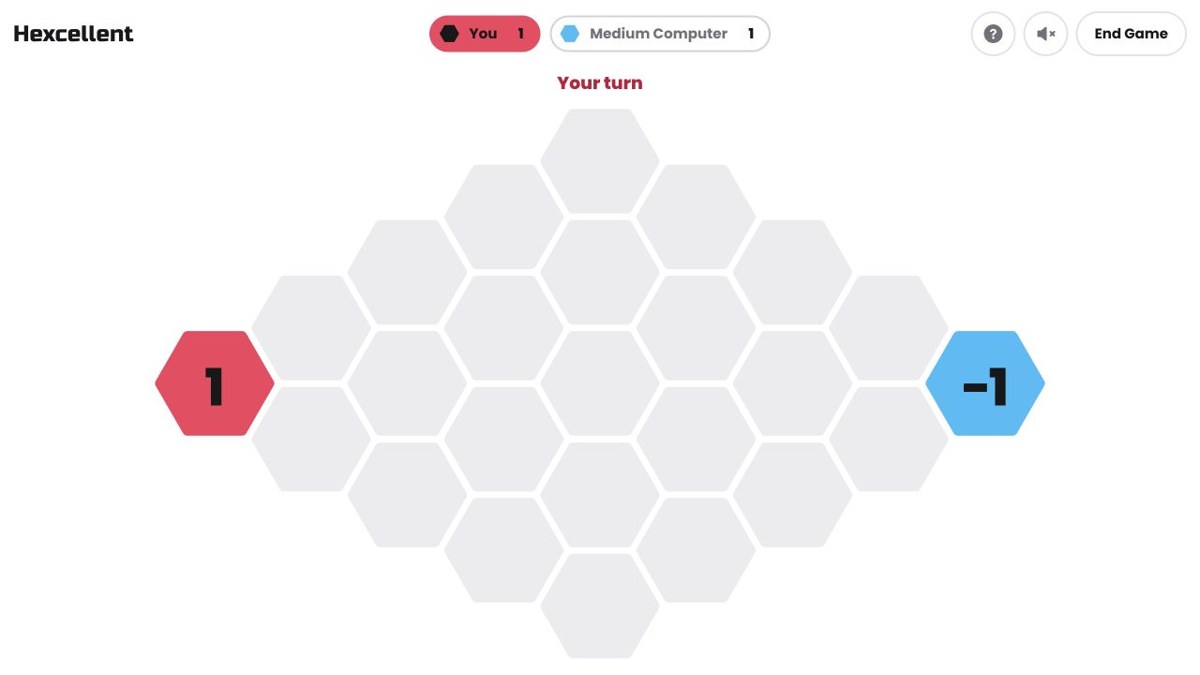
Hexcellent
Click a hexagonal cell to add a piece. When it fills, it bursts into neighbouring cells and can trigger a much bigger takeover. Hexcellent offers a computer opponent or two players sharing the same device, with clickable menus for board size and difficulty. No movement keys are needed.
Mouse controlsThe board, player choice and settings can all be operated with the pointer.
Computer · Phone & tablet
See game & play ↗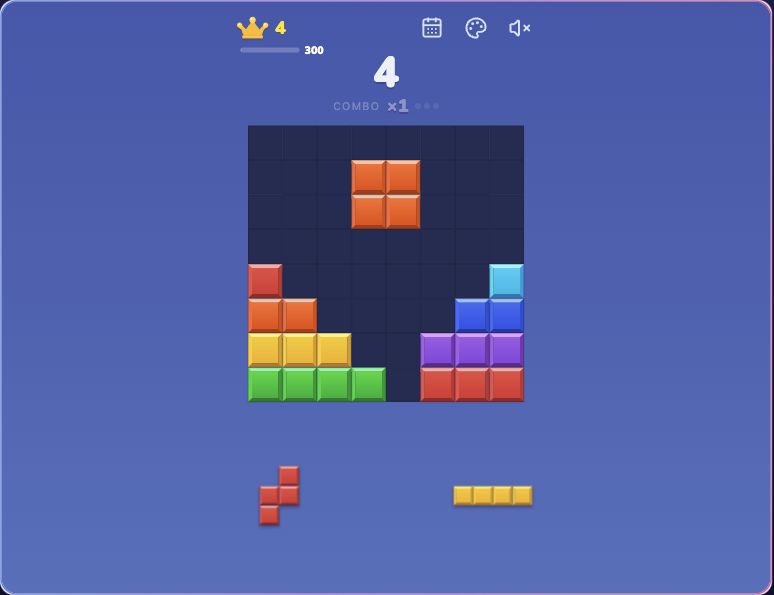
02 Drag blocks into the gaps
Block Blast
By Block Blast (Pattern Hub) ↗
Place three blocks at a time on an eight-by-eight board and clear full rows or columns. Dragging is the main action; pieces cannot be rotated, so their shape matters before you commit. This is Pattern Hub’s independently made fan browser version, not Hungry Studio’s official app. It contains advertising.
Mouse controlsMouse dragging was directly checked on the playable board.
Computer · Phone & tablet
See game & play ↗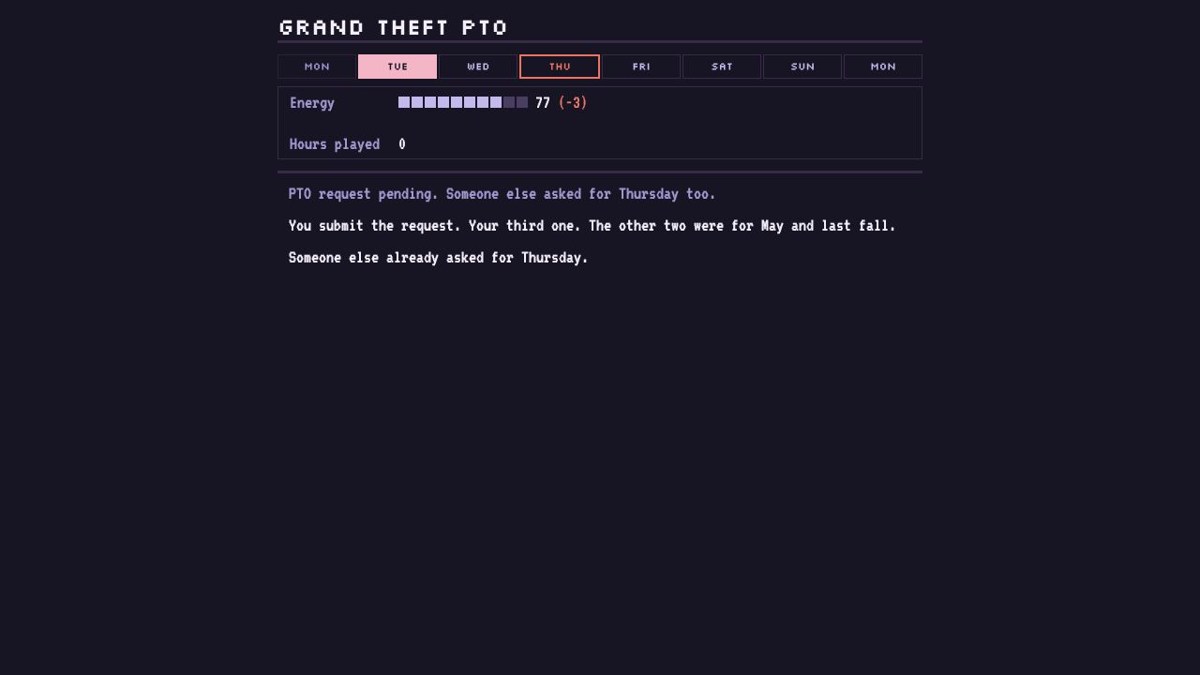
03 Try to get Thursday off work
Grand Theft PTO
Grand Theft PTO is an office-life story about a huge game release landing on a workday. Click through your work and household setup, then choose whether to request leave, call in sick or play after work. Energy and suspicion change with your decisions. Despite the title, there is no driving or shooting to control.
Mouse controlsThe checked browser flow advances through clickable choices.
Computer · Phone & tablet
See game & play ↗04 Rotate a path and wake the flowers
Lantern Garden
By maorc ↗
Left-click a tile to turn it clockwise; right-click turns it back. Connect lantern light to every flower across forty puzzles, using the on-screen Undo, Reset, Hint and Pause buttons. There are no timers or lives, making it a particularly useful choice when you want time to reposition the pointer.
Mouse controlsThe creator provides a complete mouse control table, including recovery and pause.
Computer · Phone & tablet
See game & play ↗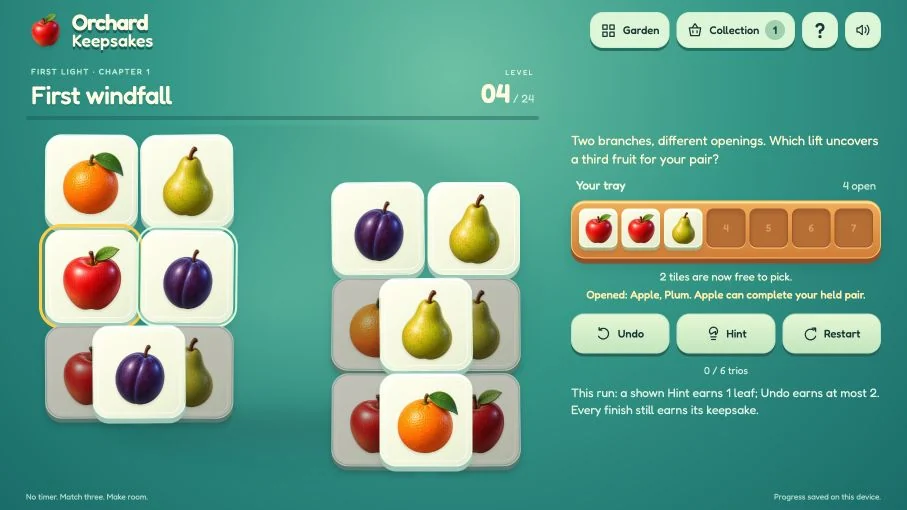
05 Pick three matching keepsakes
Orchard Keepsakes
Click exposed fruit, leaves and blossoms into the tray, then clear three identical tiles together. All twenty-four boards are untimed, with on-screen undo, hints and restart. The seven-slot tray creates the challenge; no key combination or reaction movement is involved.
Mouse controlsSelection and recovery use separate pointer actions.
Computer · Phone & tablet
See game & play ↗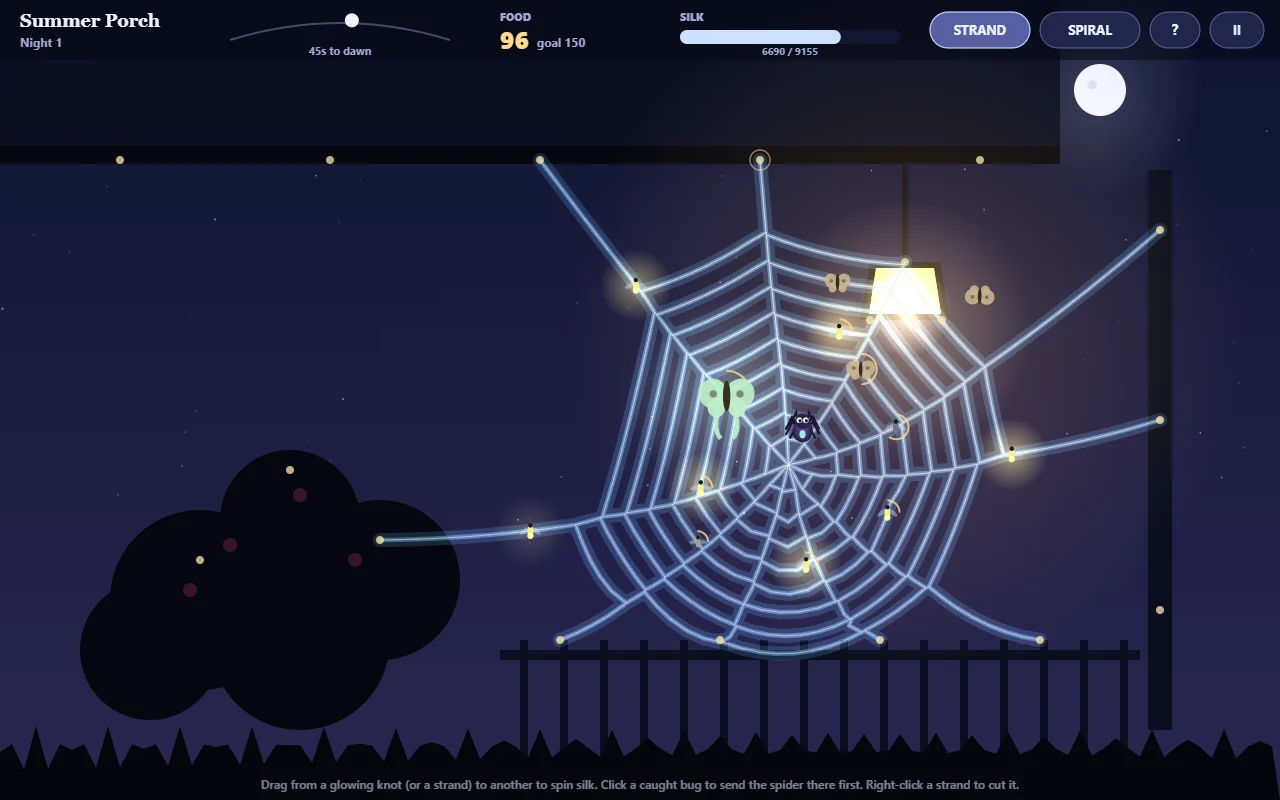
06 Spin a web under the porch light
GLOWSILK
By kqmigqkqri ↗
Drag from a knot to lay silk, build the web, then prioritise larger trapped insects with a click. GLOWSILK explicitly uses mouse-only controls. Spend the food you catch on stronger silk and other upgrades between nights. The free browser version contains the Summer Porch garden; the other gardens are in the paid download.
Mouse controlsThe creator explicitly labels the game mouse-only.
Computer browser
See game & play ↗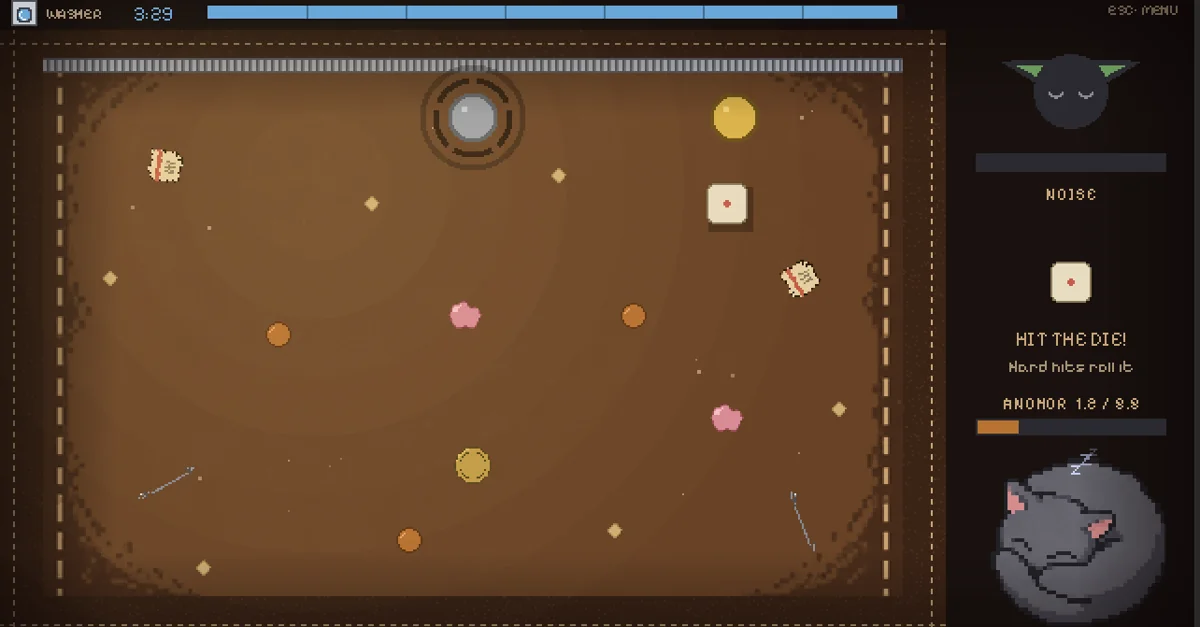
07 Flick a coin through pocket debris
Forgotten Fortune
By AriPolar ↗
Click, drag backwards to aim, then release a coin across the inside of a wallet. Smash scraps together to craft an anchor while keeping noise down so the sleeping cat stays asleep. The creator specifies mouse-only click-and-drag controls; precision and planning still matter.
Mouse controlsAn explicit mouse-only control scheme for movement and the central crafting mechanic.
Computer browser
See game & play ↗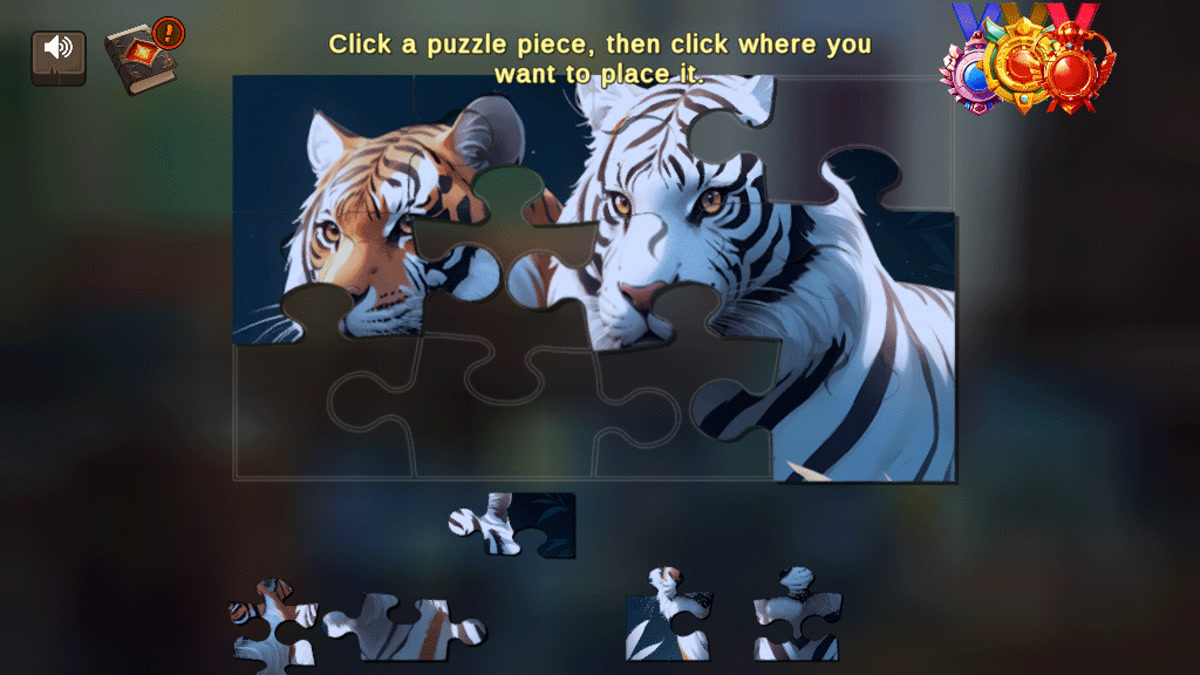
08 Solve a science-themed point-and-click adventure
Eureka! — Artificial Evolution
Eureka! combines hidden objects, word connections and jigsaw puzzles in an artificial-evolution setting. Its creator describes the game as a series of point-and-click puzzles, so your main tools are selecting objects and arranging puzzle pieces. It is a discovery option for readers who want more than a high-score loop.
Mouse controlsThe creator explicitly describes point-and-click puzzle interactions.
Computer · Phone & tablet
See game & play ↗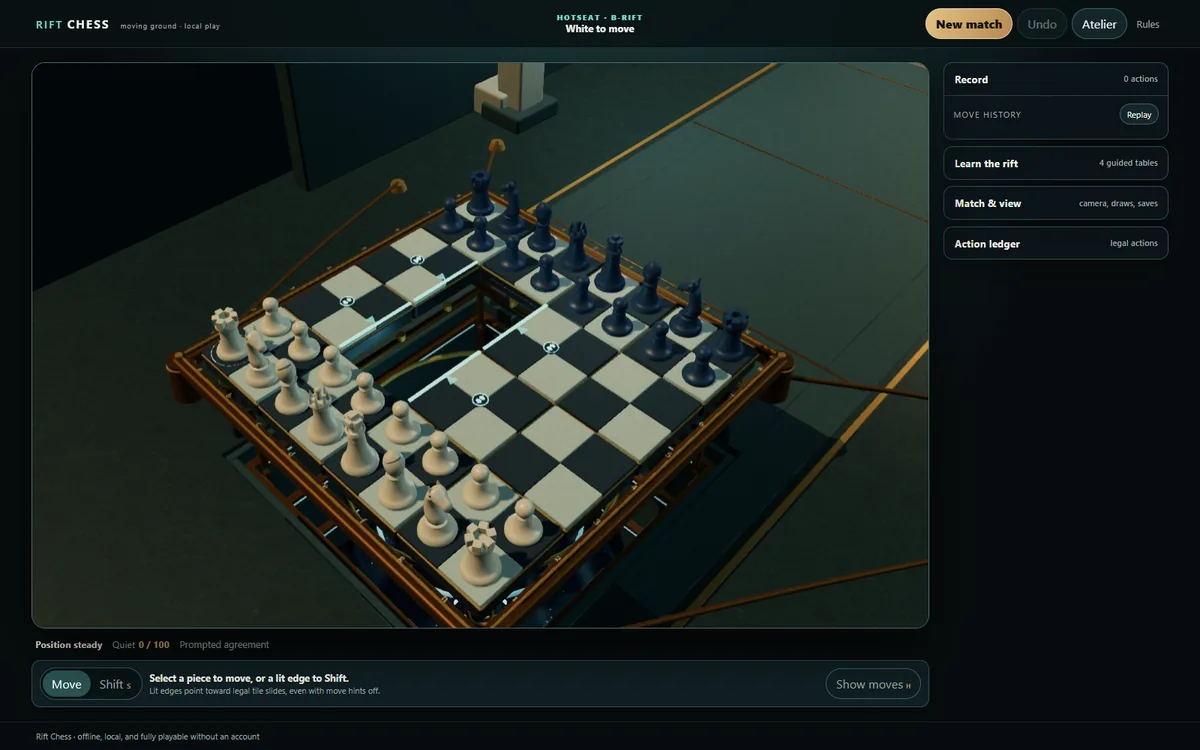
09 Choose a piece—or shift a whole tile
Rift Chess
Click a piece and its destination for a normal chess move. For the twist, select a lit tile edge or Shift mode, then choose a neighbouring hole. Right-drag rotates the camera and the wheel zooms. The on-screen Shift mode means the S shortcut is optional; play a local bot or a friend in hotseat.
Mouse controlsThe creator documents pointer equivalents for moves, tile shifts and camera control.
Computer · Phone & tablet
See game & play ↗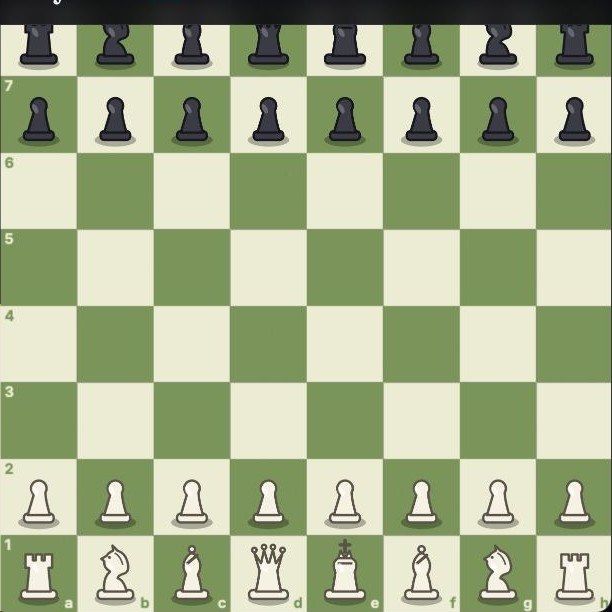
10 A familiar board with a clickable coach
Chess — EveryGameMade
Choose a computer level and move pieces on the board with the pointer. EveryGameMade’s chess page also offers an optional coach for computer games, plus private friend rooms. Use the computer option for a straightforward mouse session; entering a friend-room code or name may involve typing.
Mouse controlsA mouse-operated board with a solo mode that avoids room-code setup.
Computer · Phone & tablet
See game & play ↗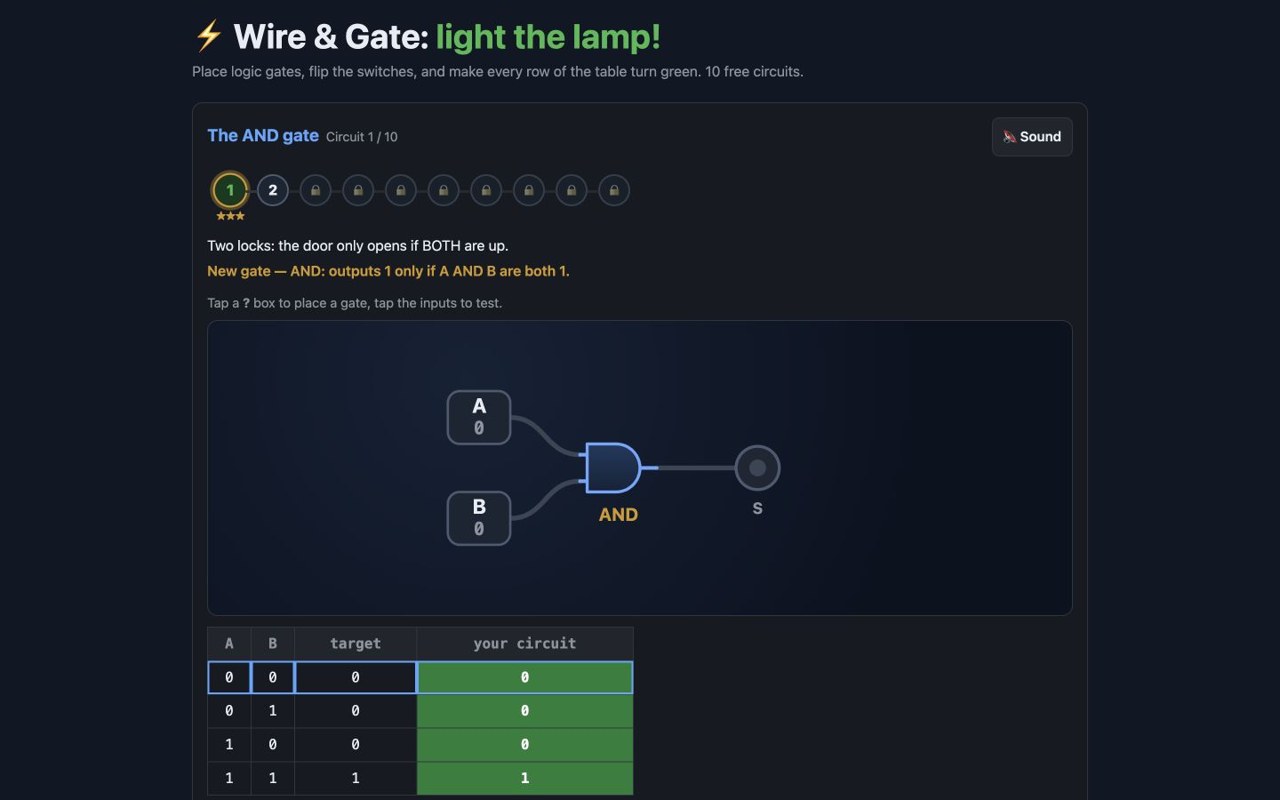
11 Build a circuit that matches its truth table
Wire & Gate: Light the Lamp!
Choose logic gates for the empty boxes and click the input switches. Wire & Gate shows how current flows and checks your circuit against a table of zeroes and ones. Ten browser circuits introduce AND, OR and more, ending with a half adder. The lesson happens through visible controls rather than typing code.
Mouse controlsThe core puzzle uses gate boxes and on-screen switches.
Computer · Phone & tablet
See game & play ↗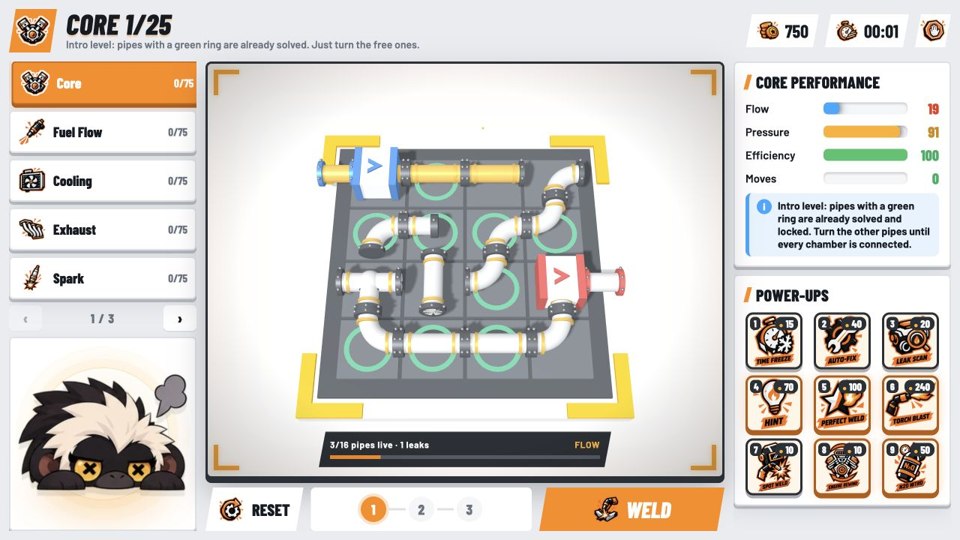
12 Turn the pipes, then weld the engine
Blowtorch: Pipe Puzzles
By Keddie22 ↗
Click pipes to rotate them until flow runs from inlet to outlet without loose ends. The board updates as you turn each piece; select WELD when the layout is ready. Scoring considers moves, time and hints, so mouse-only does not mean pressure-free.
Mouse controlsTile rotation and the WELD action are on-screen pointer controls.
Computer · Phone & tablet
See game & play ↗13 Fish with a single mouse button
Lullfin: Cozy Fishing
By PN Scripts ↗
Hold to cast, wait for the float to dip, strike and reel while easing off when the fish fights back. Lullfin uses one-button fishing controls and on-screen menus for your journal and tackle. A quiet lake, four fishing spots and a legendary catch give the simple input a longer goal.
Mouse controlsMouse controls are explicitly supported for the one-button fishing loop.
Computer · Phone & tablet
See game & play ↗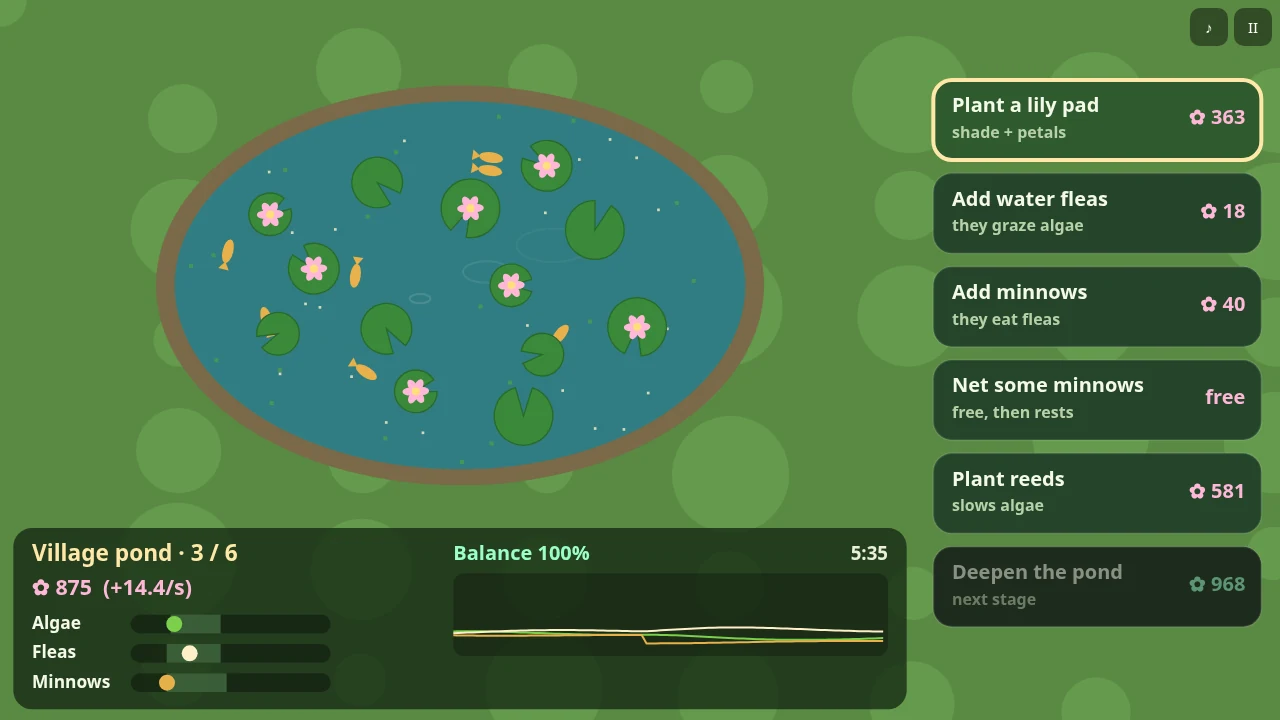
14 Manage a pond through its buttons
Lilymere: Pond Ecosystem Idle
By PN Scripts ↗
Plant, add creatures, net them or deepen the pond using the on-screen actions. Lilymere links algae, water fleas and minnows into a food chain, with herons and heat waves to watch. It is an idle ecosystem game with management choices, so the lack of keyboard movement does not remove the need to pay attention.
Mouse controlsThe creator documents button-based actions and mouse support.
Computer · Phone & tablet
See game & play ↗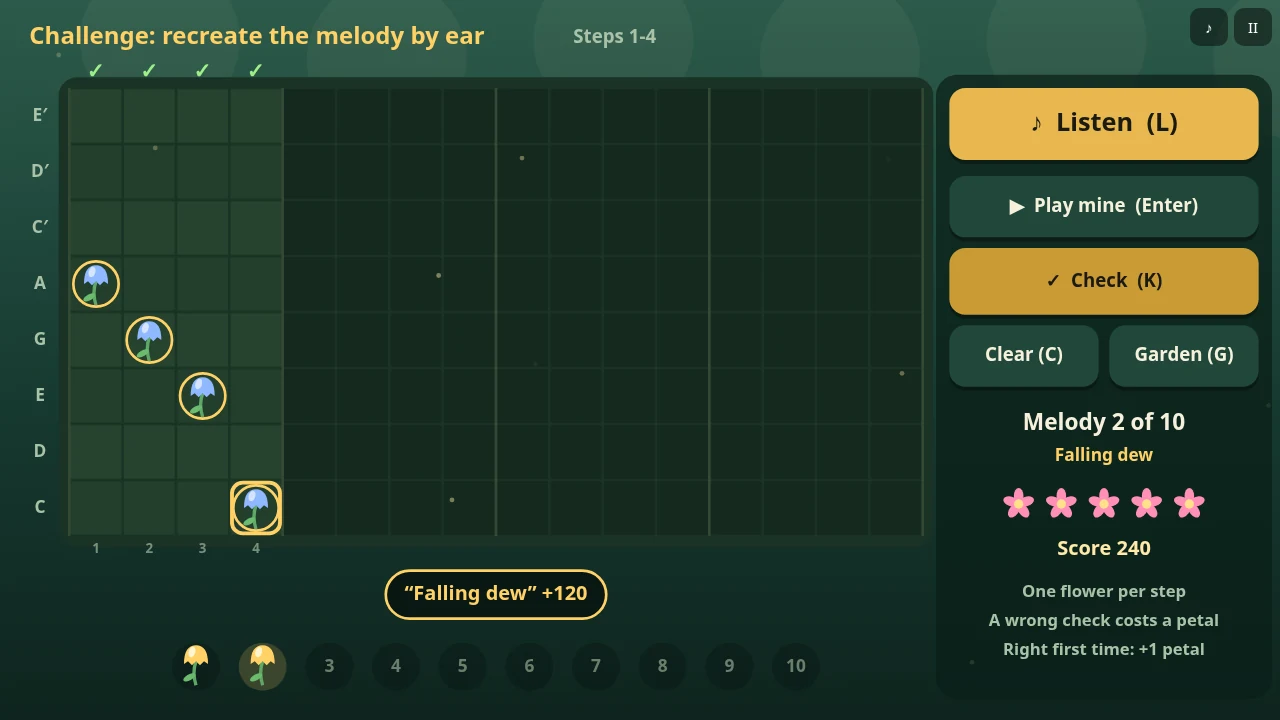
15 Draw a tune across a flower bed
Chimewild: Music Garden Sequencer
By PN Scripts ↗
Click or drag across the soil to plant notes, then use on-screen controls for playback, instruments, tempo and swing. Chimewild can be a free music toy or a listening challenge. Creating music does not require keyboard shortcuts; copying or importing a shared song code is optional.
Mouse controlsThe creator documents pointer planting and on-screen buttons for the remaining actions.
Computer · Phone & tablet
See game & play ↗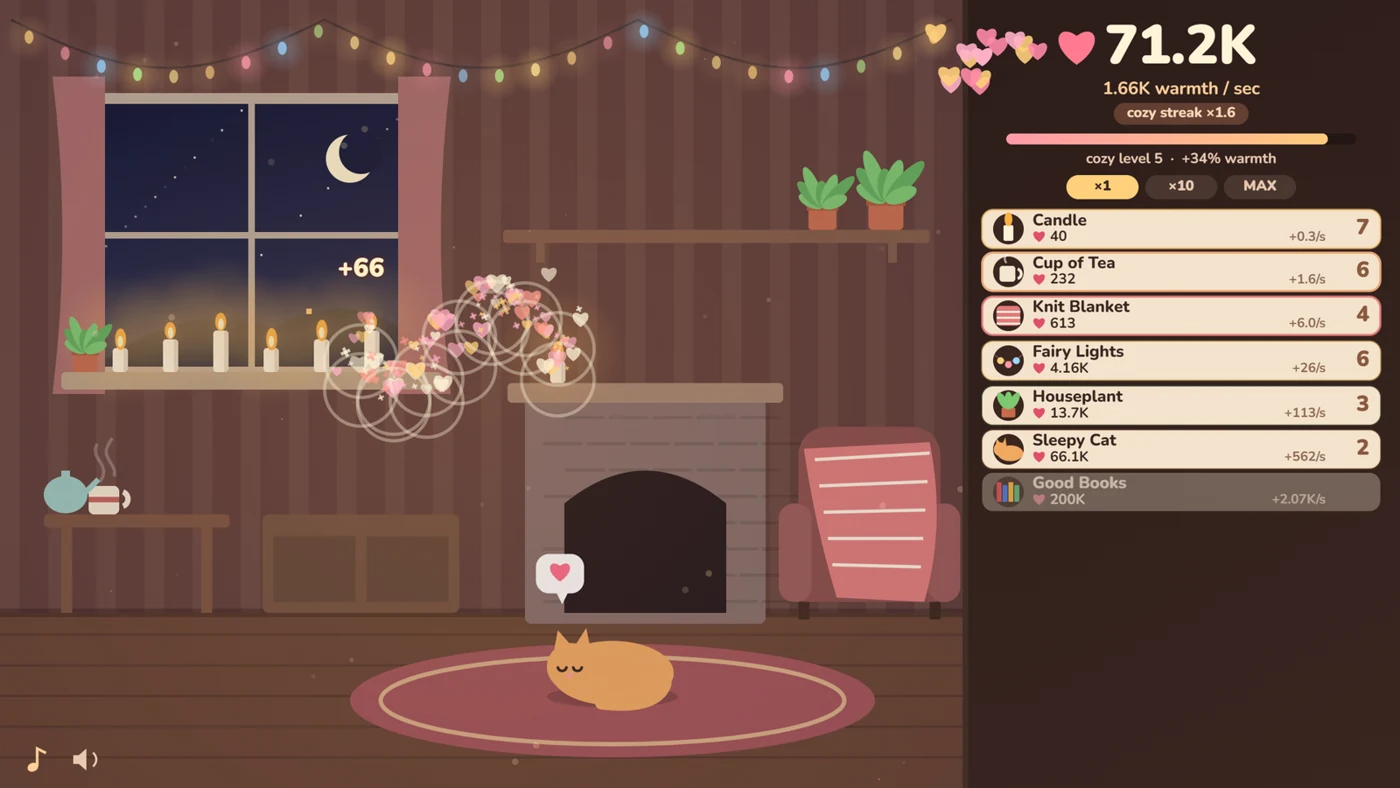
16 Click a chilly room into something inviting
Warm Little Room
By raxeris ↗
Earn warmth with a click and spend it on candles, blankets, plants and other cozy upgrades. Warm Little Room gradually changes colour and fills with objects as you invest. Its pointer-driven incremental loop continues earning while you are away, with small things such as cat pets to look out for.
Mouse controlsClicking and on-screen purchases are the central controls.
Computer · Phone & tablet
See game & play ↗17 Place buildings and preview their neighbours
Snugholm: Cozy Village Builder
By PN Scripts ↗
Pick a building from your hand, point at a square to preview its score, then place it. Snugholm has twelve small islands and a daily puzzle, with no timer and unlimited undo. Mouse support and visible menu controls let you concentrate on arranging a village without movement keys.
Mouse controlsThe creator explicitly supports mouse play; the current build has on-screen play, undo and menu controls.
Computer · Phone & tablet
See game & play ↗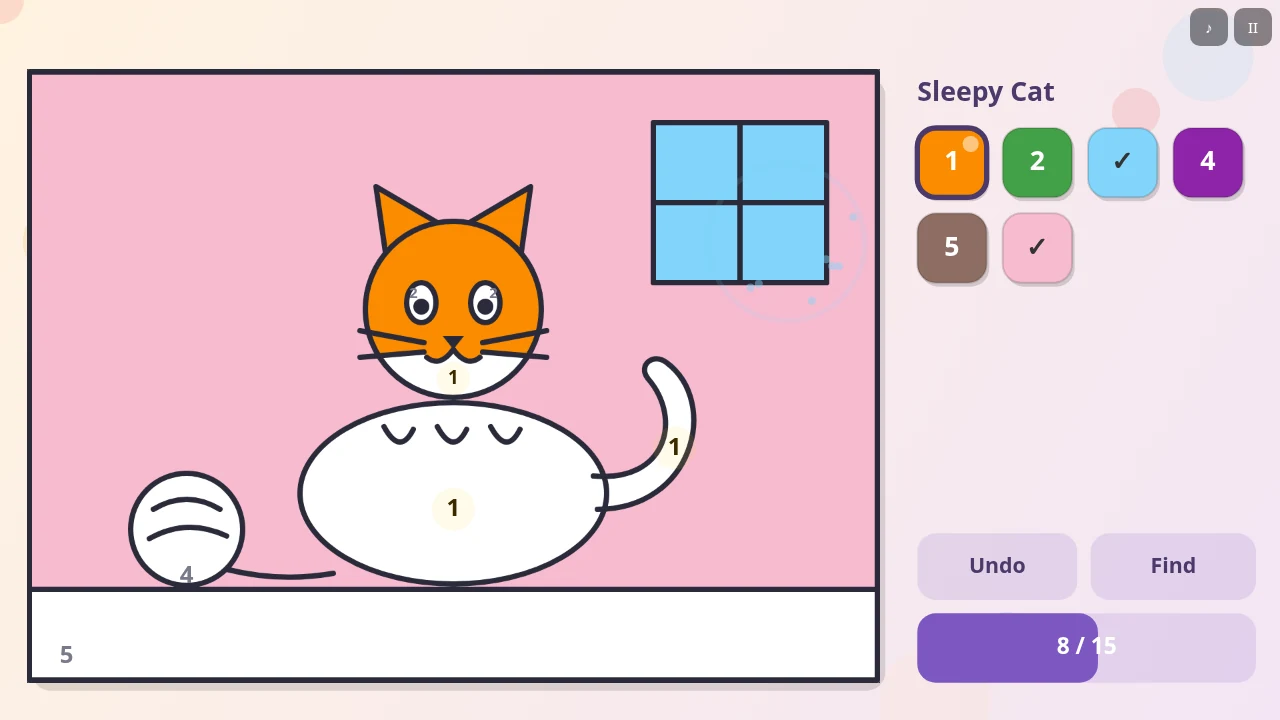
18 Colour large shapes with a click
Dabblewood: Colouring Book for Kids
By PN Scripts ↗
Choose a colour, then click a shape to fill it. Dabblewood has ten pictures and both free colouring and colour-by-number. Large buttons, undo and a Find helper make it a simple option for children or anyone who wants a small colouring activity with no keyboard commands to learn.
Mouse controlsThe creator explicitly supports mouse input and large on-screen controls.
Computer · Phone & tablet
See game & play ↗19 Roll again—or bank the points
TenKay
By M Dawg ↗
Click ROLL, keep scoring dice and decide whether to BANK the pot or push your luck. TenKay’s computer rivals have different risk-taking styles, and optional manual dice selection adds another pointer choice. These are game points, with no purchase or wager needed to play.
Mouse controlsThe creator explicitly describes clickable ROLL and BANK controls.
Computer · Phone & tablet
See game & play ↗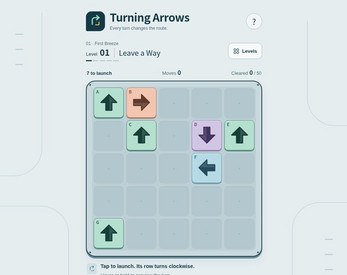
20 Clear the arrows without touching the keys
Turning Arrows
By collidelab ↗
Click an arrow whose route to the edge is clear. Launching it rotates the other arrows in its original row, so the next move may look very different. Fifty levels include move previews and on-screen Undo, Restart and Solution controls; the keyboard shortcuts are alternatives.
Mouse controlsThe current browser build exposes recovery and solution controls as buttons.
Computer · Phone & tablet
See game & play ↗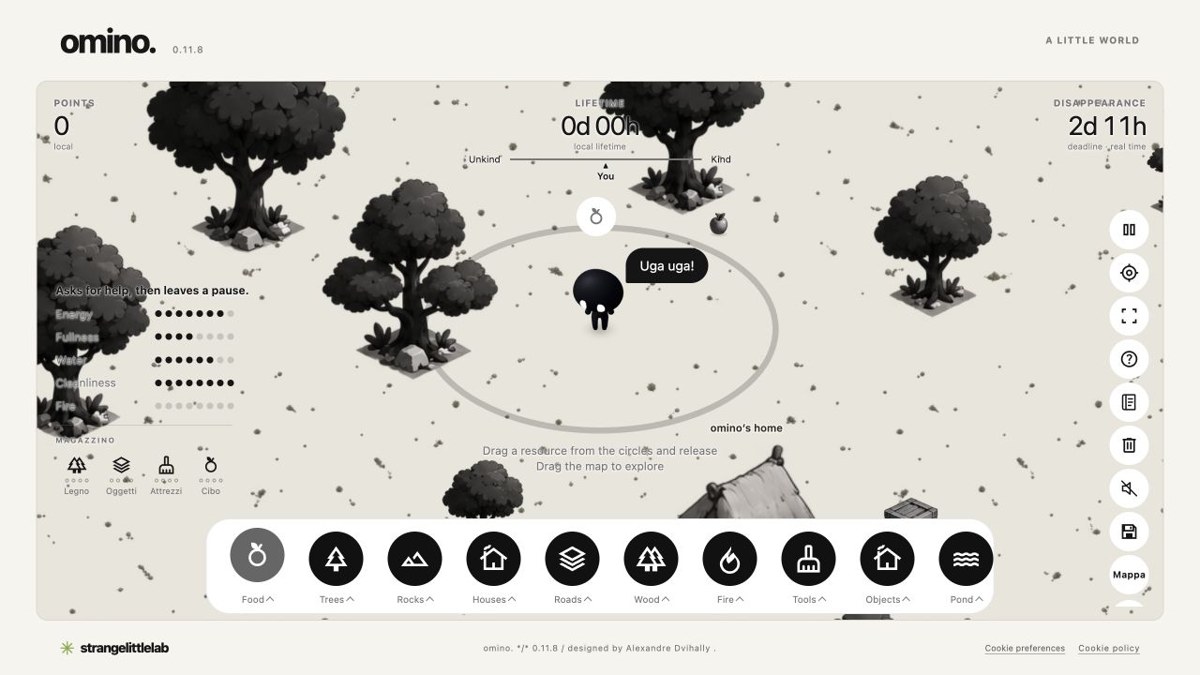
21 Look after a creature through its little world
Omino
By Alexandre Dvihally / Strange Little Lab ↗
Select a resource, place it on the ground and drag to explore Omino’s surroundings. Offer food, water, shelter and other objects while watching its needs. This is currently a local simulation, with no active shared world. On-screen categories and controls cover the core play; optional keyboard shortcuts are also provided.
Mouse controlsThe current game documents pointer placement and camera dragging.
Computer · Phone & tablet
See game & play ↗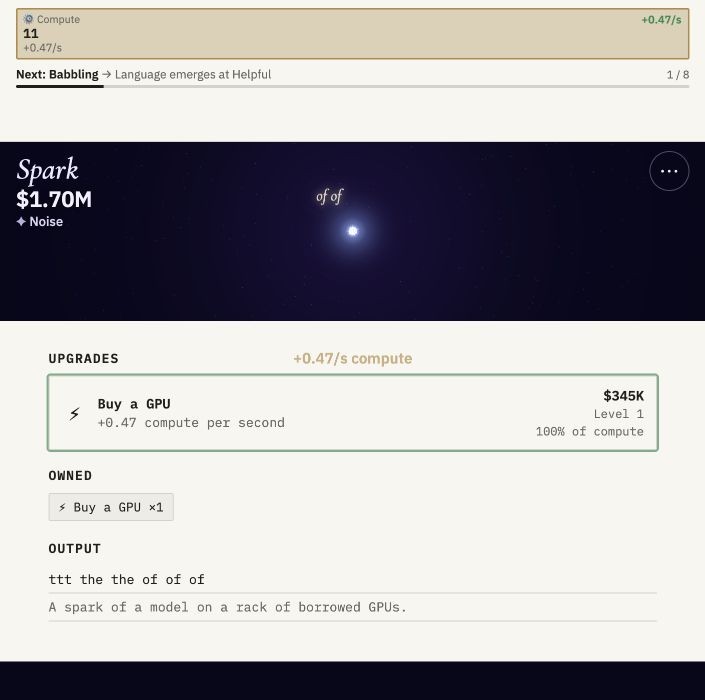
22 Run an AI lab through decisions and upgrades
Spark
Train a model, buy compute, gather data and rate its answers using Spark’s visible buttons. Funding and upgrades expand the lab while the story raises decisions about its effects on people. The browser interface offers pointer controls for the main loop and saves progress locally.
Mouse controlsTraining, purchases, ratings and menu actions are visible on-screen controls.
Computer · Phone & tablet
See game & play ↗
23 Pour one tube into another
Rainy Day Sort
Select a tube, then click its destination to pour. Rainy Day Sort keeps level choice, New Game, Undo and SOS on-screen, alongside several puzzle variants. Each action happens in sequence, so you can think about the next pour before moving the pointer.
Mouse controlsThe current interface exposes the puzzle and recovery actions as pointer controls.
Computer · Phone & tablet
See game & play ↗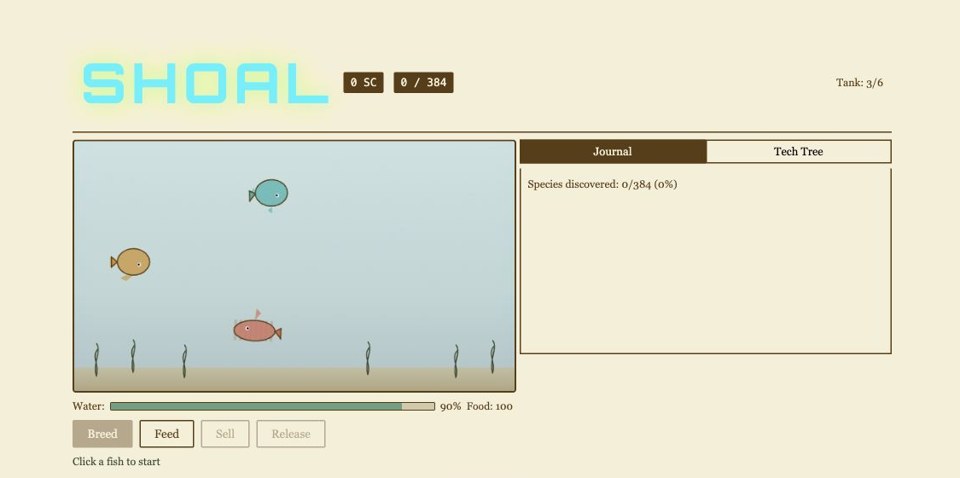
24 Breed an aquarium collection
Shoal
Click two fish, choose Breed, then select and hatch an offspring. Feed, sell and upgrade through the visible buttons. Shoal’s creator documents the desktop mouse flow directly, and its turn-based breeding loop does not require fast keyboard reactions.
Mouse controlsAn explicit desktop click sequence covers selection, breeding and tank management.
Computer · Phone & tablet
See game & play ↗25 Bring moonlight to six sleeping gardens
Moonlit Garden — Browser Demo
Rotate the paths until light reaches the flowers in Moonlit Garden’s free six-puzzle browser demo. The current build has clickable tiles, an English switch and on-screen Undo, Hint and Restart. There is no timer or lives; the complete edition is a separate purchase.
Mouse controlsThe board, language selector and help and recovery controls are all clickable.
Computer · Phone & tablet
See game & play ↗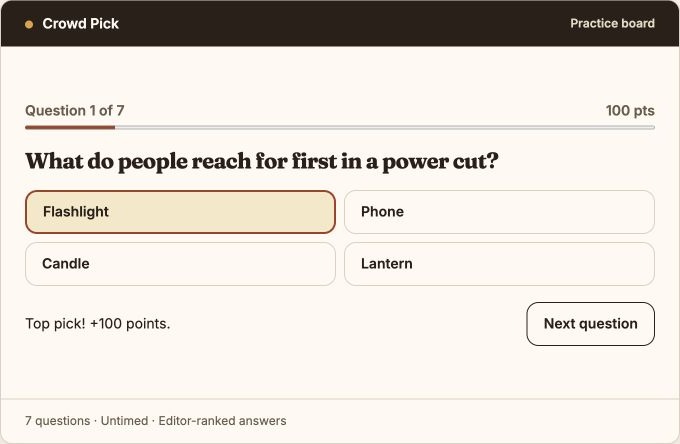
26 Read the crowd with four clickable answers
Crowd Pick
Guess the top-ranked answer across seven untimed, multiple-choice prompts. Scroll to the Crowd Pick practice board beneath the separate PlayDaily embed; answers use editorial rankings rather than a live survey.
Mouse controlsEvery main action is a click or tap; choosing Flashlight on the checked prompt awarded 100 points.
Computer · Phone & tablet
See game & play ↗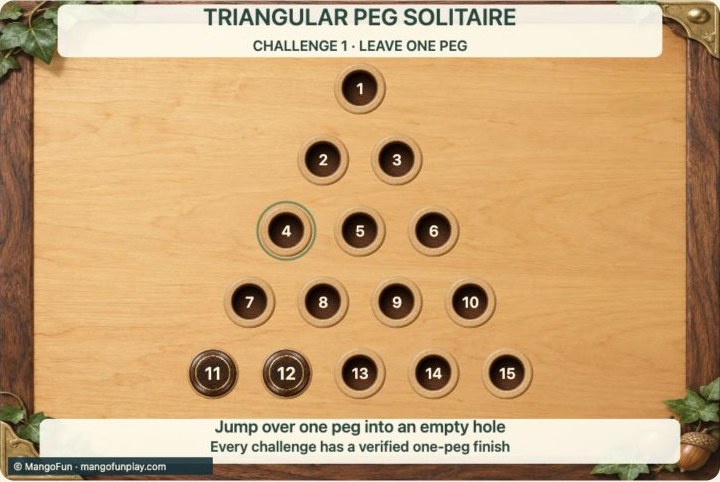
27 Choose a peg and its landing spot
Triangular Peg Solitaire
By MangoFun ↗
Jump pegs over their neighbours until only one remains. Work through twenty graded challenges or tackle the full triangular board, with hints available when you get stuck.
Mouse controlsClick two spaces or drag; the hint-assisted jump was checked.
Computer · Phone & tablet
See game & play ↗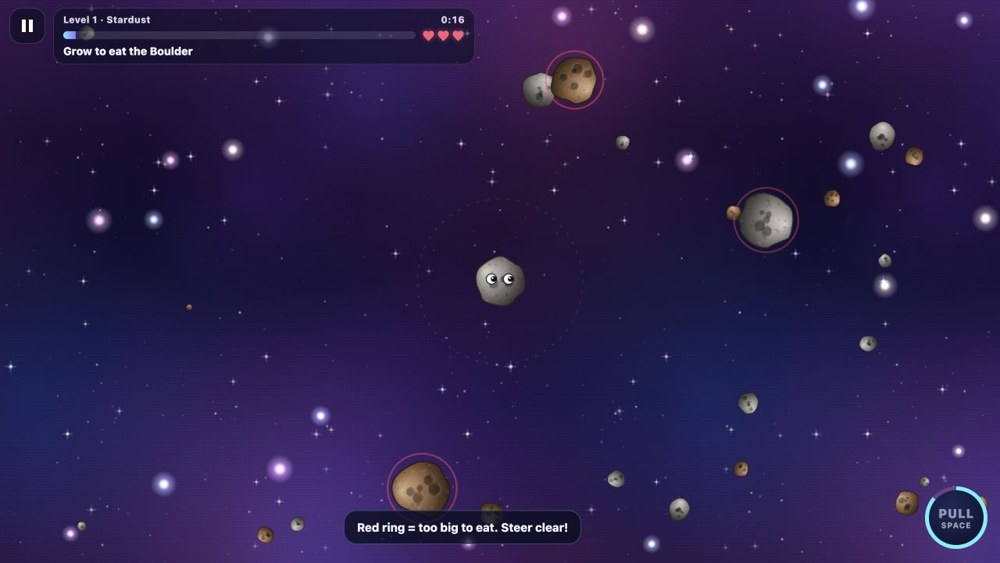
28 Follow the cursor through a field of matter
Gravity
By HertzMC ↗
Grow a tiny space pebble by absorbing smaller objects while steering clear of larger bodies. Use a gravitational pull to gather nearby matter and work towards cosmic proportions.
Mouse controlsThe public input implementation follows the mouse; PULL also has an on-screen control.
Computer · Phone & tablet
See game & play ↗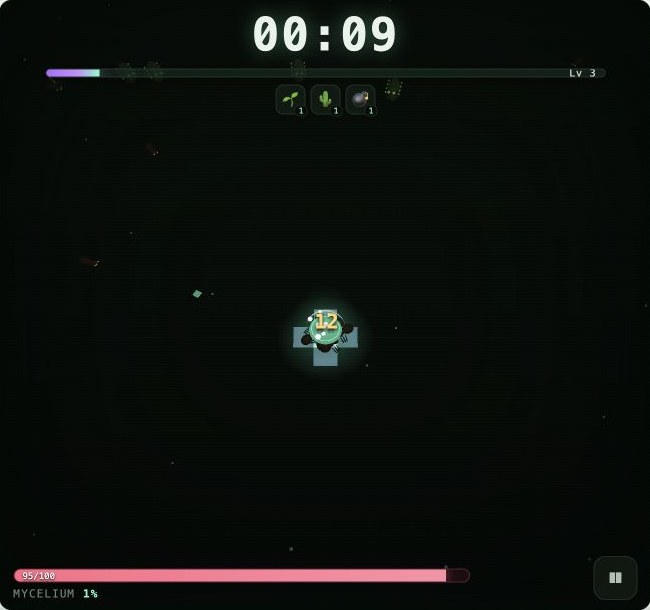
29 Draw a fungal path through the swarm
Mycelia
By monkeyking ↗
Grow a fungal carpet beneath swarming bugs. Your route shapes the battlefield while automatic attacks and upgrade choices turn a small spore into a spreading threat.
Mouse controlsThe creator documents mouse dragging and clickable upgrade cards.
Computer · Phone & tablet
See game & play ↗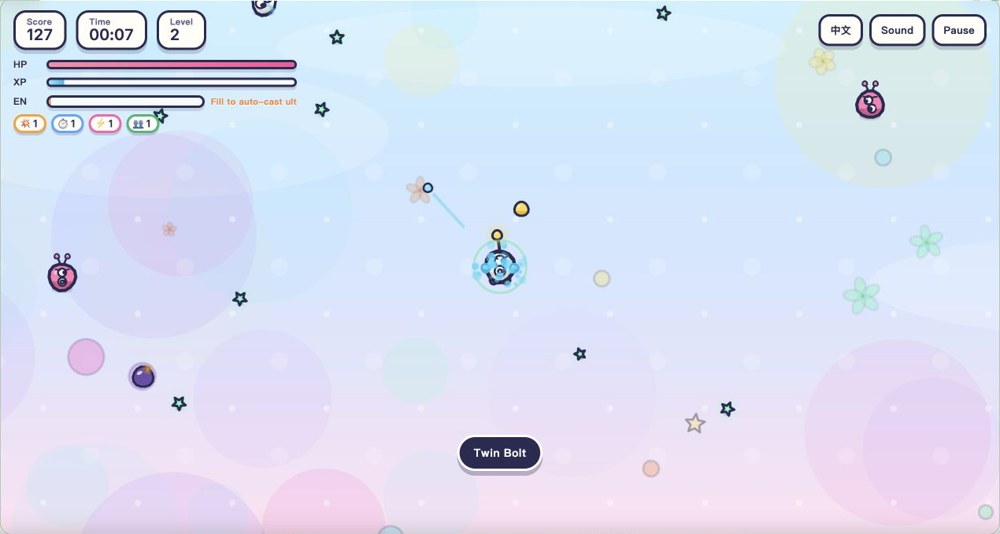
30 Steer while your weapons do the firing
Glow Squad
By nilni ↗
Steer a bright little fighter through enemy waves while its weapons fire automatically. Dodge trouble, dash into space and choose upgrades as your build develops.
Mouse controlsMouse dragging moves and double-clicking dashes; upgrade cards are clickable.
Computer · Phone & tablet
See game & play ↗31 Drag your creature towards its next meal
Evolution Crash
Eat smaller creatures, grow new body parts and evolve through successive eras. Larger animals can be nibbled down before you swallow them, with bosses and branching upgrades along the way.
Mouse controlsThe English game supports dragging and tapping for movement and dashes.
Computer · Phone & tablet
See game & play ↗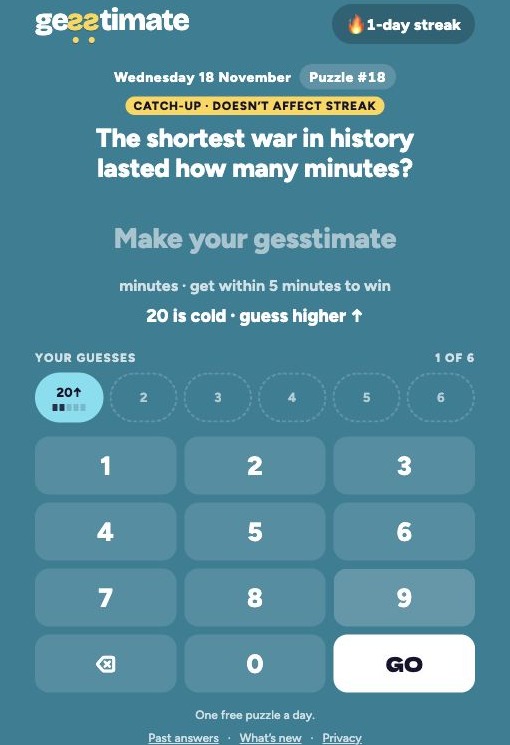
32 Guess using the on-screen number pad
Gesstimate
By Mark ↗
Guess a number in six tries, using hot/cold feedback and higher/lower hints to get close. A fresh daily question and catch-up puzzles make this a compact, untimed trivia break.
Mouse controlsEvery checked input used the number buttons and GO, with no keyboard required.
Computer · Phone & tablet
See game & play ↗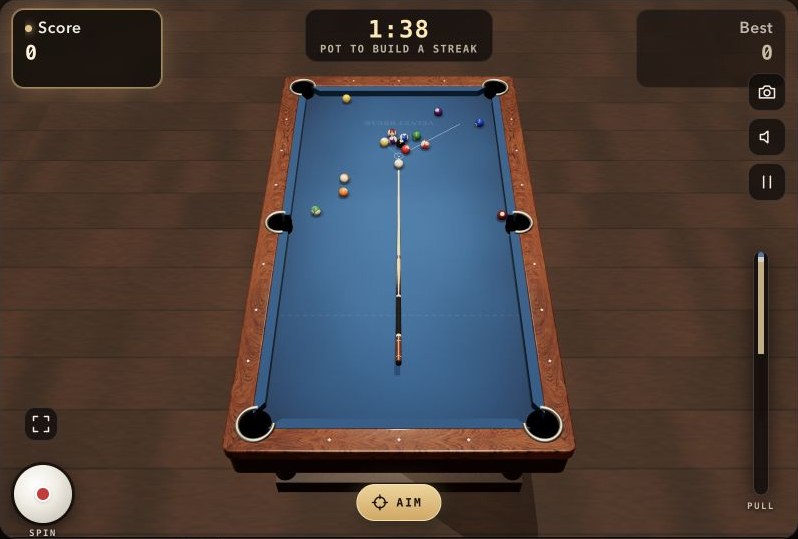
33 Aim, choose spin and pull the cue
Velvet Break
Play 8-ball pool, snooker or a two-minute Blitz challenge. Aim the cue, choose spin and pull back for power, with CPU and same-device two-player options.
Mouse controlsThe checked shot used the table, cue and power-bar controls with the mouse.
Computer · Phone & tablet
See game & play ↗34 Build an island with clicks and drags
Little Empire
Build a small island economy around fishing, homes and production. Balance nightly earnings against upkeep and harbour bills as a short season introduces money decisions.
Mouse controlsThe creator documents collection, placement, camera movement, zoom and cancellation with the mouse.
Computer browser
See game & play ↗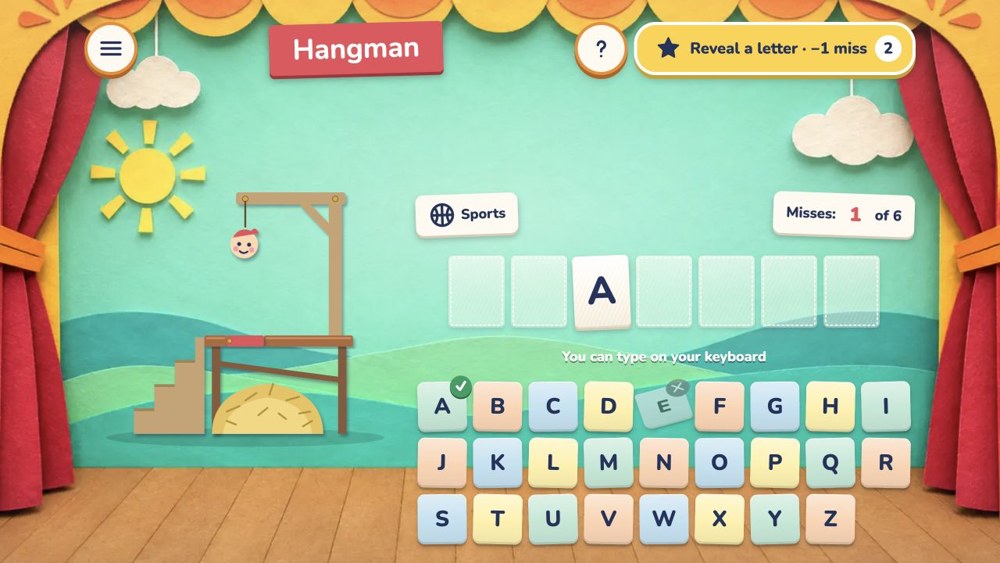
35 Click the letters you want to try
Hangman (ManyPlay)
By ManyPlay ↗
Guess hidden words on a paper-theatre stage before six mistakes. Choose solo categories, a daily word or same-device two-player play, with hints and word meanings.
Mouse controlsThe English on-screen alphabet and hint buttons work without typing.
Computer · Phone & tablet
See game & play ↗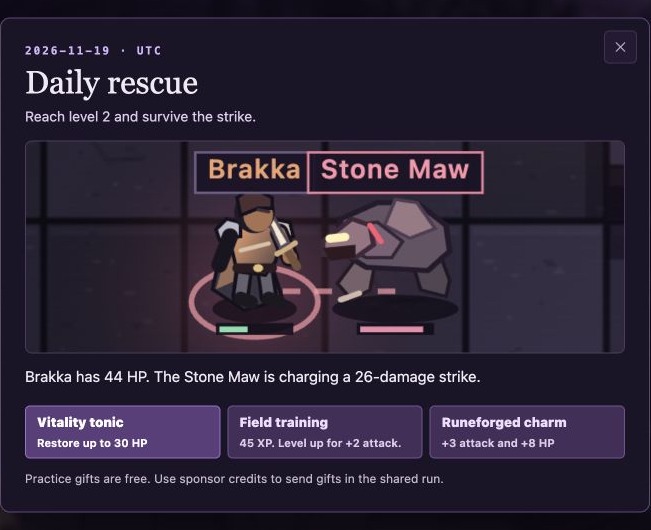
36 Underwatch Daily Rescue: one free tactical choice
Underwatch Daily Rescue
By Underwatch ↗
Solve a tiny daily fantasy rescue by choosing one free gift before the enemy attacks, then watch the turn resolve. The separate shared dungeon can be watched for free; gifts in that live mode use paid sponsor credits.
Mouse controlsThe free daily rescue was solved using a gift button; no keyboard input was needed.
Computer · Phone & tablet
See game & play ↗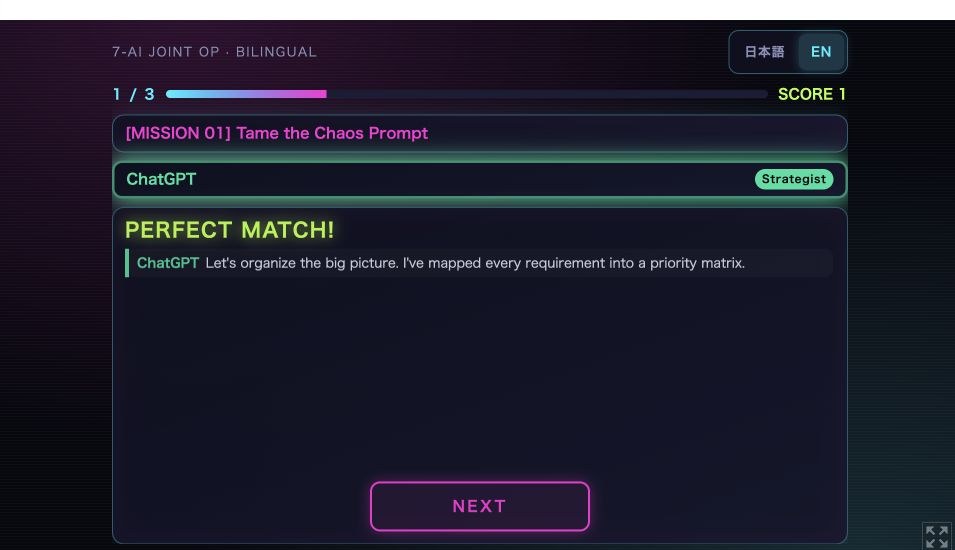
37 Pick a teammate with a click
7-AI JOINT OP
By hiraoman ↗
Match AI teammates to three comic missions in Neo-Prompt City. A short English/Japanese choice game with banter about each assistant’s quirks.
Mouse controlsMission selection and dialogue advance use individual clicks or taps.
Computer · Phone & tablet
See game & play ↗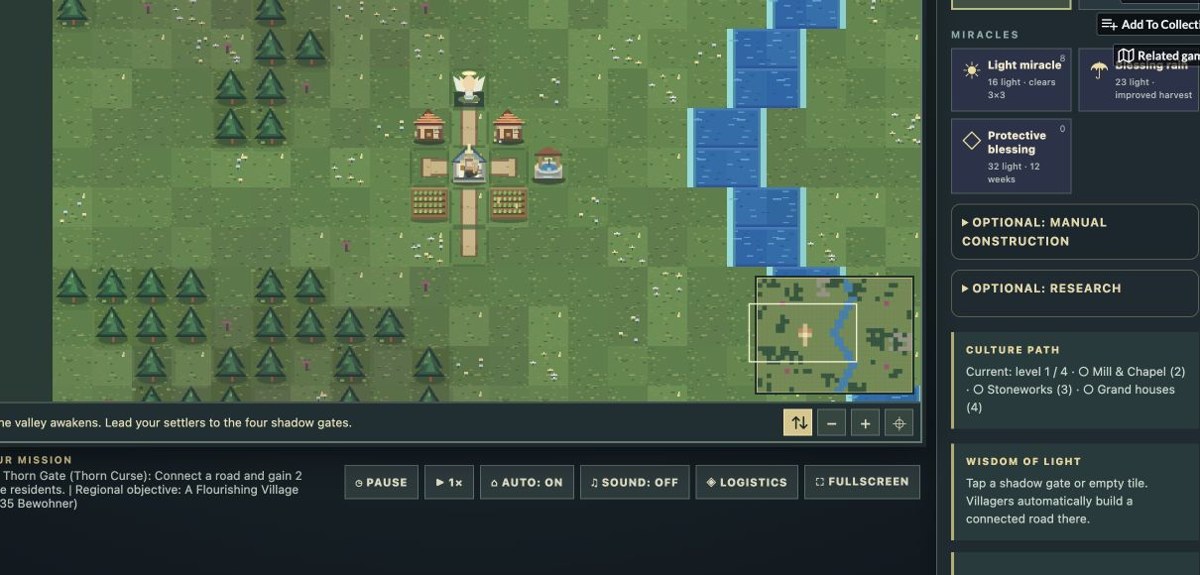
38 Guide a valley through its menus
Aethergard
By devgb ↗
Guide a fantasy settlement through a growing valley. Watch villagers gather resources and expand, then intervene with construction, research and roads.
Mouse controlsThe settlement sim runs automatically; construction and simulation controls use pointer menus.
Computer · Phone & tablet
See game & play ↗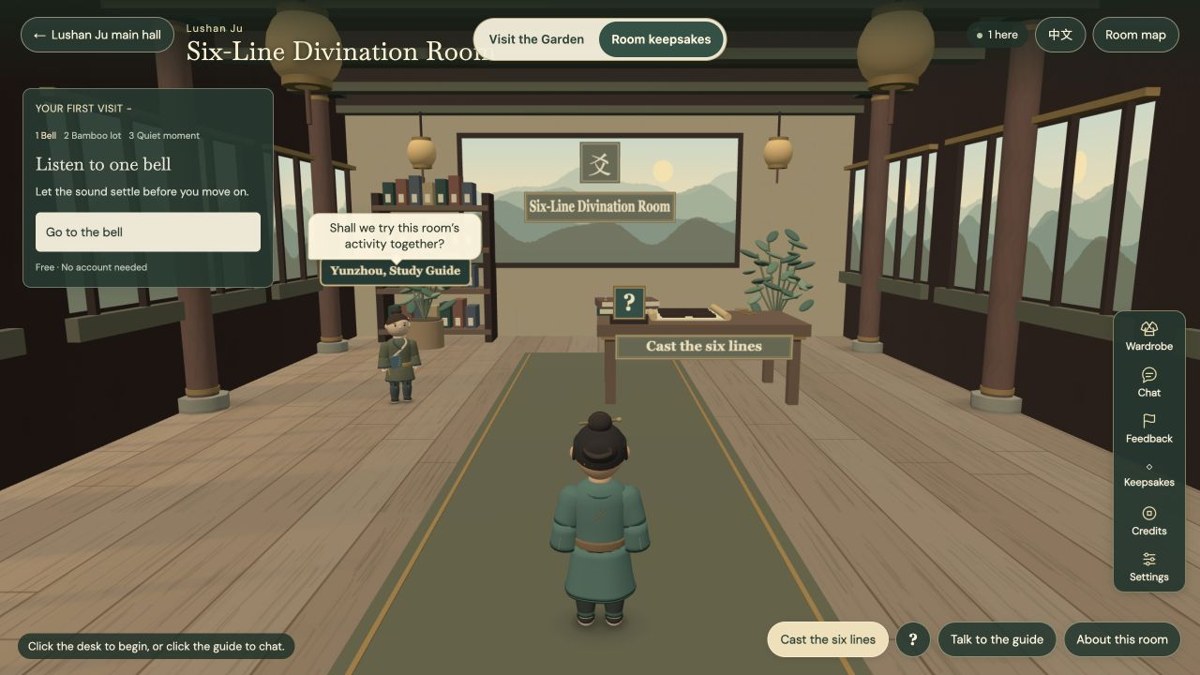
39 Cast six lines in a quiet courtyard
Pinecourt — Six Lines, One Question
By Pinecourt ↗
Cast six lines and explore I Ching symbolism in a quiet English courtyard activity. Free casting; optional AI conversations use paid credits.
Mouse controlsThe free activity uses six individual cast buttons; no movement keys were needed.
Computer browser
See game & play ↗
40 For Roughly: Where?
Roughly: Where?
Place animals on an unlabelled world map, then see how far your guess lands from their real range. Five free daily rounds; past-day access is a paid extra.
Mouse controlsThe documented game uses pointer selection, dragging or a slider; typing is an optional alternative.
Computer · Phone & tablet
See game & play ↗
41 For Roughly: How Big?
Roughly: How Big?
Resize a familiar object beside another and estimate its true scale, from animals to rockets. Five free daily rounds; past-day access is a paid extra.
Mouse controlsThe documented game uses pointer selection, dragging or a slider; typing is an optional alternative.
Computer · Phone & tablet
See game & play ↗
42 For Roughly: How Likely?
Roughly: How Likely?
Estimate the odds of unusual events and compare your reasoning with the game’s sourced answer. Five free daily rounds; past-day access is a paid extra.
Mouse controlsThe documented game uses pointer selection, dragging or a slider; typing is an optional alternative.
Computer · Phone & tablet
See game & play ↗
43 For Roughly: How Many?
Roughly: How Many?
Estimate the height of landmarks in people and everyday objects, using a visual stack as your ruler. Five free daily rounds; past-day access is a paid extra.
Mouse controlsThe documented game uses pointer selection, dragging or a slider; typing is an optional alternative.
Computer · Phone & tablet
See game & play ↗
44 For Roughly: When?
Roughly: When?
Place inventions, buildings and historical events along a 5,000-year timeline, scoring by how close you get. Five free daily rounds; past-day access is a paid extra.
Mouse controlsThe documented game uses pointer selection, dragging or a slider; typing is an optional alternative.
Computer · Phone & tablet
See game & play ↗
45 For Roughly: Where From?
Roughly: Where From?
Locate company headquarters from familiar names and logos on an unlabelled world map. Five free daily rounds; past-day access is a paid extra.
Mouse controlsThe documented game uses pointer selection, dragging or a slider; typing is an optional alternative.
Computer · Phone & tablet
See game & play ↗
46 For Roughly: How Expensive?
Roughly: How Expensive?
Estimate what an item cost in a particular country and year, then compare your guess with its recorded price. Five free daily rounds; past-day access is a paid extra.
Mouse controlsThe documented game uses pointer selection, dragging or a slider; typing is an optional alternative.
Computer · Phone & tablet
See game & play ↗
47 For Roughly: Which Way?
Roughly: Which Way?
Draw the course of a river or mountain range on an unlabelled map and compare it with the real route. Five free daily rounds; past-day access is a paid extra.
Mouse controlsThe documented game uses pointer selection, dragging or a slider; typing is an optional alternative.
Computer · Phone & tablet
See game & play ↗
48 For Roughly: Who?
Roughly: Who?
Read a real survey question, choose an answer and estimate how many people gave it. Five free daily rounds; past-day access is a paid extra.
Mouse controlsThe documented game uses pointer selection, dragging or a slider; typing is an optional alternative.
Computer · Phone & tablet
See game & play ↗
49 For Roughly: How Sweet?
Roughly: How Sweet?
Stack sugar cubes to estimate the sugar in a stated portion of food or drink, then compare the measured amount. Five free daily rounds; past-day access is a paid extra.
Mouse controlsThe documented game uses pointer selection, dragging or a slider; typing is an optional alternative.
Computer · Phone & tablet
See game & play ↗
50 For Roughly: How Wide?
Roughly: How Wide?
Resize one city beside another to estimate its continuous built-up area, then reveal their true relative sizes. Five free daily rounds; past-day access is a paid extra.
Mouse controlsThe documented game uses pointer selection, dragging or a slider; typing is an optional alternative.
Computer · Phone & tablet
See game & play ↗
51 For Flap, But I'm the Pipes
Flap, But I'm the Pipes
Move the gap to outwit a flapping bird, then commit just before it arrives. Three birds escaping ends your run.
Mouse controlsMove the mouse or drag up and down to position the pipe gap.
Computer · Phone & tablet
See game & play ↗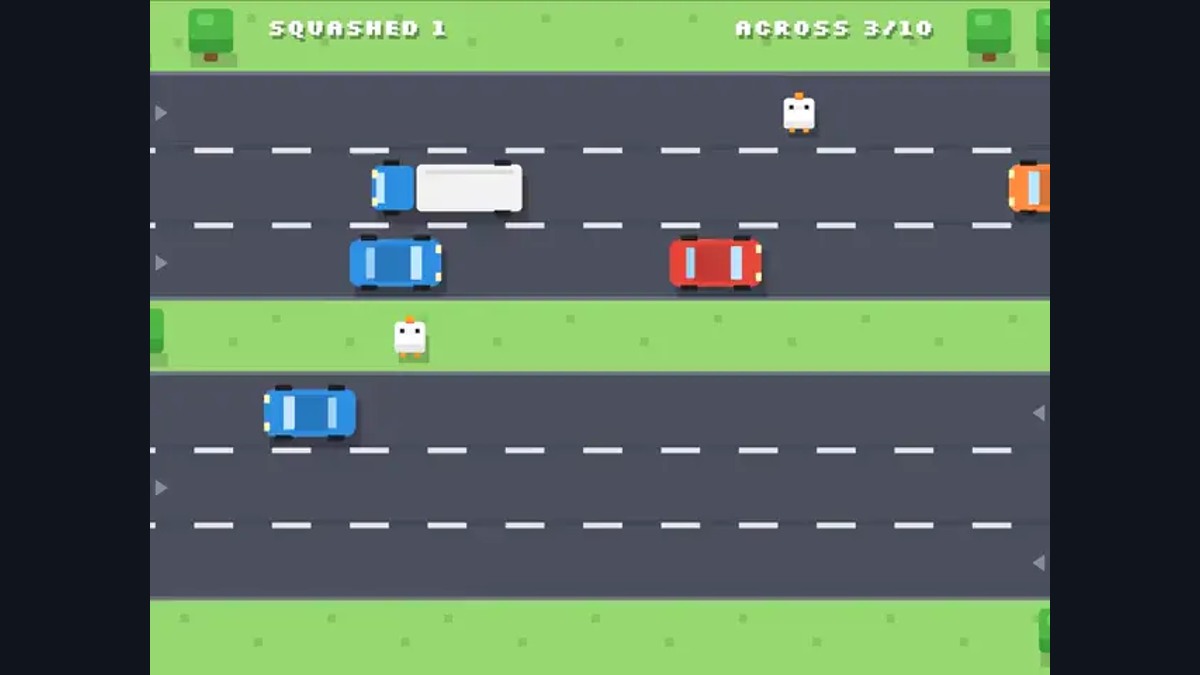
52 For Road Crossing, But I'm the Traffic
Road Crossing, But I'm the Traffic
Send cars down six lanes to stop chickens crossing the road. Read each chicken’s timing before ten make it safely across.
Mouse controlsClick or tap a lane, or press 1–6, to send a car.
Computer · Phone & tablet
See game & play ↗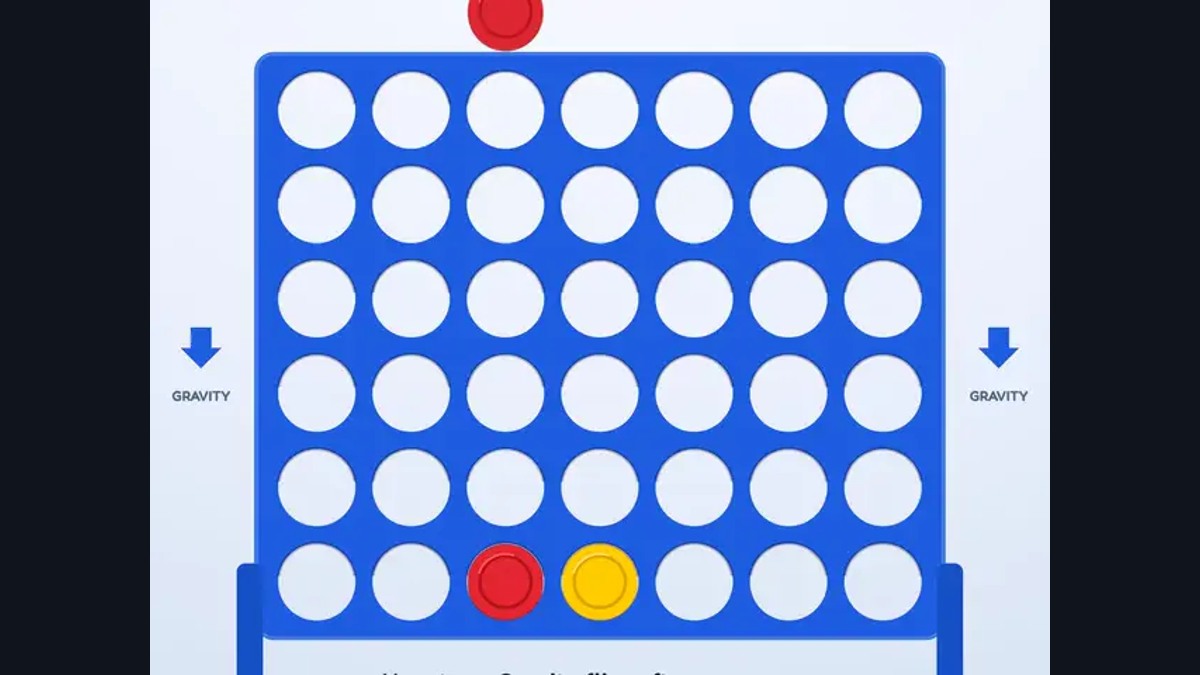
53 For Four in a Row, But Gravity Flips
Four in a Row, But Gravity Flips
Connect four against the computer while gravity reverses every three moves. Plan for both positions of the board across three difficulty settings.
Mouse controlsClick or tap a column to drop a disc; the countdown shows the next gravity flip.
Computer · Phone & tablet
See game & play ↗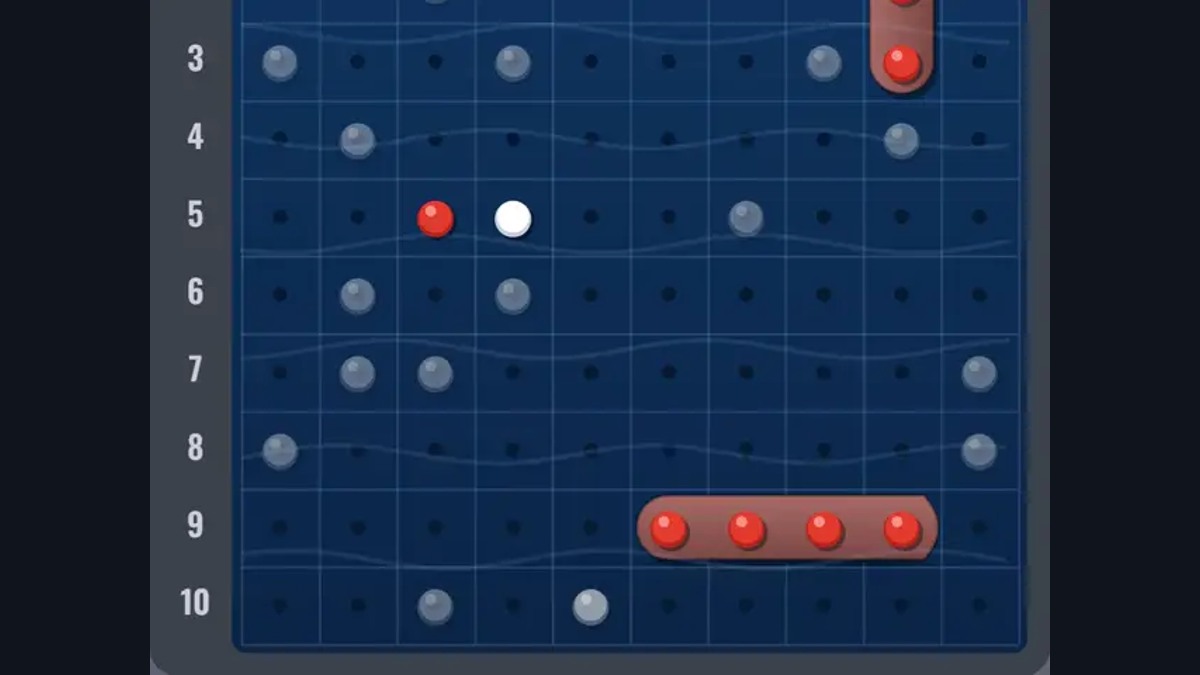
54 For Sea Battle, But Ships Move
Sea Battle, But Ships Move
Hunt an opposing fleet whose undamaged ships can drift each round. Hits anchor a ship, while yesterday’s empty square may no longer be safe.
Mouse controlsShuffle your starting fleet, then click or tap enemy squares to fire.
Computer · Phone & tablet
See game & play ↗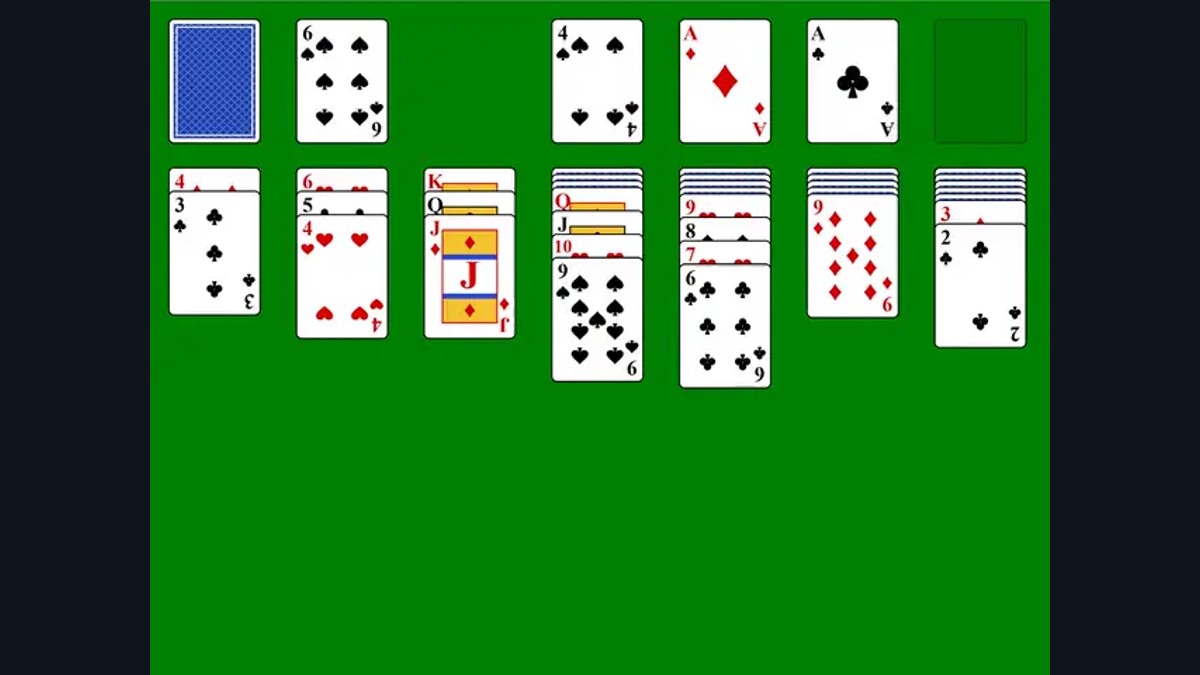
55 For Solitaire, But the Cards Run Away
Solitaire, But the Cards Run Away
Build four foundations from ace to king while reachable cards grow impatient. Leave one too long and it bounces away beneath the deck.
Mouse controlsClick or tap a card to send it to a suitable spot, or drag it yourself.
Computer · Phone & tablet
See game & play ↗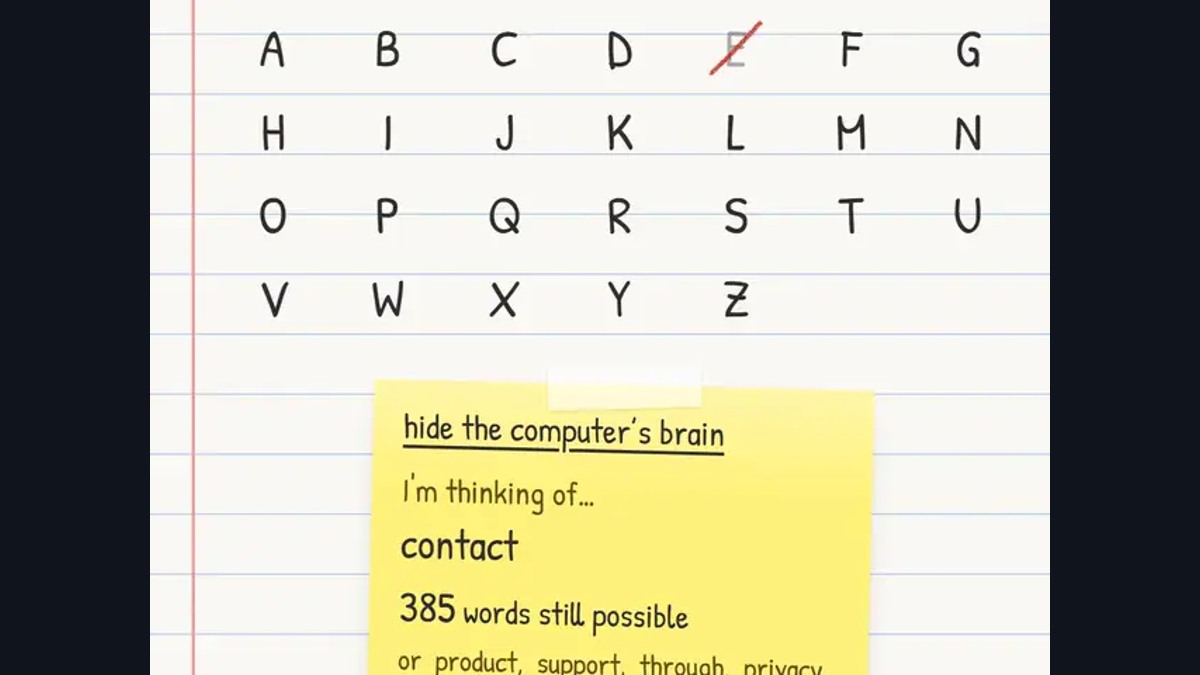
56 For Hangman, But The Word Changes
Hangman, But The Word Changes
Guess letters while the computer changes its hidden word to stay consistent and avoid you. Peek at its remaining possibilities and solve it before ten misses.
Mouse controlsType or tap letters to guess. The sticky note reveals the computer’s current candidate.
Computer · Phone & tablet
See game & play ↗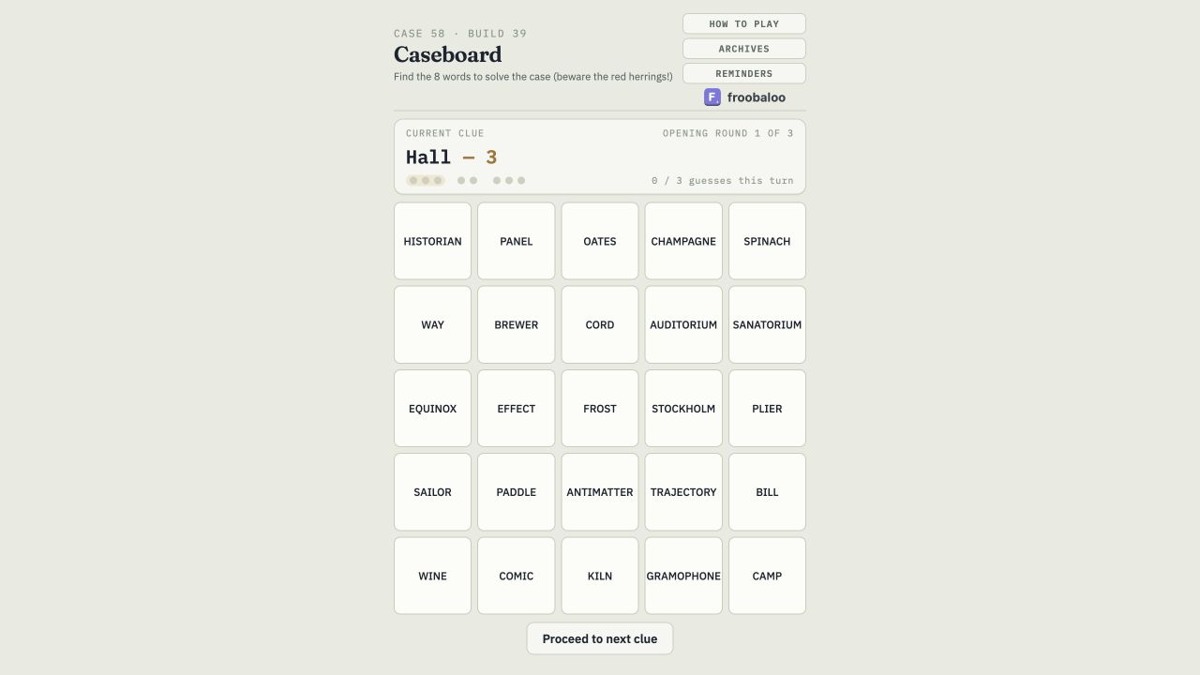
57 For Caseboard
Caseboard
Find eight hidden words from clues while avoiding red herrings. Work through a daily board of 25 words with a limited number of guesses per clue.
Mouse controlsClick or tap words that fit the current clue, or move to the next clue.
Computer · Phone & tablet
See game & play ↗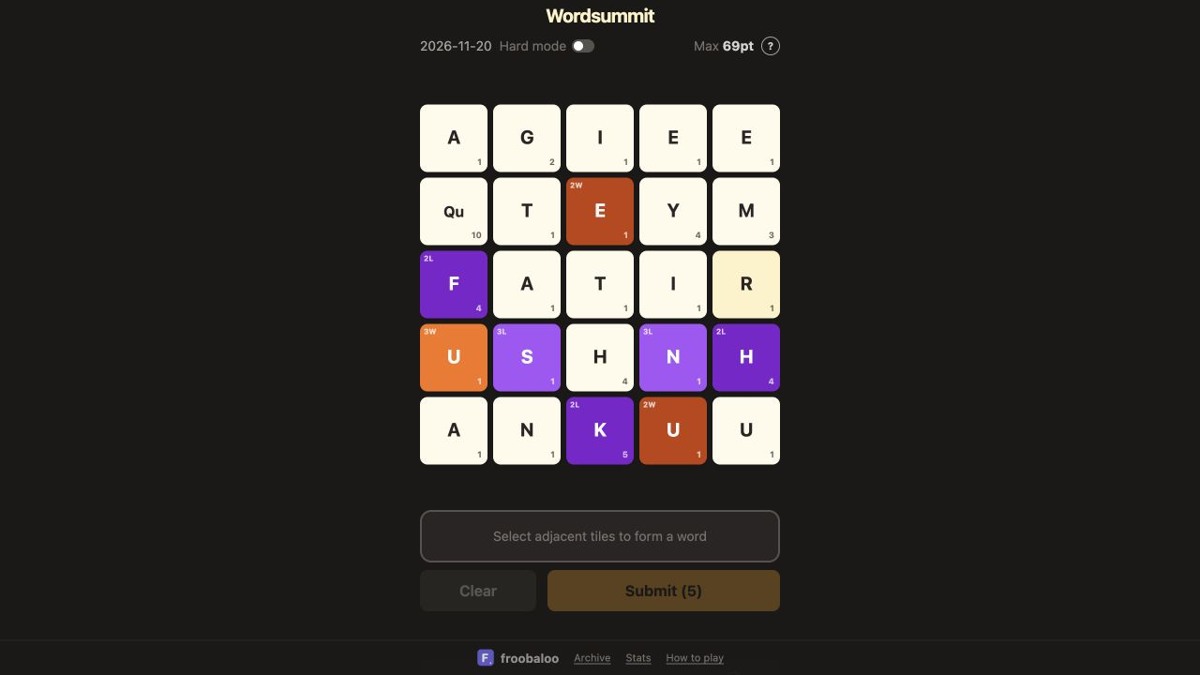
58 For Wordsummit
Wordsummit
Connect neighbouring letter tiles to make a high-scoring word in five attempts. Use letter and word multipliers to reach the daily target.
Mouse controlsSelect adjacent tiles, including diagonals, then submit a word. Mouse or touch.
Computer · Phone & tablet
See game & play ↗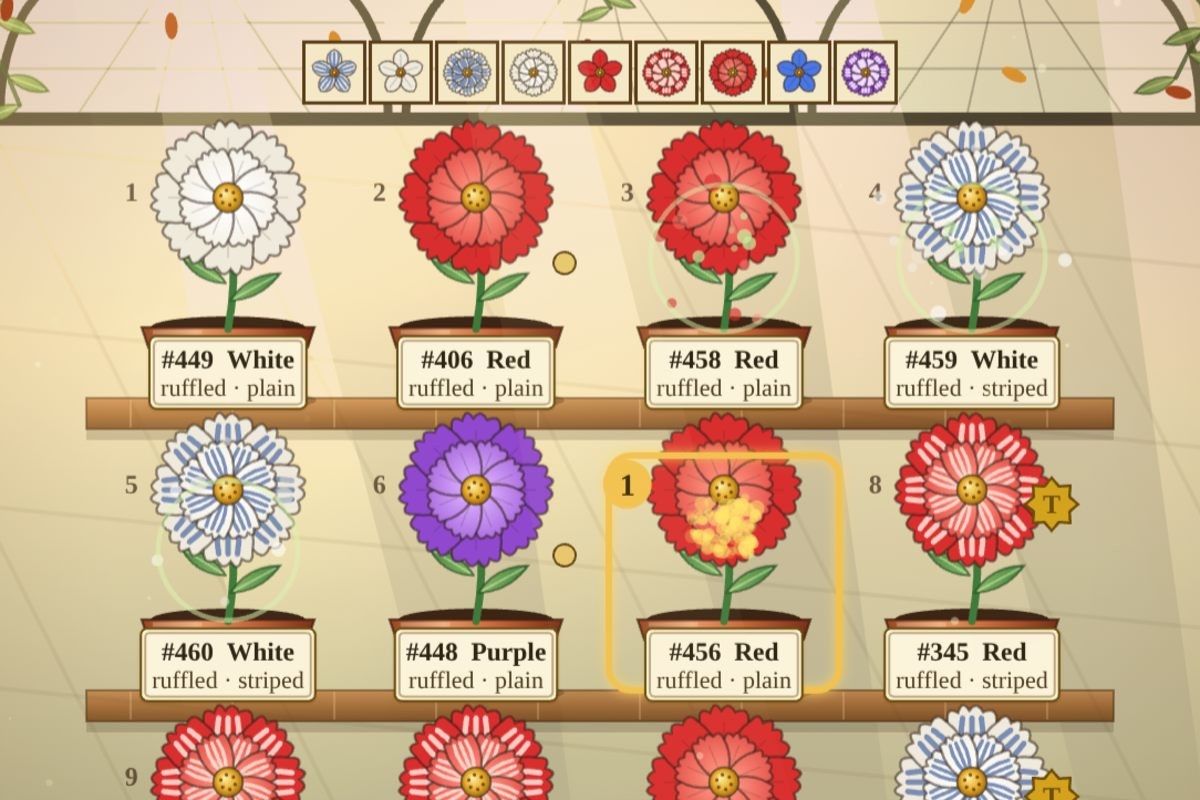
59 For Graft
Graft
Breed flowers at a Victorian nursery, compare offspring and work out their hidden genes. Fulfil customer orders and record your own genetic proofs as the seasons introduce new traits.
Mouse controlsClick or tap plants to pair them, then Cross; use the orders and pedigree panels.
Computer · Phone & tablet
See game & play ↗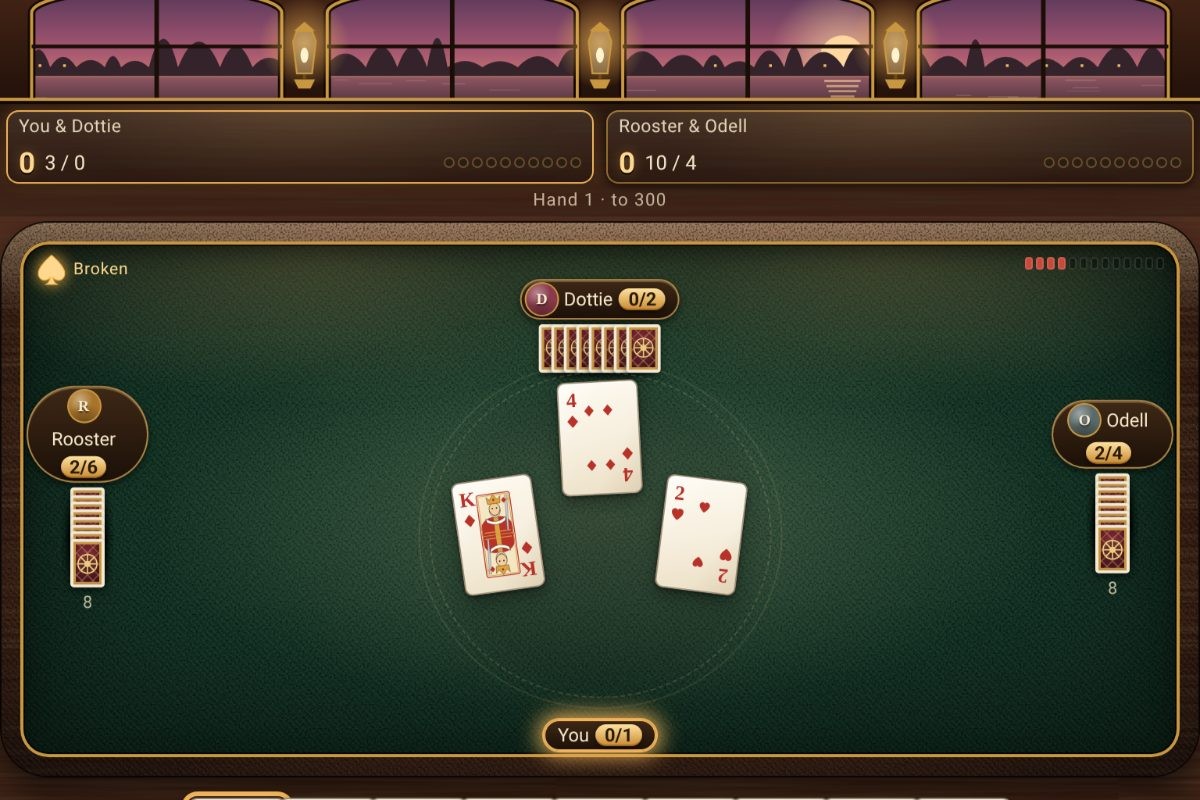
60 For Spades
Spades
Bid and win tricks with a computer partner aboard a riverboat. Work through card rooms with changing rules, balancing your team’s contract against bags and Nil bids.
Mouse controlsClick a card, or tap it twice to play; use the bid panel. Keyboard arrows and Enter are also supported.
Computer · Phone & tablet
See game & play ↗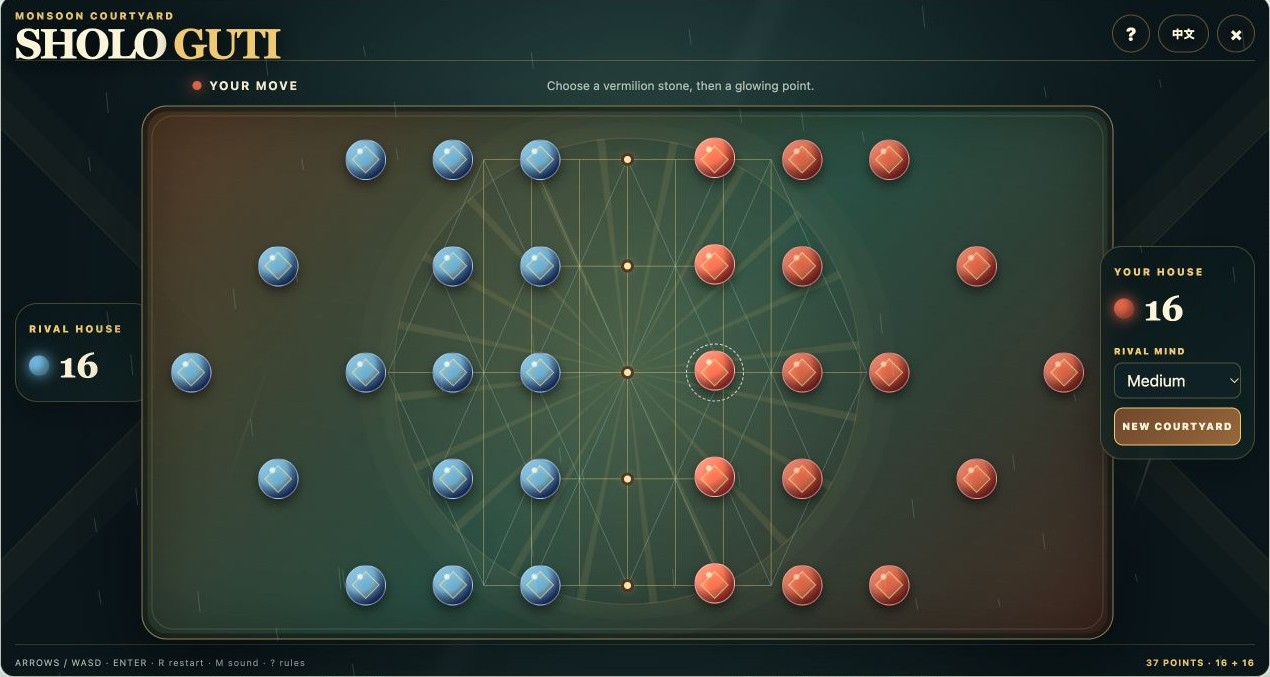
61 For Sholo Guti
Sholo Guti
Capture sixteen rival stones on a 37-point courtyard board. Plan steps and chained jumps against three computer difficulty levels in this Bangladeshi-style board game.
Mouse controlsClick or tap your stone and its destination; arrows/WASD and Enter also work. M toggles sound.
Computer · Phone & tablet
See game & play ↗| Game | Pointer action | Kind of game / limitation |
|---|---|---|
| Hexcellent | Click cells | Strategy; solo or local two-player |
| Block Blast | Click, hold and drag | Block puzzle; unofficial fan version |
| Grand Theft PTO | Click narrative choices | Short office-life decision game |
| Lantern Garden | Left- or right-click tiles | Untimed puzzle; on-screen help |
| Orchard Keepsakes | Click exposed tiles | Untimed matching; seven-slot tray |
| GLOWSILK | Drag silk; click insects and upgrades | Free first-garden browser demo |
| Forgotten Fortune | Click, drag and release | Physics puzzle; avoid making too much noise |
| Eureka! — Artificial Evolution | Select objects and puzzle pieces | Science-themed puzzle adventure |
| Rift Chess | Click; right-drag and wheel for camera | Chess variant; local bot or hotseat |
| Chess — EveryGameMade | Click pieces and destinations | Computer chess; optional coaching |
| Wire & Gate: Light the Lamp! | Select gates; flip switches | Ten introductory logic circuits |
| Blowtorch: Pipe Puzzles | Click pipes and WELD | 3D pipe puzzle; scored runs |
| Lullfin: Cozy Fishing | Hold and release | Fishing; timing still matters |
| Lilymere: Pond Ecosystem Idle | Click management buttons | Idle ecosystem; balance the food chain |
| Chimewild: Music Garden Sequencer | Click or drag notes; use buttons | Music sequencer; sound is part of play |
| Warm Little Room | Click for warmth and upgrades | Cozy incremental decoration |
| Snugholm: Cozy Village Builder | Choose and place buildings | Untimed village-building puzzle |
| Dabblewood: Colouring Book for Kids | Click a colour, then a shape | Colouring activity; free or by number |
| TenKay | Click roll, bank and optional dice | Push-your-luck dice against computer rivals |
| Turning Arrows | Click arrows and recovery buttons | Fifty logic puzzles |
| Omino | Click resources; drag the view | Creature care; needs require attention |
| Spark | Click actions and upgrades | Incremental management game |
| Rainy Day Sort | Click a source and destination | Water-sorting puzzle |
| Shoal | Click fish and management buttons | Turn-based aquarium collection |
| Moonlit Garden — Browser Demo | Click tiles and help buttons | Free six-puzzle demo; untimed |
| Crowd Pick | Four answer buttons, then Next question | No typing or time limit; scroll below the separate PlayDaily embed |
| Triangular Peg Solitaire | Click or drag between pegs | Untimed logic puzzles |
| Gravity | Move the pointer; click PULL | Growth and avoidance; touch stick also documented |
| Mycelia | Drag to move; click upgrades | Automatic combat; optional account prompt can be closed |
| Glow Squad | Drag, double-click and choose cards | Fast survival combat; precise timing still matters |
| Evolution Crash | Drag to swim; click to dash | Active creature survival and evolution upgrades |
| Gesstimate | Click digits and GO | Number trivia with hot/cold feedback |
| Velvet Break | Click to aim; drag power and spin | Pool, snooker and a timed Blitz mode |
| Little Empire | Click, drag, wheel and right-click | Economy management with pause and speed controls |
| Hangman (ManyPlay) | Click letters and hints | Untimed word guessing; keyboard is optional |
| Underwatch Daily Rescue | Free daily rescue; live gifts cost money | One choice, then a resolved turn |
| 7-AI JOINT OP | Click a teammate, then Next | No dragging or movement keys |
| Aethergard | Pointer menus; automatic villagers | Longer sessions; pause available |
| Pinecourt — Six Lines, One Question | Individual menu clicks | No timed inputs |
| Roughly: Where? | Drag or click to estimate | Five free daily rounds |
| Roughly: How Big? | Drag or click to estimate | Five free daily rounds |
| Roughly: How Likely? | Drag or click to estimate | Five free daily rounds |
| Roughly: How Many? | Drag or click to estimate | Five free daily rounds |
| Roughly: When? | Drag or click to estimate | Five free daily rounds |
| Roughly: Where From? | Drag or click to estimate | Five free daily rounds |
| Roughly: How Expensive? | Drag or click to estimate | Five free daily rounds |
| Roughly: Which Way? | Drag or click to estimate | Five free daily rounds |
| Roughly: Who? | Drag or click to estimate | Five free daily rounds |
| Roughly: How Sweet? | Drag or click to estimate | Five free daily rounds |
| Roughly: How Wide? | Drag or click to estimate | Five free daily rounds |
| Flap, But I'm the Pipes | Click or drag | Arcade timing |
| Road Crossing, But I'm the Traffic | Click or drag | Arcade timing |
| Four in a Row, But Gravity Flips | Click or drag | Word/board puzzle |
| Sea Battle, But Ships Move | Click or drag | Arcade timing |
| Solitaire, But the Cards Run Away | Click or drag | Word/board puzzle |
| Hangman, But The Word Changes | Click or drag | Word/board puzzle |
| Caseboard | Click or drag | Word/board puzzle |
| Wordsummit | Click or drag | Word/board puzzle |
| Graft | Click or tap choices | Keyboard shortcuts are optional |
| Spades | Click or tap choices | Keyboard shortcuts are optional |
| Sholo Guti | Click or tap choices | Keyboard shortcuts are optional |
Options with documented touch support
For phone and tablet play, start with these 57 touch-friendly picks. No app download is needed. Larger 3D worlds may run better on a newer device.
- Hexcellent
- Block Blast
- Grand Theft PTO
- Lantern Garden
- Orchard Keepsakes
- Eureka! — Artificial Evolution
- Rift Chess
- Chess — EveryGameMade
- Wire & Gate: Light the Lamp!
- Blowtorch: Pipe Puzzles
- Lullfin: Cozy Fishing
- Lilymere: Pond Ecosystem Idle
- Chimewild: Music Garden Sequencer
- Warm Little Room
- Snugholm: Cozy Village Builder
- Dabblewood: Colouring Book for Kids
- TenKay
- Turning Arrows
- Omino
- Spark
- Rainy Day Sort
- Moonlit Garden — Browser Demo
- Shoal
- Crowd Pick
- Triangular Peg Solitaire
- Gravity
- Mycelia
- Glow Squad
- Evolution Crash
- Gesstimate
- Velvet Break
- Hangman (ManyPlay)
- Underwatch Daily Rescue
- 7-AI JOINT OP
- Aethergard
- Roughly: Where?
- Roughly: How Big?
- Roughly: How Likely?
- Roughly: How Many?
- Roughly: When?
- Roughly: Where From?
- Roughly: How Expensive?
- Roughly: Which Way?
- Roughly: Who?
- Roughly: How Sweet?
- Roughly: How Wide?
- Flap, But I'm the Pipes
- Road Crossing, But I'm the Traffic
- Four in a Row, But Gravity Flips
- Sea Battle, But Ships Move
- Solitaire, But the Cards Run Away
- Hangman, But The Word Changes
- Caseboard
- Wordsummit
- Graft
- Spades
- Sholo Guti
Mouse controls: common questions
Do mouse-only browser games need a keyboard at all?
The solo gameplay described here has pointer controls. Some games also offer keyboard shortcuts or optional features such as typed room codes, names or save imports. Those extras are separate from the mouse-driven loop selected for this guide.
Which are better if I want to avoid holding and dragging?
Start with Hexcellent, Grand Theft PTO, Orchard Keepsakes, TenKay, Turning Arrows or Rainy Day Sort: their main actions are individual clicks. Block Blast, GLOWSILK and Forgotten Fortune rely on dragging, so they are different choices.
Does mouse-only mean one-handed or accessible for everyone?
No. A game may require accurate dragging, holding a button, right-clicks or quick timing. The comparison table explains the input style. Our separate one-handed mobile guide checks a different promise: portrait-friendly single-finger phone controls.
Found your favourite?
Leave a rating on its game page. Or send a friend somewhere new to play.
OVER TO YOU
Comments
Got a thought, a favourite or a recommendation? Join the conversation.
Loading comments…